web
You’re offline. This is a read only version of the page.
close
Skip to main content

Notifications

Announcements

Community site session details

Community site session details

Session Id :
Dynamics 365 Community / Forums / Finance forum / Change recurrence for ...
Finance forum
Unanswered

Change recurrence for recurring job

(1) ShareShare
ReportReport
Posted on by 36
Hi,

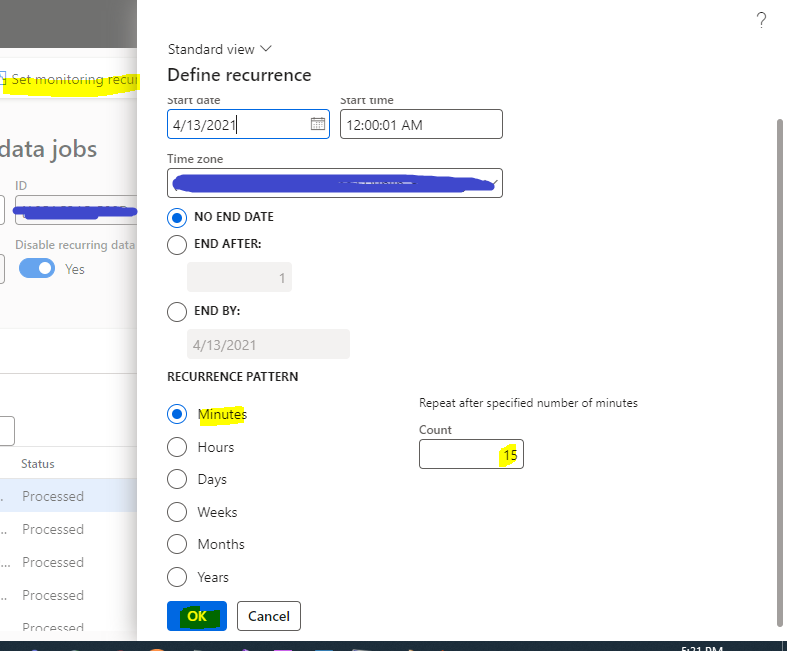
I have an already running recurring job with 2 min recurrence. I want to change it to 15 min, but when i do it doesn't get changed. I also tried to stop the job then change the recurrence but it was still stuck with 2 min... how can i do that? do i really need to delete the job?

here's the running job
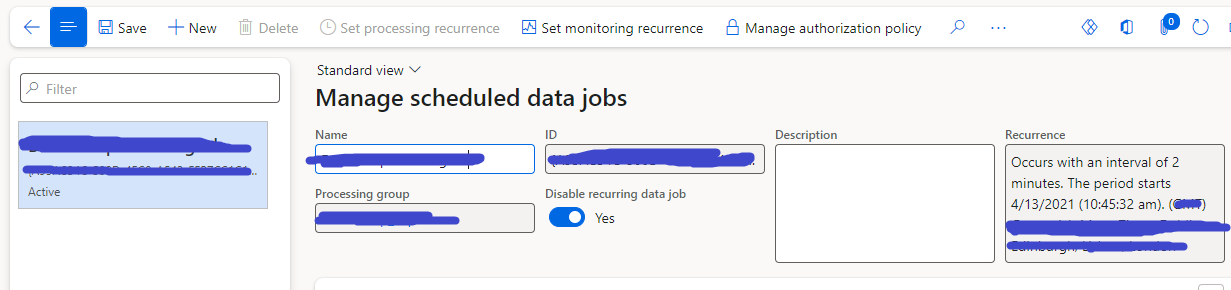

and here's where i changed it to 15 and clicked save but with no luck
I have the same question (0)
  • Waed Ayyad Profile Picture
    9,047 Super User 2025 Season 2 on at
    Hi,
     
    Did you try to change it from batch job screen? Also try to reset usage data after you change it.
     
     
    Thanks,
    Waed Ayyad
    If this helped, please mark it as "Verified" for others facing the same issue
     
  • Hana Xue Profile Picture
    Microsoft Employee on at
    Hi,
    Please see this blog post which mentions that you can change the initial recurrence settings in the batch job form. https://dynamics365musings.com/manage-d365-batch-jobs/

    Best Regards,
    Hana

     
  • Waed Ayyad Profile Picture
    9,047 Super User 2025 Season 2 on at
    Hi,

    Is your issue resolved? If yes, mark the answers that helped you as verified.

    Thanks
    Waed Ayyad
  • Alireza Eshaghzadeh Profile Picture
    14,738 Super User 2025 Season 2 on at
    Hi ,
    Have you tried to control the batch job itself on System administration > Batch jobs? Please try the modification from the batch jobs side.
    Recurring DMF job can be adjusted via Set processing recurrence and Set monitoring recurrence and then via their related batch jobs.
  • Navneeth Nagrajan Profile Picture
    2,438 Super User 2025 Season 2 on at
    Hi,

     A few questions and suggestions:
    1. Is this recurring job based on a Logic Apps job? If yes, then below is the suggestion for the same.
    Suggestion: If the recurring job is based on the Logic Apps job then the job shouldn't be set in D365. 
     
    2. Are there batch jobs running in D365 based on this recurrence? 
    Suggestion: If there are batch jobs running in D365 based on this recurrence, then you need to put those jobs on Withhold first and then change the recurrence without which your job recurrence won't change. Also, ensure there are no batch jobs in Executing state while you are changing them to Withhold.
     
    Happy to answer questions, if any. 

Under review

Thank you for your reply! To ensure a great experience for everyone, your content is awaiting approval by our Community Managers. Please check back later.

Helpful resources

News and Announcements

Season of Giving Solutions is Here!

Quick Links

November Spotlight Star - Khushbu Rajvi

Congratulations to a top community star!

Forum Structure Changes Coming on 11/8!

In our never-ending quest to help the Dynamics 365 Community members get answers faster …

Dynamics 365 Community Platform update – Oct 28

Welcome to the next edition of the Community Platform Update. This is a status …

Leaderboard > Finance

Last 30 days Overall leaderboard

Featured topics

Product updates

Dynamics 365 release plans
