Hi FlowerPi,
I have split your question from the previous thread, a new thread would help people who have same question about how to call Event API in C#.
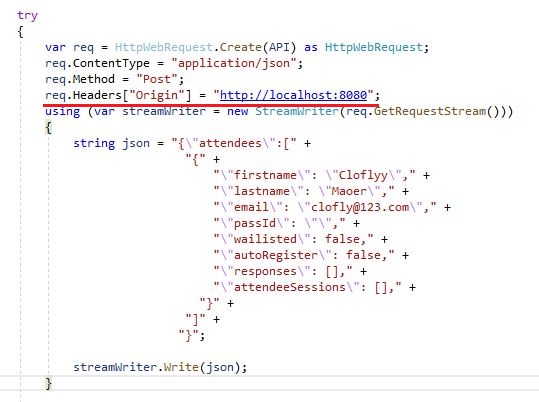
We can solve it by adding http://localhost:8080 as Origin value in request headers. (If Origin field of your web application is http://localhost:8080.)
static void Main(string[] args)
{
    String endPoint = "https://123456.svc.dynamics.com/EvtMgmt/api/v2.0/events/";

    String readableId = "d365mkt";

    String token = "abcdef";

    String API = endPoint   readableId   "/registrations?emApplicationtoken="   token;

    try
    {
        var req = HttpWebRequest.Create(API) as HttpWebRequest;
        req.ContentType = "application/json";
        req.Method = "Post";
        req.Headers["Origin"] = "http://localhost:8080";
        using (var streamWriter = new StreamWriter(req.GetRequestStream()))
        {
            string json = "{\"attendees\":["
                            "{"
                                "\"firstname\": \"Cloflyy\","
                                "\"lastname\": \"Maoer\","
                                "\"email\": \"clofly@123.com\","
                                "\"passId\": \"\","
                                "\"wailisted\": false,"
                                "\"autoRegister\": false,"
                                "\"responses\": [],"
                                "\"attendeeSessions\": [],"
                              "}"
                            "]"
                           "}";

            streamWriter.Write(json);
        }

        var response = req.GetResponse();

        var encoding = ASCIIEncoding.ASCII;

        using (var reader = new System.IO.StreamReader(response.GetResponseStream(), encoding))
        {
            string responseText = reader.ReadToEnd();
            Console.WriteLine(responseText);
        }
    }
    catch (Exception e)
    {
        Console.WriteLine(e);
    }

}
Result:




