web
You’re offline. This is a read only version of the page.
close
Skip to main content

Notifications

Announcements

No record found.

Community site session details

Community site session details

Session Id :
Customer experience | Sales, Customer Insights,...
Suggested Answer

Phone Call Card form in Timeline not showing Time Stamps

(0) ShareShare
ReportReport
Posted on by 105

Hi Community!

I have made custom fields to the Phone Call entity (a disposition field with an option set) and in order for the new field to appear in the timeline view of leads, I added the new field to the Phone Call Card form:
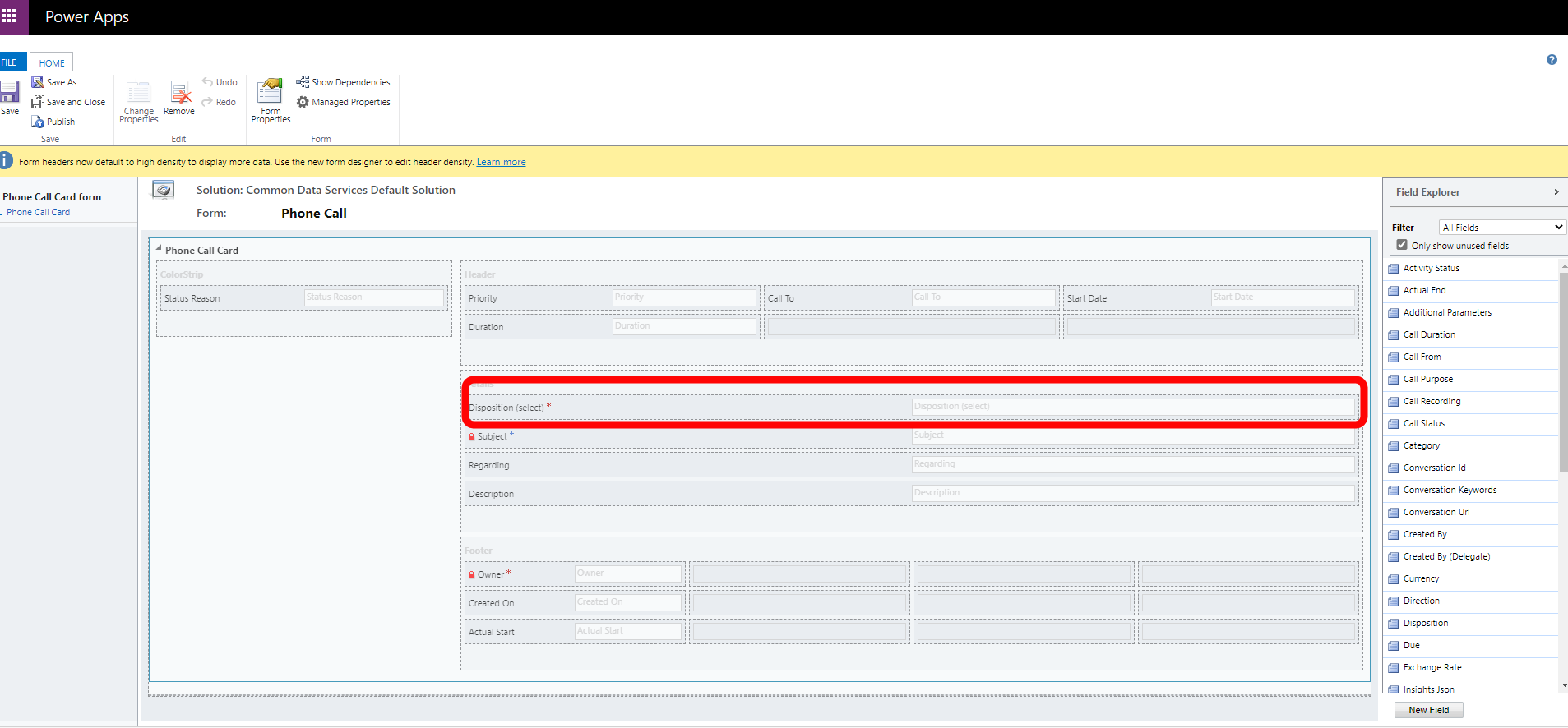
OnPaste.20201118_2D00_122209.png

...and changed the record that appears in the timeline to the Phone Call Card form:
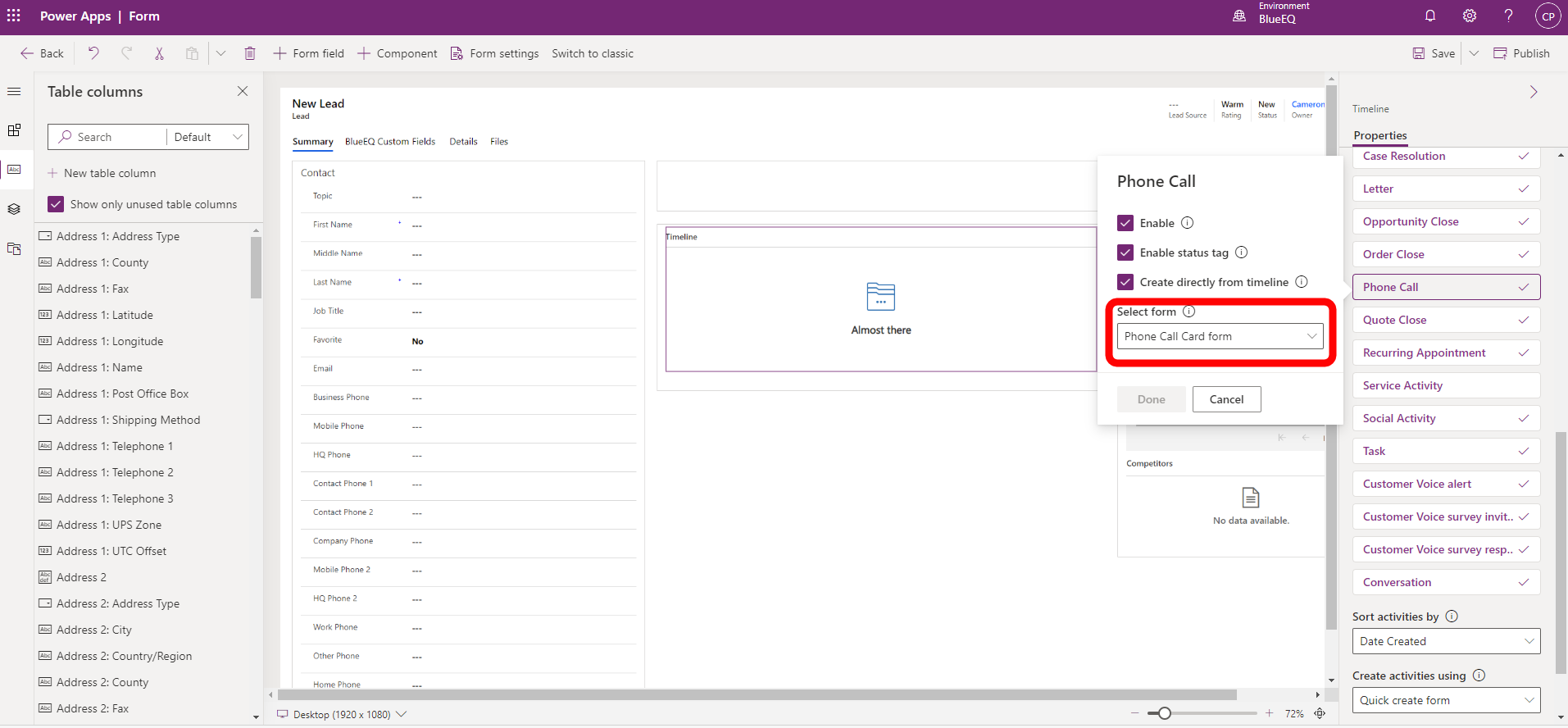
OnPaste.20201118_2D00_122042.png

Everything seemed to work, except now for some reason the time stamp has been replaced with what appears to be the Regarding field. I have not been able to locate where to edit this field:
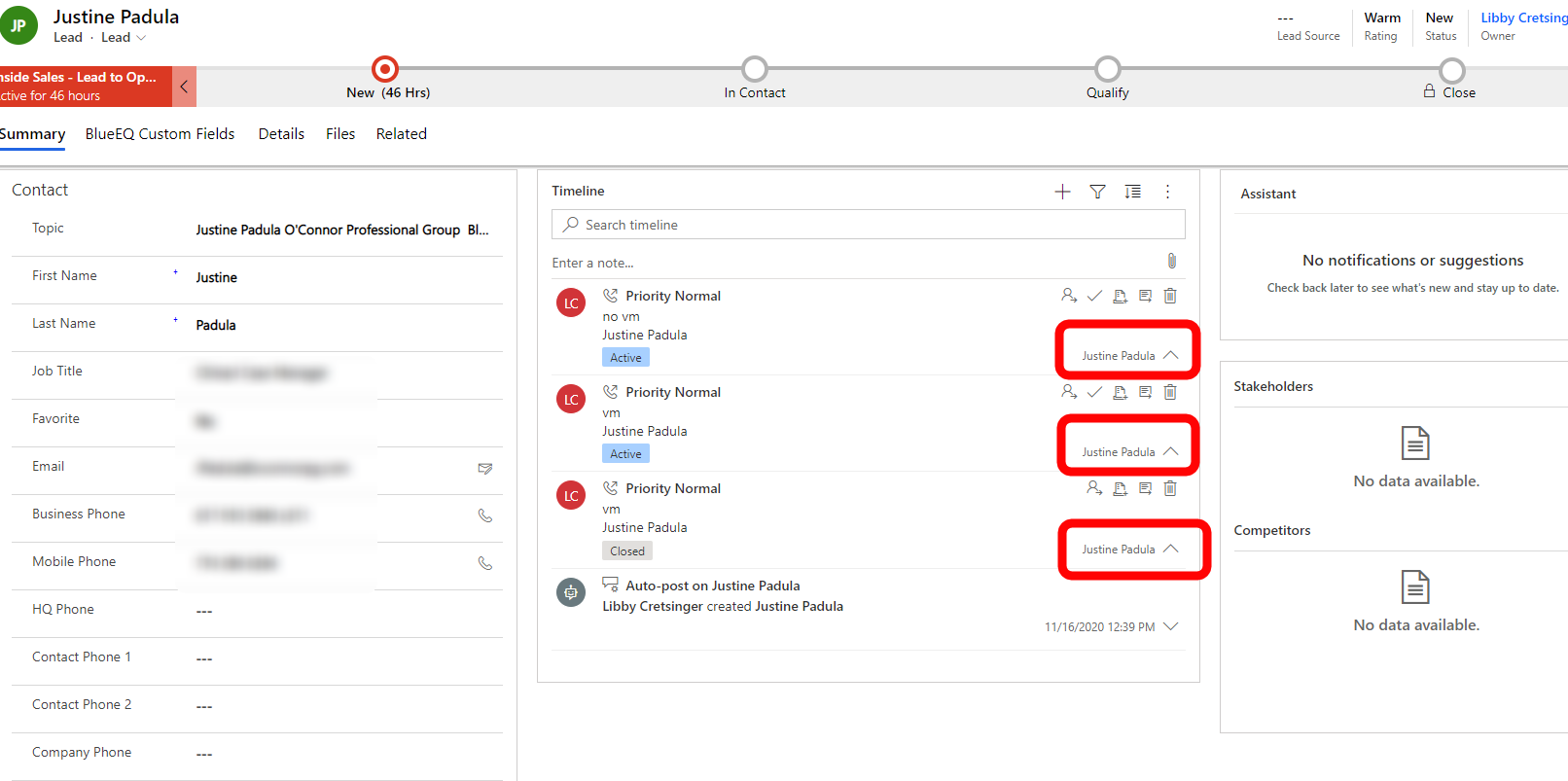
OnPaste.20201118_2D00_115632.png

So I'd be happy to either go back to the default form for phone calls in the timeline as long as I can add the new Disposition field to that, or change the Phone Call Card form so that the time stamp shows instead of the regarding field in the screenshot above.

I have the same question (0)
  • Suggested answer
    LuHao Profile Picture
    40,892 on at

    Hi honeybear,

    We need to move the Create On field to the second position of the Header.

    pastedimage1605777847374v1.png

  • honeybear Profile Picture
    105 on at

    Thank you Hao,

    Oddly, my Phone Call Card form does not allow me to drop the Created On field into the Header. It only allows me to put it in the footer. Is there a setting I should check or am I doing this incorrectly?

    OnPaste.20201119_2D00_080239.png

  • Suggested answer
    LuHao Profile Picture
    40,892 on at

    Hi honeybear,

    You can move Created On field into the Header with the key of the keyboard.

Under review

Thank you for your reply! To ensure a great experience for everyone, your content is awaiting approval by our Community Managers. Please check back later.

Helpful resources

Quick Links

Responsible AI policies

As AI tools become more common, we’re introducing a Responsible AI Use…

Neeraj Kumar – Community Spotlight

We are honored to recognize Neeraj Kumar as our Community Spotlight honoree for…

Leaderboard > Customer experience | Sales, Customer Insights, CRM

#1
Tom_Gioielli Profile Picture

Tom_Gioielli 70 Super User 2025 Season 2

#2
Gerardo Rentería García Profile Picture

Gerardo Rentería Ga... 33 Most Valuable Professional

#3
Daniyal Khaleel Profile Picture

Daniyal Khaleel 32 Most Valuable Professional

Last 30 days Overall leaderboard

Product updates

Dynamics 365 release plans



