web
You’re offline. This is a read only version of the page.
close
Skip to main content
Community site session details

Community site session details

Session Id :
Finance | Project Operations, Human Resources, ...
Answered

Error encountered provisioning the administrator user for VM on-prem

(0) ShareShare
ReportReport
Posted on by 47

I downloaded the VHD and deployed on-prem.  I started the VM and signed in successfully. When I provisioned the administrator user I got the following error message.
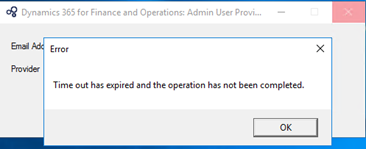
6036.pastedimage1602992685899v1.png

I have three Microsoft accounts, so I tried one of the other accounts.  Same error message.  Tried the third account with the same result.

On a hunch, I tried to access the local instance of the application (usnconeboxax1aos.cloud.onebox.dynamics.com) and was prompted to choose an account to sign in with.  Strangely, listed were all three accounts I thought had failed to provision. 
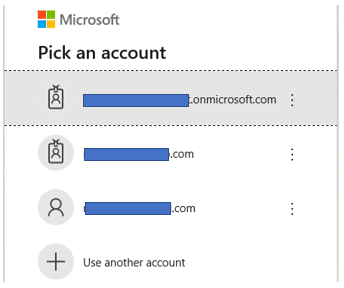
4201.pastedimage1602992813593v3.png

I was able to access the app not only on the first account that failed, but all three.
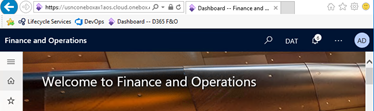
6567.pastedimage1602992875011v4.png

Can I assume error did not impact the provisioning, nor anything else?  Also, how can I un-provision (remove) the two additional, unnecessary accounts?

Thank you in advance for any and all responses.

I have the same question (0)
  • Ludwig Reinhard Profile Picture
    Microsoft Employee on at
    RE: Error encountered provisioning the administrator user for VM on-prem

    moved to the d365 forum

  • Verified answer
    Gunjan Bhattachayya Profile Picture
    35,423 on at
    RE: Error encountered provisioning the administrator user for VM on-prem

    Hi Rodney,

    We have encountered this issue from time to time while trying to provision the Admin user. Usually a restart of the services or a system restart took care of it. If you continue to get this message, you might want to increase the resources allocated to this VM as well.

    Since you are able to login with all the three users, I would say that the Admin provisioning process worked. You might want to take a look at the Users form Under System administration > Users and check the email Id attached to the Admin user.

    pastedimage1603015255415v1.png

    You can check the other two accounts from this form and remove them. This process wouldn't have affected anything else.

  • Rodney Rau Profile Picture
    47 on at
    RE: Error encountered provisioning the administrator user for VM on-prem

    Hi Gunjan, thank you very much for the quick response.  You are right on regarding the VM resources.  I boosted them significantly and the error has not reappeared since.  Also, I was able to  remove the unwanted accounts per your instruction.  Again, thank you for your help Gunjan.

    Rodney

Under review

Thank you for your reply! To ensure a great experience for everyone, your content is awaiting approval by our Community Managers. Please check back later.

Helpful resources

Quick Links

Responsible AI policies

As AI tools become more common, we’re introducing a Responsible AI Use…

Pallavi Phade – Community Spotlight

We are honored to recognize Pallavi Phade as our Community Spotlight honoree for…

Leaderboard > Finance | Project Operations, Human Resources, AX, GP, SL

#1
André Arnaud de Calavon Profile Picture

André Arnaud de Cal... 696 Super User 2025 Season 2

#2
CA Neeraj Kumar Profile Picture

CA Neeraj Kumar 569

#3
Martin Dráb Profile Picture

Martin Dráb 551 Most Valuable Professional

Last 30 days Overall leaderboard

Product updates

Dynamics 365 release plans
