web
You’re offline. This is a read only version of the page.
close
Skip to main content

Notifications

Announcements

No record found.

Community site session details

Community site session details

Session Id :
Business Central forum

Bank Reconciliation Lines Can't Be Removed

(0) ShareShare
ReportReport
Posted on by

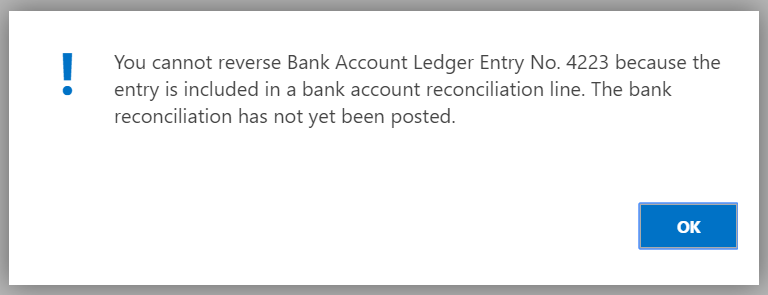
I was testing the bank reconciliation and suggested lines to be brought in. It brought in the 5 lines I would have expected. I then deleted the bank reconciliation and created a new one. Now those same 5 lines appear by default and are marked as being matched but cannot be matched or unmatched to anything. It is preventing me from posting a bank reconciliation because they cannot be matched and I cannot reverse the entries because they appear on an unposted bank reconciliation. Deleting the bank reconciliation altogether does nothing. How can I remove these matchings?
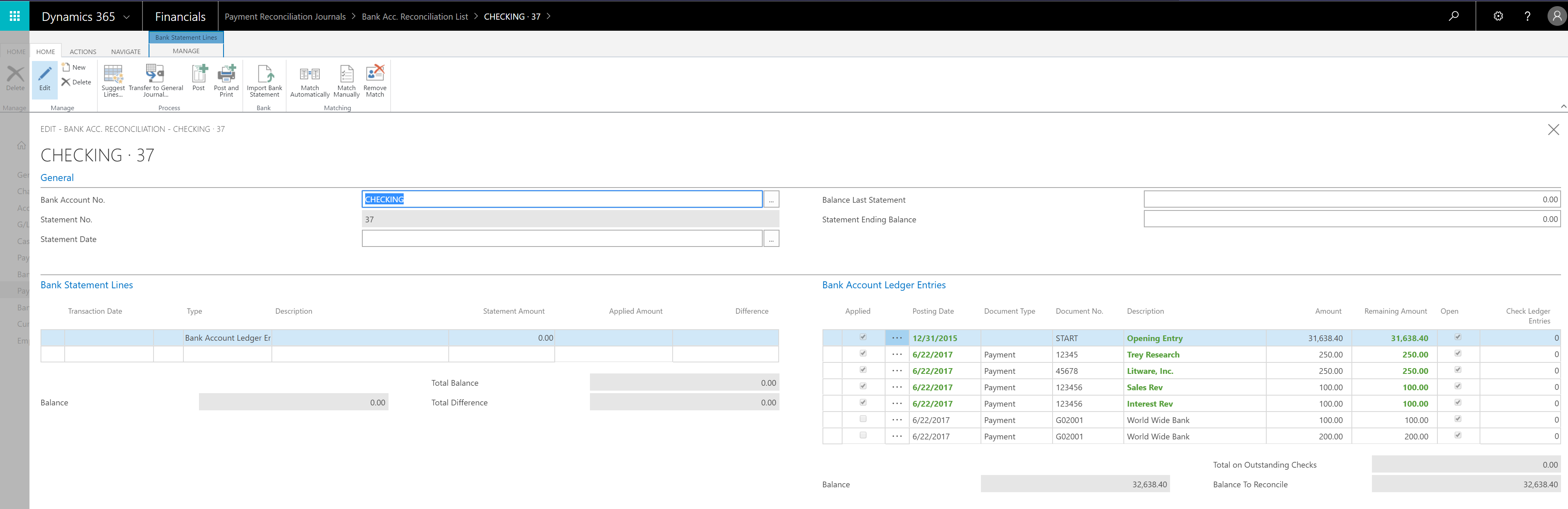
BankRec.PNG

6521.Error1.PNG

I have the same question (0)
  • Verified answer
    Jennifer Reinhardt Profile Picture
    on at

    Hello Brian,

    When looking at your Bank Account Reconciliation List do you have any existing statements listed?

    Did you happen to mark/unmark the 'Bank Recon. with Auto. Match' checkbox in the  General Ledger Setup during the process of creating and deleting bank reconciliations?

    Regards,

    Jennifer Reinhardt

    Please see our Dynamics 365 Financials Support Team Blog for helpful information:

    blogs.msdn.microsoft.com/dyn365finsupport

  • Community Member Profile Picture
    on at

    I did in fact unmark the 'Bank Recon. with Auto. Match' checkbox during this process. I was able to switch it back and remove the lines. Thank you!

Under review

Thank you for your reply! To ensure a great experience for everyone, your content is awaiting approval by our Community Managers. Please check back later.

Helpful resources

Quick Links

November Spotlight Star - Khushbu Rajvi

Congratulations to a top community star!

Forum Structure Changes Coming on 11/8!

In our never-ending quest to help the Dynamics 365 Community members get answers faster …

Dynamics 365 Community Platform update – Oct 28

Welcome to the next edition of the Community Platform Update. This is a status …

Leaderboard > Business Central

Last 30 days Overall leaderboard

Featured topics

Product updates

Dynamics 365 release plans



