web
You’re offline. This is a read only version of the page.
close
Skip to main content

Notifications

Announcements

No record found.

Community site session details

Community site session details

Session Id :
Customer experience | Sales, Customer Insights,...
Suggested Answer

Why do I get an 'Event Journaling' error when I try to delete a user?

(1) ShareShare
ReportReport
Posted on by 171

Hello,

We have a few users on our Dynamics 365 online instance which we created for testing purposes and now I want to remove them as they are no longer needed. Unfortunately when I try to delete any random user II get the below error. Anyone know why I would get this?

"Event Journaling

Invalid Recipient Type If you contact support, please provide the technical details."
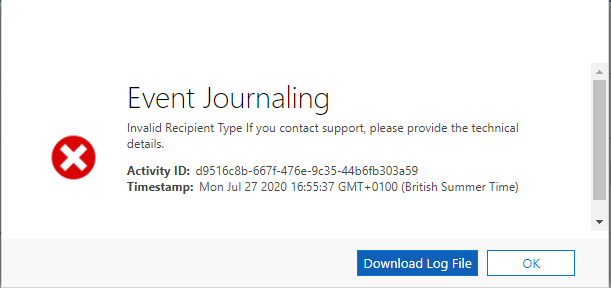
pastedimage1595865807082v1.png

I'm a global admin and have all the rights enabled. 

Many thanks for your help in advance. 

I have the same question (0)
  • Suggested answer
    Harish M Profile Picture
    on at

    Hello Kamil,

    Users cannot be deleted at this time. However you can disable an application user - see https://docs.microsoft.com/en-us/power-platform/admin/create-users-assign-online-security-roles#enable-or-disable-application-users

    Best Regards,

    Harish M

    Please mark as verified if the answer is helpful. Welcome to join hot discussions in Dynamics 365 Forums

  • AndyW Profile Picture
    45 on at

    I have the same issue.  However, for these disabled users (that I cannot delete), CRM wants me to assign a role??

    The alert is on my CRM screen every time I log in.

    Do I just assign a fictitious role?

    Thanks

  • Yash Trivedi CRM Profile Picture
    351 on at

    I am facing the same problem.

    If any one got the solution please share here..

  • Suggested answer
    Community Member Profile Picture
    on at

    Have a look here: https://aad.portal.azure.com/ whether the user still has their dynamics licencse assigned. If so the user will keep poping up as an active user unless:
    - you create a security group here: Power Platform admin center (microsoft.com) and add all the users to it minus the ones you dont want to show up

    - you unassign the licences that are in https://aad.portal.azure.com/ relative to the user. 

    Once you do either of those things the user wont show up in dynamics anymore, except if you look for it through the advanced find, which is usefull i think. Deleting users is not necessary, as deactivated ones already dont popup anymore while keeping alife the record of their work in the system

    Thomas

Under review

Thank you for your reply! To ensure a great experience for everyone, your content is awaiting approval by our Community Managers. Please check back later.

Helpful resources

Quick Links

Responsible AI policies

As AI tools become more common, we’re introducing a Responsible AI Use…

Neeraj Kumar – Community Spotlight

We are honored to recognize Neeraj Kumar as our Community Spotlight honoree for…

Leaderboard > Customer experience | Sales, Customer Insights, CRM

#1
Tom_Gioielli Profile Picture

Tom_Gioielli 137 Super User 2025 Season 2

#2
#ManoVerse Profile Picture

#ManoVerse 57

#3
Jimmy Passeti Profile Picture

Jimmy Passeti 50 Most Valuable Professional

Last 30 days Overall leaderboard

Product updates

Dynamics 365 release plans



