web
You’re offline. This is a read only version of the page.
close
Skip to main content

Announcements

News and Announcements icon
Community site session details

Community site session details

Session Id :
Finance | Project Operations, Human Resources, ...
Answered

Is there a way to correct negative stock value for out of stock items

(0) ShareShare
ReportReport
Posted on by 62

Version: Dynamics Ax 2009 SP1 RU8 5.0.1500.6491

A client of mine has his Ax system for 11 years and comes with the following question/issue:

Throughout the years several products have been retired and the stock level is zero. However when we run the Inventory value report (en-us language: inventory management > Reports > Status > Inventory value > Inventory value report) the INV: Financial amount is not for all the items zero, most have a negative balance.

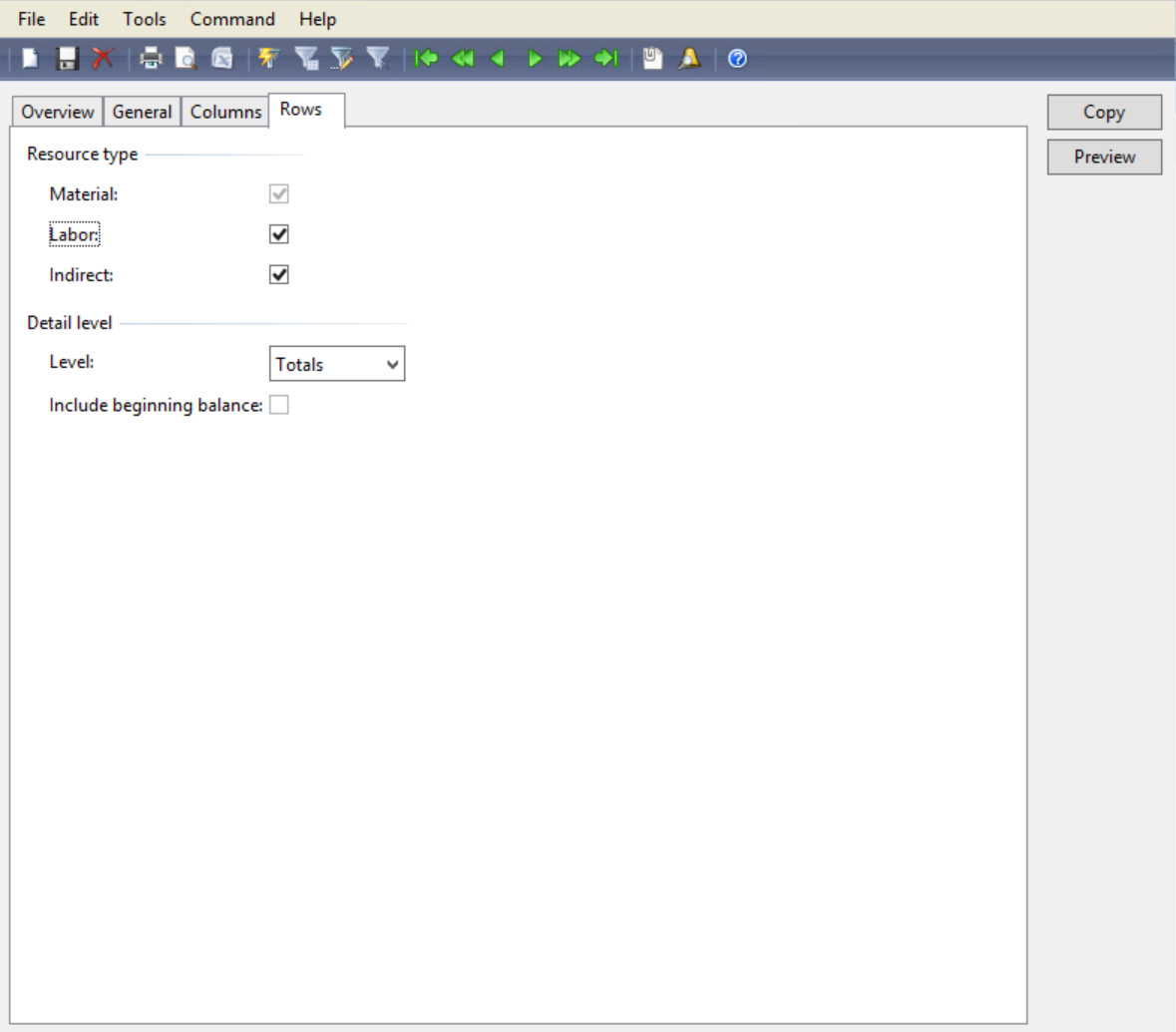
The Inventory value report is using the following setup:
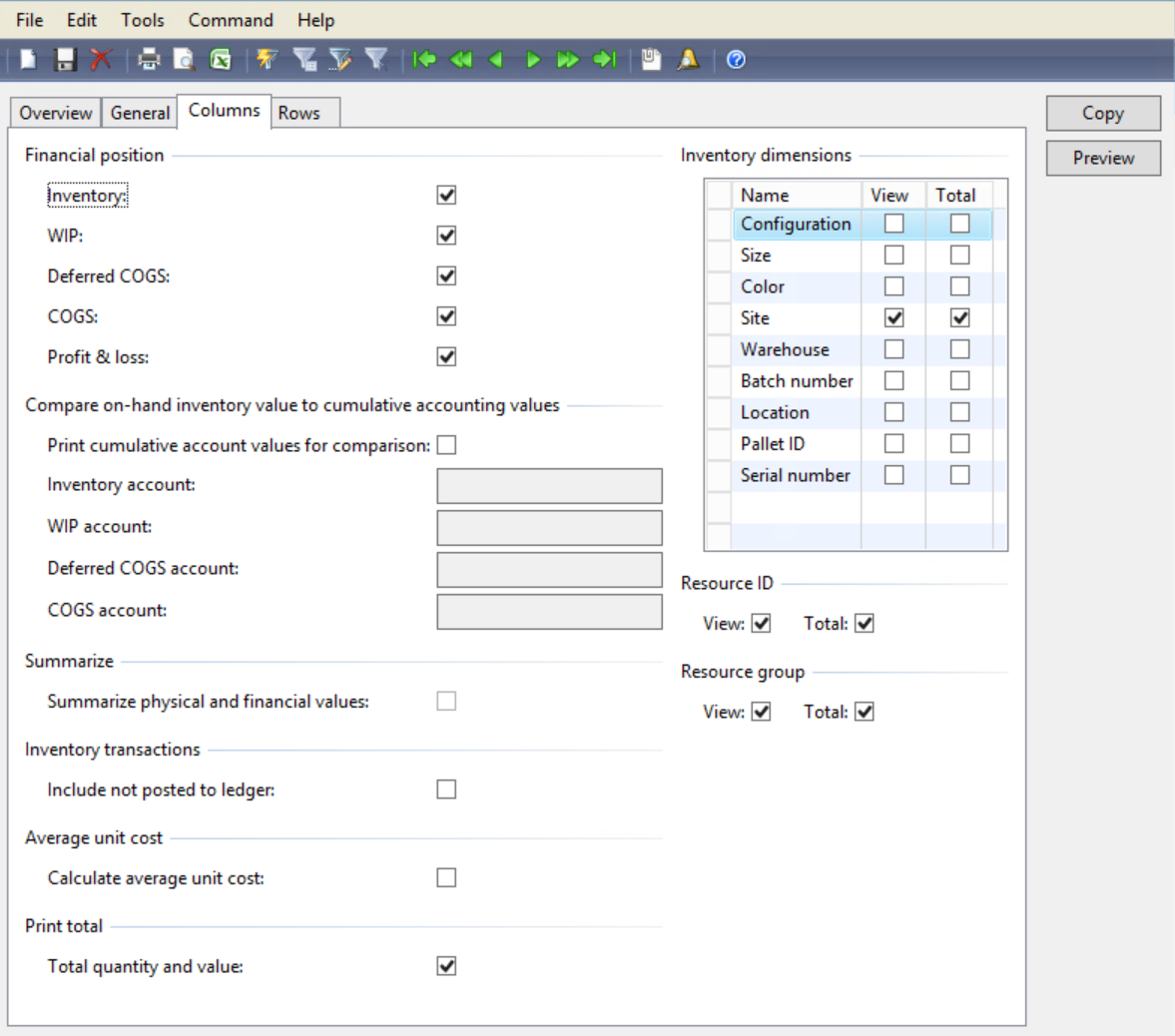
 pastedimage1610788523533v1.pngpastedimage1610788552603v2.png

The inventory model group is setup to use FIFO.

Anyone has experienced this and knows if this is possible to solve?

Side note: There are 90 items like this so I really hope there is a script or function that can help me with

To give additional information about a possible reason the inventory value is off balance could be transactions before a cost price was set like the following (and in this case reversed after the cost price was set):

pastedimage1610789142310v3.png 

I have the same question (0)
  • Verified answer
    André Arnaud de Calavon Profile Picture
    305,643 Super User 2026 Season 1 on at

    Hi Aartserp,

    Are you running the inventory recalculation and closing periodically? During several postings, an average cost price is used for inventory transactions if you use FIFO. The inventory recalculation and closing will calculate the correct cost price for inventory deductions and post adjustments.

    You can read more about this in the cost management whitepaper available here: Download Microsoft Dynamics AX 2009 White Paper: Cost Management from Official Microsoft Download Center

  • Verified answer
    Ludwig Reinhard Profile Picture
    Microsoft Employee on at

    Hi Aartserp,

    Please run an inventory recalculation / close first and then the inventory value report.

    Do you still see the negative amounts?

    Best regards,

    Ludwig

  • Aartserp Profile Picture
    62 on at

    Hi André, Ludwig,

    Thank you for your response.

    No the inventory closing has never been run.

    I just turned it on in the test system and i will see what the result is.

    Once the closing is done and i understand the result I will share it here.

  • Aartserp Profile Picture
    62 on at

    Thanks André and Ludwig. This did the trick. I asked why the closing was not done regularly and it turned out that when the application was just introduced the closing was giving strange values. Maybe in the early version of Ax 2009 there were some bugs with the closing(?).

    Can this function also be used to revalue items to a new cost price? For example when there is an item that is not being actively sold anymore so you want to deduct the value off the inventory (cost price 0) but want to keep the qty so any 'accidental' sales can still be recorded against the item? Some items were counted with value 0 but now have a value again, i suspect because the cost price on the item was filled with the original value from when the item was actively sold.

  • Suggested answer
    Ludwig Reinhard Profile Picture
    Microsoft Employee on at

    Hi Aartserp,

    There were indeed some bugs in early AX2009 versions but I don't remember details. If you are lucky you can still find them on LCS. Please check it out.

    The inventory closing and adjustment form can also be used for adjusting cost prices. Yet, the example that you mentioned is often handled by recording adjustments on special GL accounts only to avoid getting the inventory values and costing messed up. Accountants are usually doing this at the end of the year as part of their year end closing process.

    Best regards,

    Ludwig

Under review

Thank you for your reply! To ensure a great experience for everyone, your content is awaiting approval by our Community Managers. Please check back later.

Helpful resources

Quick Links

Season of Sharing Community Challenge Launch!

Jump in, show your community spirit, and win prizes!

Women in Power Builds Momentum

Expanding mentorship, skilling, and AI innovation

Congratulations to the May Top 10 Community Leaders

These are the community rock stars!

Leaderboard > Finance | Project Operations, Human Resources, AX, GP, SL

#1
Abhilash Warrier Profile Picture

Abhilash Warrier 681 Super User 2026 Season 1

#2
André Arnaud de Calavon Profile Picture

André Arnaud de Cal... 598 Super User 2026 Season 1

#3
Giorgio Bonacorsi Profile Picture

Giorgio Bonacorsi 579

Last 30 days Overall leaderboard

Product updates

Dynamics 365 release plans