web
You’re offline. This is a read only version of the page.
close
Skip to main content

Announcements

No record found.

News and Announcements icon
Community site session details

Community site session details

Session Id :
Customer experience | Sales, Customer Insights,...
Suggested Answer

Need help on currency field value is not displaying in email body but it is displaying the type Microsoft.Xrm.Sdk.Money

(0) ShareShare
ReportReport
Posted on by 10

Need help on currency field value is not displaying in email body but it is displaying the type Microsoft.Xrm.Sdk.Money

we are using below code to display

{{contact.cwf_mostrecentmaxapprovalamount}} 
I have the same question (0)
  • cloflyMao Profile Picture
    25,210 on at

    Hi Naresh,

    I tested and didn't encounter your issue, could you share you configuration and steps?

    Below is my configuration:

    Environment: Wave 2 release enable 

    Version: 1710 (9.1.0.9627) 

    Currency field:

    1. System OOB Credit Limit:
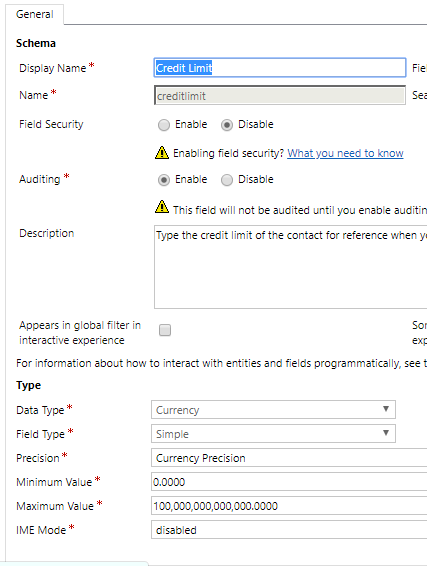
    pastedimage1572941308170v2.png

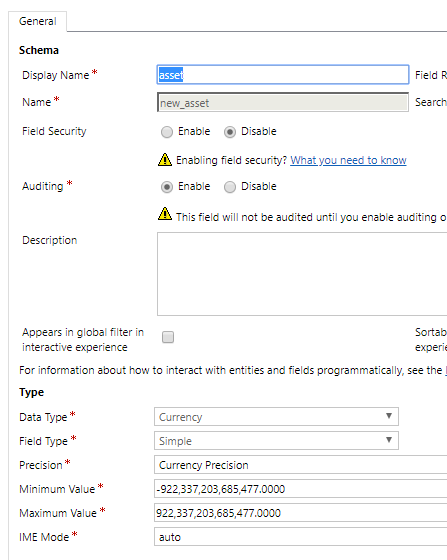
    2. Custom Asset:

    pastedimage1572941276941v1.png

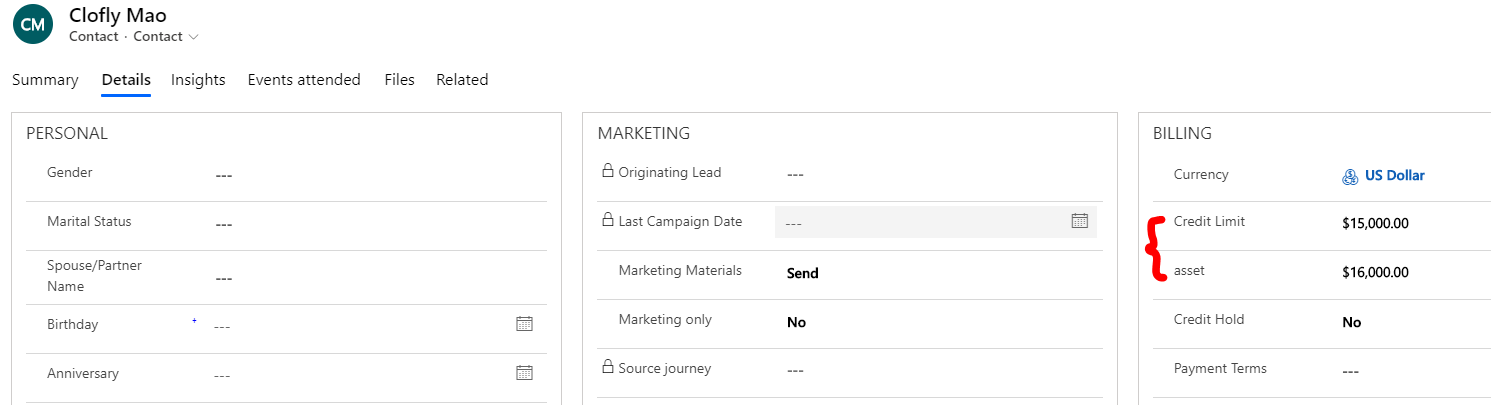
    Display in contact form:

    pastedimage1572941352259v3.png

    Marketing email(dynamic expressions are embedded in Text element):
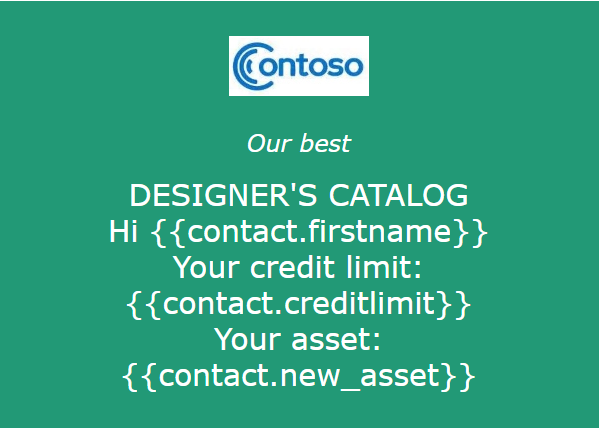
    pastedimage1572941385458v4.png

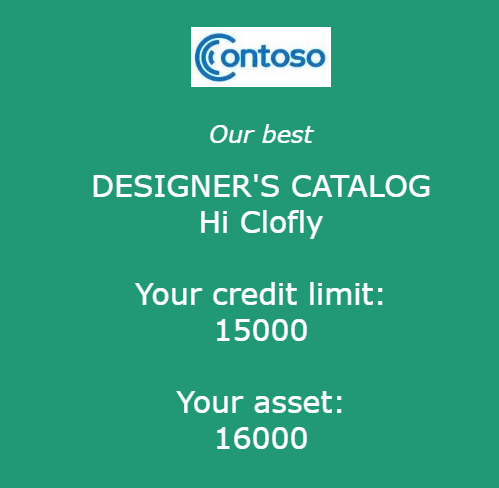
    Result(Opened in Gmail online):

    pastedimage1572941435434v5.png

    Other:

    Have you tried open the email with different clients such Gmail online, Outlook online and Outlook client?

    Were you adding the field from modern form editor in PowerApps?

    Regards,

    Clofly

  • naresh@neudesicuc1.onmicrosoft.com Profile Picture
    10 on at

    HI Clofly,

    I am also used OOB filed credit limit {{contact.creditlimit}}

    Below is my configuration:

    Environment: 2019 release wave 2 enabled

    Server version: 9.1.0000.9627

    Client version: 1.3.2399-191022-214406

    using gmail client to view the mail

    1-_2800_2_2900_.png

    2-_2800_2_2900_.png

  • cloflyMao Profile Picture
    25,210 on at

    Hi Partner,

    1. Could other field display normally in marketing email? Such as whole number or decimal number?

    2. In admin center, open your marketing application to check whether there was any available update, if so, try to update to test.

    If 1, 2 not work,

    3. I thought there might be errors in your environment, you could request a support ticket to let them investigate it.

    https://admin.dynamics.com/?referer=mbssupport

    Regards,

    Clofly

  • cloflyMao Profile Picture
    25,210 on at

    Hi naresh,

    Have you issue been solved by support ticket?

    It would be appreciated if you could share solution and it'll help others who have same issue. :)

    Regards,

    Clofly

  • Suggested answer
    ShaileshJain Profile Picture
    Microsoft Employee on at

    Clofly - clarifying the issue Naresh is pointing. in your email snapshot the values are rendering as mere numbers e.g. 15000. ideally they should render as $15,000

    unfortunately, rendering monetary value is currently not supported, we will be filing this on our backlog.

Under review

Thank you for your reply! To ensure a great experience for everyone, your content is awaiting approval by our Community Managers. Please check back later.

Helpful resources

Quick Links

Introducing the 2026 Season 1 community Super Users

Congratulations to our 2026 Super Stars!

Meet the Microsoft Dynamics 365 Contact Center Champions

We are thrilled to have these Champions in our Community!

Congratulations to the March Top 10 Community Leaders

These are the community rock stars!

Leaderboard > Customer experience | Sales, Customer Insights, CRM

#1
ManoVerse Profile Picture

ManoVerse 162 Super User 2026 Season 1

#2
11manish Profile Picture

11manish 134

#3
Jimmy Passeti Profile Picture

Jimmy Passeti 55 Most Valuable Professional

Last 30 days Overall leaderboard

Product updates

Dynamics 365 release plans