web
You’re offline. This is a read only version of the page.
close
Skip to main content

Notifications

Announcements

No record found.

Community site session details

Community site session details

Session Id :
Customer experience | Sales, Customer Insights,...
Suggested Answer

Regarding automation of dynamics 365 report in excel format and shared with microsoft teams using power automate.

(0) ShareShare
ReportReport
Posted on by 10

Hi


want to know how we can genrate a custom dynamics report in excel format and share it with teams on a channel . I have tried sevral methods but i couldn't get succeed. Please help me out 

I want a custom report which runs on a particular time on every month and automatically shared with teams on channel.  the format of that record would be in Excel.

I have the same question (0)
  • Suggested answer
    Abdul Wahab Profile Picture
    12,119 Moderator on at

    Hi Aakashasktheexpert,

    1. Use trigger Recurrence
    2. next use list rows.
    3. next, create excel
    4. create records in it
    5. e.t.c at which point you are stuck?

    By following the above simple steps you can achieve your solution.

    If I answer your question then please mark it as verified.

    Let me know if I can provide you with more details.

    Thanks
    Regards,

    Abdul Wahab
    Power Platform & Customer Engagement Developer/Lead/Solution Architecture/Project Manager
    Direct/WhatsApp:+923323281237
    E-mail: abdulwahabubit@outlook.com
    Skype: abdul.wahabubit
    Linkedin: www.linkedin.com/.../

  • Aakashasktheexpert Profile Picture
    10 on at

    Can you please share the exact flow what is the trigger point and what will be the action ,Step by step as you have mentioned i have tried but its not working ,  

    For example i have a custom report name "monthly report " in dynamics 365 reports entity and I want it to run on every month of 1st and automate this process on teams so that that excel file will posted on teams channel

  • Aakashasktheexpert Profile Picture
    10 on at

    Abdul Wahab

    Hi

    want to know how we can genrate a custom dynamics report in excel format and share it with teams on a channel . I have tried sevral methods but i couldn't get succeed. Please help me out

    I want a custom report which runs on a particular time on every month and automatically shared with teams on channel.  the format of that record would be in Excel.

  • EffKahEll Profile Picture
    5 on at

    As far as can be seen in the docs, there is a possibility to subscribe to paginated reports, and choose the format. The file is then sent via e-mail.

    I have also found this article, however it might require a premium license:

    Export paginated reports with Power Automate - Power BI | Microsoft Learn

  • Suggested answer
    Goloknath Profile Picture
    1,843 User Group Leader on at

    Hi Aakashasktheexpert,

    Greetings! you can achieve in multiple ways actually -

    Option-1 :

    1. Generate the custom report in Dynamics.

    2. Upload the report to any SharePoint location.

    3. Post an alert in teams with the SharePoint link of the report.
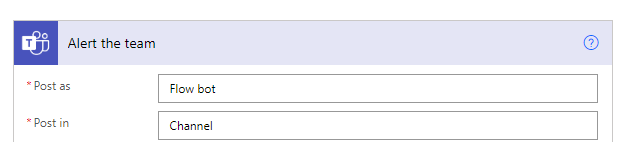
    pastedimage1666096365898v1.png

    Option-2 :

    1. Generate the custom report in Dynamics.

    2. Send email to the recipient / Upload the report to any SharePoint location.

    3. Post a message with details information & link
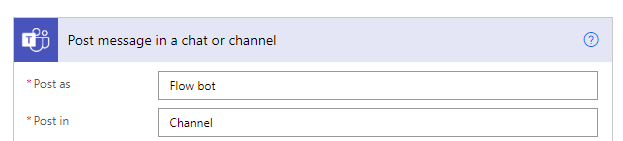
    pastedimage1666096431365v2.png

    Option-3 :

    1. Generate the custom report in Dynamics.

    2. Send email to the recipient / Upload the report to any SharePoint location.

    3. Post an adaptive card reading the report/email
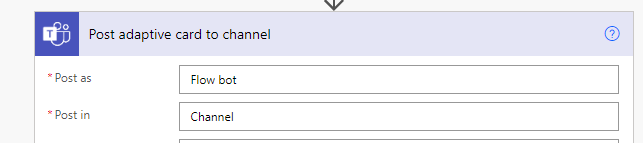
    pastedimage1666096550650v3.png

    Please refer below blog for one of the similar requirement -

    https://powerusers.microsoft.com/t5/Building-Flows/Get-Excel-table-content-and-post-to-Teams-weekly/td-p/1230538

    Please mark as verified if this helps for the sake of others. 

  • Aakashasktheexpert Profile Picture
    10 on at

    Goloknath Mishra Can you share me the steps which will help me to get the excel dynamics report on sharepoint using power automate , I do not want to upload manually on sharepoint.

  • Goloknath Profile Picture
    1,843 User Group Leader on at

    Hi,

    you can refer below link to satisfy your requirement-


    if this helped pls mark as verified which will help others too

    Thanks! 

  • Aakashasktheexpert Profile Picture
    10 on at

    I need the Exact Data in the same format which is in Dynamics 365 crm. while using above steps it is just updating rows and tables , but my requirement is exact the same report which is in dynamics i need the same report in sharepoint with the use of powerautomate.

  • Suggested answer
    Goloknath Profile Picture
    1,843 User Group Leader on at

    Hi,

    I think what I provided is the easiest option or else if you want exact report scheduling here are the steps -

    Supported way as under by creating a paginated report in PBI and schedule it step by step mentioned as under -  

    How to create Paginated Report : https://www.bluegranite.com/blog/a-step-by-step-overview-of-paginated-reports-in-power-bi


    Schedule Paginated Report : https://global.hitachi-solutions.com/blog/setting-up-email-distribution-of-paginated-reports-in-pbirs/


    Info on Paginated Report : https://learn.microsoft.com/en-us/power-bi/paginated-reports/paginated-reports-data-sources


    or


    Custom Way : Sending Email to Customer With SSRS PDF Attachment Using JavaScript Dynamics 365 CRM(Online) – All About Dynamics 365


    Then next create flow as per my below sample  to upload to SharePoint -

     pastedimage1666160682160v1.png


    Please mark it verified if this helps. Thanks! 

Under review

Thank you for your reply! To ensure a great experience for everyone, your content is awaiting approval by our Community Managers. Please check back later.

Helpful resources

Quick Links

Responsible AI policies

As AI tools become more common, we’re introducing a Responsible AI Use…

Neeraj Kumar – Community Spotlight

We are honored to recognize Neeraj Kumar as our Community Spotlight honoree for…

Leaderboard > Customer experience | Sales, Customer Insights, CRM

#1
Tom_Gioielli Profile Picture

Tom_Gioielli 70 Super User 2025 Season 2

#2
Gerardo Rentería García Profile Picture

Gerardo Rentería Ga... 43 Most Valuable Professional

#3
Daniyal Khaleel Profile Picture

Daniyal Khaleel 32 Most Valuable Professional

Last 30 days Overall leaderboard

Product updates

Dynamics 365 release plans
