web
You’re offline. This is a read only version of the page.
close
Skip to main content

Notifications

Announcements

No record found.

Community site session details

Community site session details

Session Id :
Finance | Project Operations, Human Resources, ...
Unanswered

Timesheet resource lookup control doesn't include current user resource

(0) ShareShare
ReportReport
Posted on by 326

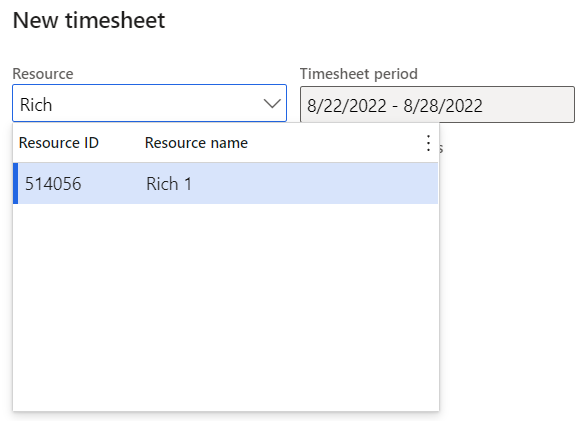
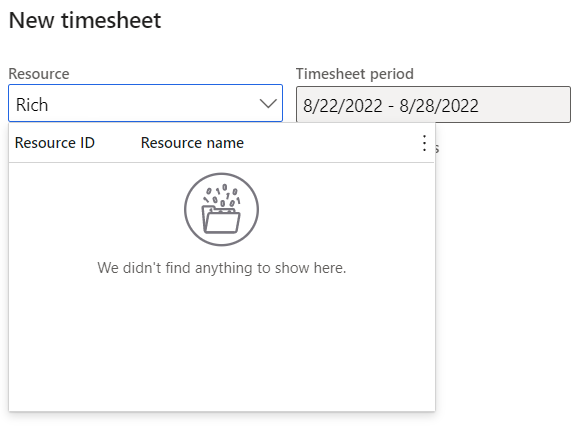
Having configured a worker as a project resource and associated them with a user, the Employee self-service > Timesheets > New timesheet shows the worker resource as default, but doesn't list them in the lookup control:
pastedimage1661442593972v4.png

This isn't a problem as long as the user only has to record their own timesheets, but should they ever be nominated as a delegate, it's possible to get to the point that they can't then complete their own timesheet:

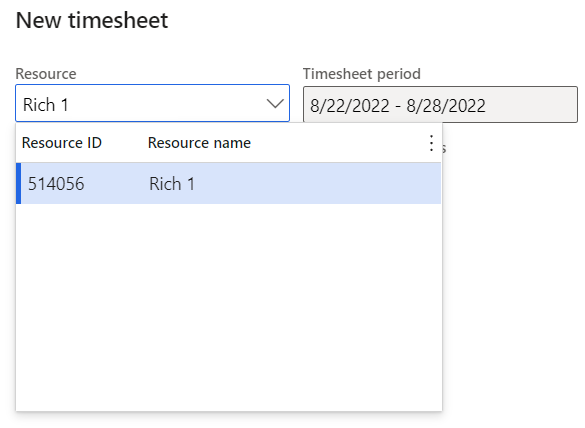
Before selecting delegate, only the delegate is shown in lookup Having selected delegate, user's own resource isn't available
pastedimage1661443018608v5.png pastedimage1661442520822v2.png

The behaviour isn't consistent across all environments, so it feels like it's more likely to be a matter of configuration, but I can't work out what. I've tried debugging in an attempt to identify what might be at play, going through

  1. Form/TSTimesheetCreate::lookupReference
  2. Class/TSResource::lookupDelegateResources
  3. Class/SysReferenceTableLookup::performFormLookup
  4. Class/SysTableLookupBase::formRun
  5. Class/SysTableLookupBase::buildSelectionList

Running the query at 3 within SSMS shows the current user's resource alongside the delegating resource as I'd expect, but the buildSelectionList method doesn't iterate over multiple records as I thought it might.

Whilst the lookup isn't populated, any user who has completed a timesheet for a delegating resource can get back to their own resource by typing in the name, but that's not the most user-friendly of suggestions, and given this behaviour isn't consistent across all environments, I'm hoping someone can please suggest what might impact the resource lookup

I have the same question (0)
  • Charlotte X Profile Picture
    on at

    Hi Rich,

    Please wait for someone experienced in this area to answer this question.

    Best Regards,

    Charlotte

  • Rich Profile Picture
    326 on at

    At some point in the past 48 hours this appears to have rectified itself, in both the Tier 2 environment where it was originally reported by users and in the Tier 1 dev box where I investigated. There have been no PU deployments, though there have been VAR deployments in that period.  Possible some kind of cache was refreshed as a result?

Under review

Thank you for your reply! To ensure a great experience for everyone, your content is awaiting approval by our Community Managers. Please check back later.

Helpful resources

Quick Links

Responsible AI policies

As AI tools become more common, we’re introducing a Responsible AI Use…

Neeraj Kumar – Community Spotlight

We are honored to recognize Neeraj Kumar as our Community Spotlight honoree for…

Leaderboard > Finance | Project Operations, Human Resources, AX, GP, SL

#1
Martin Dráb Profile Picture

Martin Dráb 646 Most Valuable Professional

#2
André Arnaud de Calavon Profile Picture

André Arnaud de Cal... 529 Super User 2025 Season 2

#3
Sohaib Cheema Profile Picture

Sohaib Cheema 285 User Group Leader

Last 30 days Overall leaderboard

Product updates

Dynamics 365 release plans