web
You’re offline. This is a read only version of the page.
close
Skip to main content

Announcements

No record found.

News and Announcements icon
Community site session details

Community site session details

Session Id :
Customer experience | Sales, Customer Insights,...
Suggested Answer

Adding icalendar to email event in D365 Marketing

(0) ShareShare
ReportReport
Posted on by 17

I've added a button to an event which links to an icalendar.  When I send the email to myself to test the email comes through and all of the other design of email, but the button with the I calendar to add to your own calendar disappears.

I can see it in the set-up but I've tried everything and it still won't come through.

Can anyone help?  I'm not sure if it's a bug.

Thanks

Brenda

I have the same question (0)
  • Suggested answer
    Nya Profile Picture
    29,060 on at

    Hi Brenda,

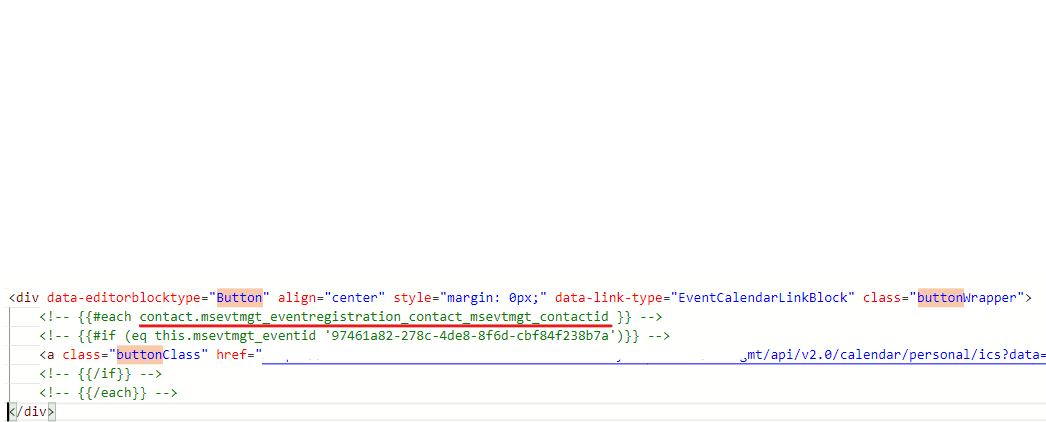
    There is a relationship (dynamic content) existing in the link of calendar which contained in the button. 
    pastedimage1631777524310v5.png

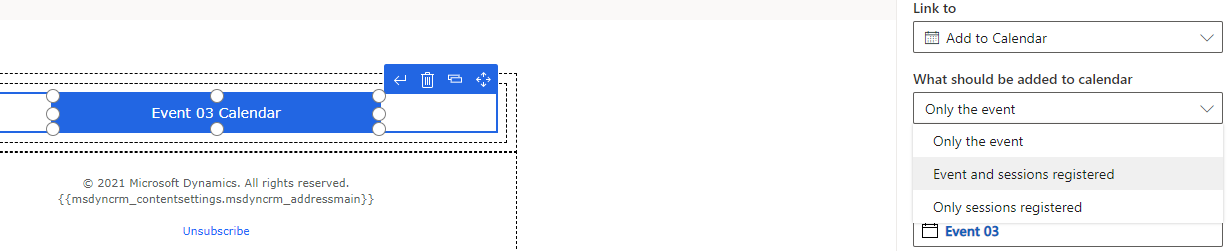
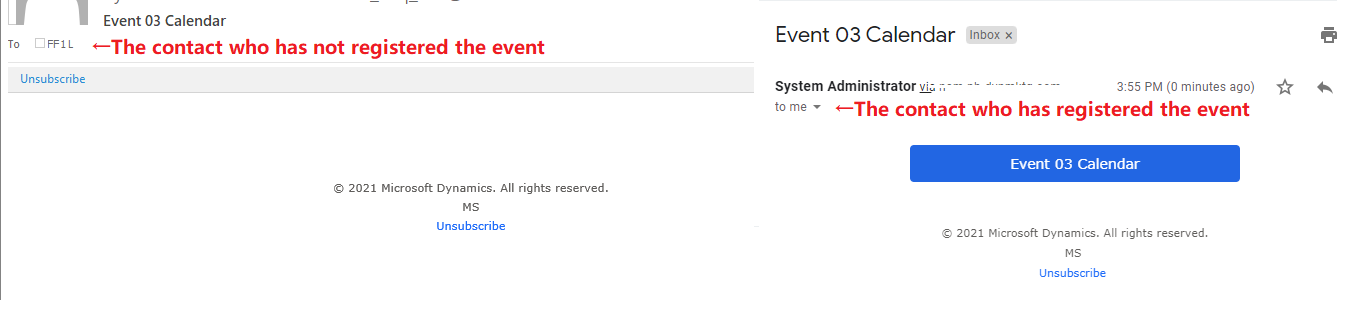
    It's the relationship with Event or Session entity, which means that if the contacts haven't registered the event / session, the button will not be shown in the email.
    pastedimage1631777511489v4.png

    pastedimage1631779216804v8.png

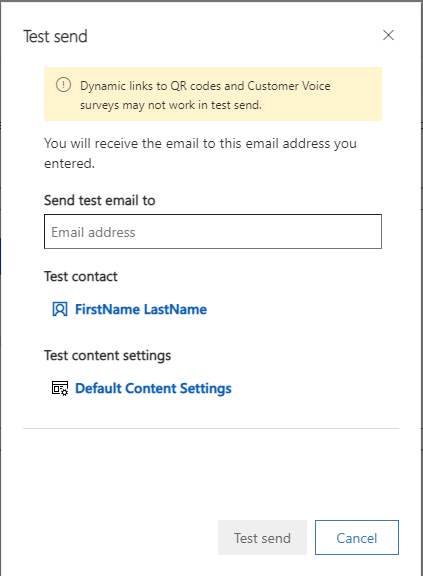
    And "Test send" feature can only ensure the email can pass the content check with no error and be sent to the email address entered.

    It cannot get the contact information and convert the link to a full value based on the relationship it contains.

    You may have noticed that there is a Test contact field that can be filled in during Test send, but it is only used for the Preview function, i.e. you select a Test contact and you can see the effect of the contact receiving the email in the Preview function, but Test send does not send the email to the contact's email address, it sends it to the "Send test email to" address that you have entered directly.
    pastedimage1631777903495v6.png

Under review

Thank you for your reply! To ensure a great experience for everyone, your content is awaiting approval by our Community Managers. Please check back later.

Helpful resources

Quick Links

Introducing the 2026 Season 1 community Super Users

Congratulations to our 2026 Super Stars!

Congratulations to our 2025 Community Spotlights

Thanks to all of our 2025 Community Spotlight stars!

Leaderboard > Customer experience | Sales, Customer Insights, CRM

#1
ManoVerse Profile Picture

ManoVerse 189 Super User 2026 Season 1

#2
CU11031447-0 Profile Picture

CU11031447-0 100

#3
NeerajPawar Profile Picture

NeerajPawar 66

Last 30 days Overall leaderboard

Product updates

Dynamics 365 release plans





