web
You’re offline. This is a read only version of the page.
close
Skip to main content

Notifications

Announcements

Community site session details

Community site session details

Session Id :
Customer experience | Sales, Customer Insights,...
Answered

"Record Updated" Tile

(0) ShareShare
ReportReport
Posted on by 155

Hi!!

I have seen that some people in this forum do not work with the "record updated" tile , but I have not seen an answer,
I do not know if it is something from the marketing app version, but for the moment when I put the event = update no contact gets the email. Someone knows what this is?
masterid.png

Regards
I have the same question (0)
  • FabiolaRT Profile Picture
    155 on at

    Thanks Clofy!

    This explanation helps me to clarify this Tile

  • Verified answer
    cloflyMao Profile Picture
    25,210 on at

    Hi Fabiola,

    As documentation said, the tile is used to monitor records and then find the contact associated with monitored record.

    https://docs.microsoft.com/en-us/dynamics365/marketing/customer-journey-tiles-reference#record-updated

    The lead example it shared is a good case for us to understand how it works.

    In your setting, actually you are monitoring master contact instead of contact itself. 

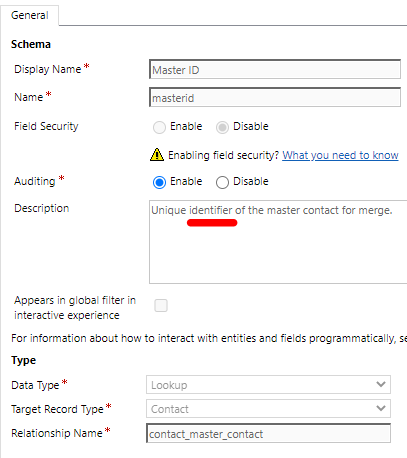
    In Customization > Contact > Fields, we can find that the field is used to identify master contact for merge.
    pastedimage1594796753437v1.png

    If we didn't perform merge operation between two contacts, then the field shall be null, thus your customer journey didn't run.

    I have run a customer journey which contained "Record updated" tile successfully, you could take my steps as reference:

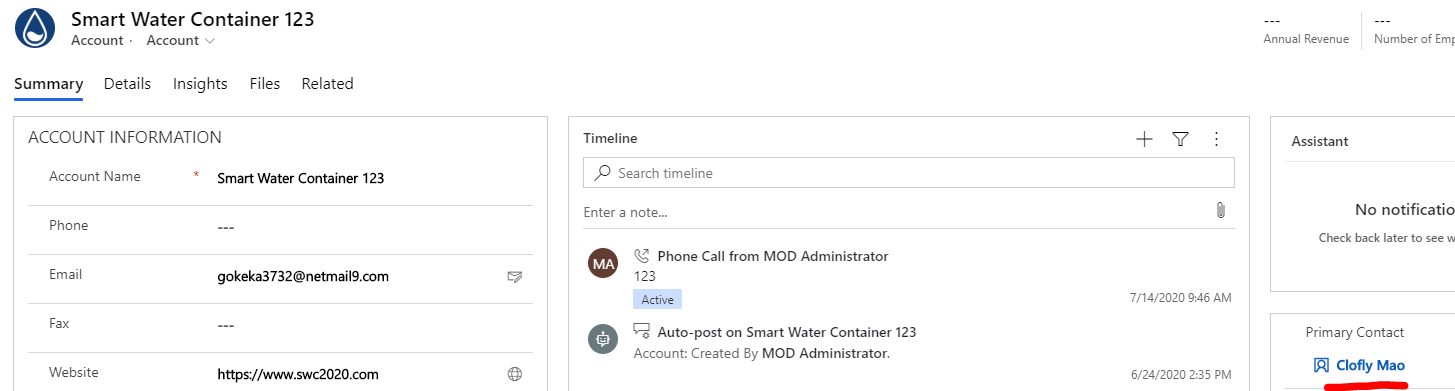
    1. Set a contact as primary contact of an account.
    pastedimage1594797091817v2.png

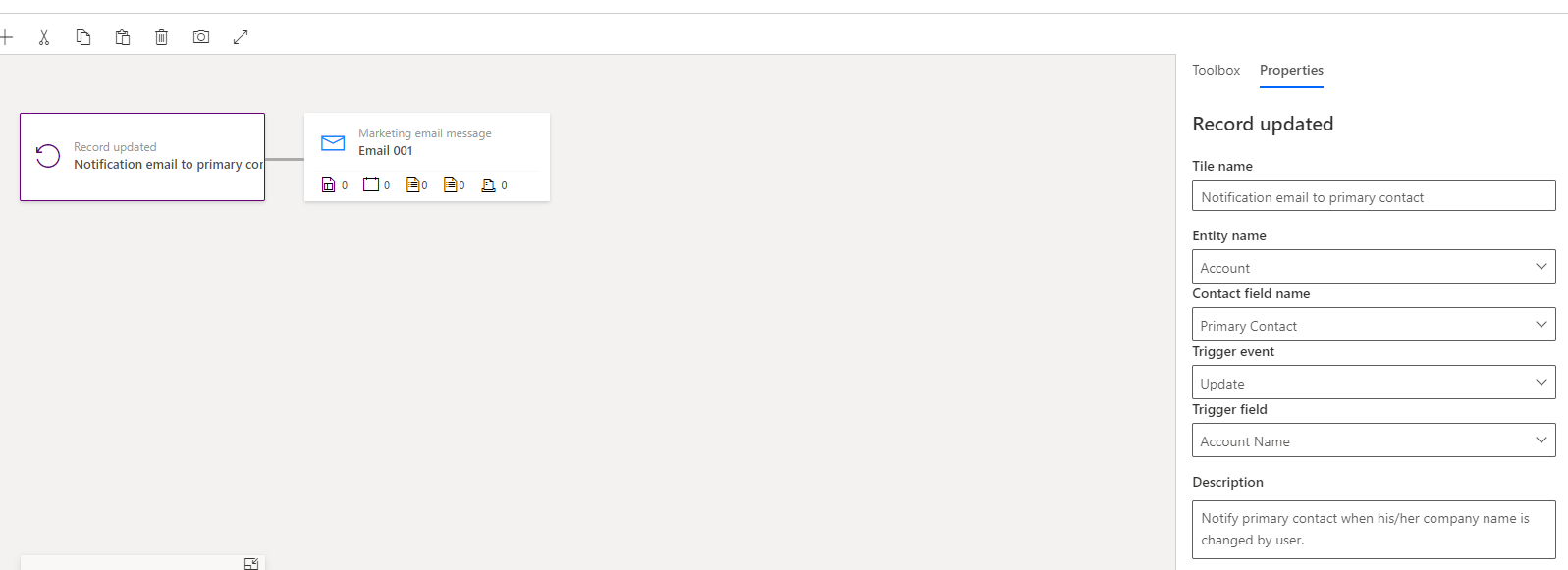
    2. If we change name of an account, then send a notification email to its primary contact.
    pastedimage1594797275564v3.png

    3. Result

    pastedimage1594797349148v4.png

    In addition, we should notice that such customer journey is still not the recurring, it will only send email to contact once. (If we change account name again or more times, email will no longer be sent.)

    Regards,

    Clofly

Under review

Thank you for your reply! To ensure a great experience for everyone, your content is awaiting approval by our Community Managers. Please check back later.

Helpful resources

News and Announcements

Season of Giving Solutions is Here!

Quick Links

Responsible AI policies

As AI tools become more common, we’re introducing a Responsible AI Use…

Neeraj Kumar – Community Spotlight

We are honored to recognize Neeraj Kumar as our Community Spotlight honoree for…

Leaderboard > Customer experience | Sales, Customer Insights, CRM

#1
Pallavi Phade Profile Picture

Pallavi Phade 101

#2
Tom_Gioielli Profile Picture

Tom_Gioielli 69 Super User 2025 Season 2

#3
TAHER Mehdi Profile Picture

TAHER Mehdi 58

Last 30 days Overall leaderboard

Product updates

Dynamics 365 release plans

