web
You’re offline. This is a read only version of the page.
close
Skip to main content

Notifications

Announcements

No record found.

Community site session details

Community site session details

Session Id :
Microsoft Dynamics AX (Archived)

Admin user provisioning throws: The remote name could not be resolved

(0) ShareShare
ReportReport
Posted on by

Hi -

I have configured a VM for D365FO in my laptop using VMWare Player 12. Of late,  the application is not working, unable to browse from IE, IIS. Even can't debug/run from VS. when i try to re-provision (Admin user provisioning), a error window prompts as:

"The remote name could not be resolved: "login.windows.net".  
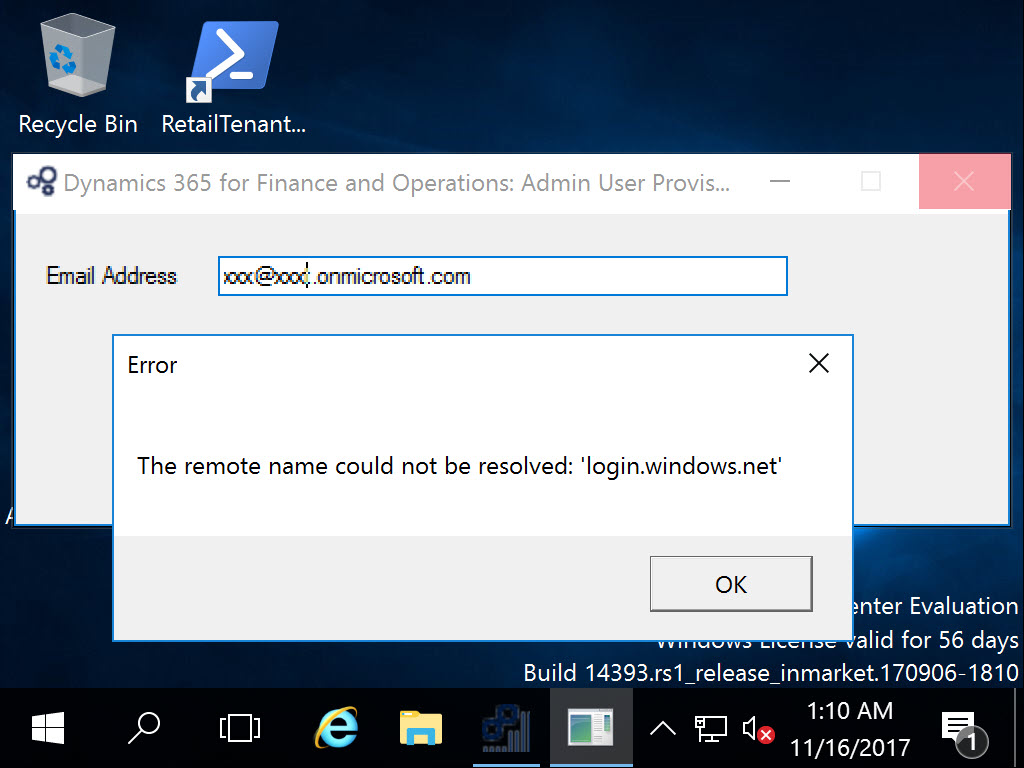
2017_2D00_11_2D00_16_5F00_17_2D00_10_2D00_47.jpg

The event log records the same error as

"An error occurred while sending the request.

The remote name could not be resolved: 'login.windows.net'
at System.Net.HttpWebRequest.EndGetResponse(IAsyncResult asyncResult)
at System.Net.Http.HttpClientHandler.GetResponseCallback(IAsyncResult ar)

etc etc"

Basically, the URL redirection for authentication is not working  when I browse the D365FO site . 

I did try and the same with a fresh environment, no customization, still have the same issue. 

Has anyone encountered the same issue and advice on the same.

Thank you.

Dip 

*This post is locked for comments

I have the same question (0)
  • Martin Dráb Profile Picture
    237,878 Most Valuable Professional on at

    Are you connected to internet? Does DNS resolution work correctly?

  • Community Member Profile Picture
    on at

    Hi Martin - My VM is connected to internet sharing the guest network and able to browse sites normally. Ping to the remote name 'login.windows.net'  results differently in guest OS and hosted VM - 

    2017_2D00_11_2D00_16_5F00_17_2D00_58_2D00_41.jpg

    Rgds,

  • Community Member Profile Picture
    on at

    Further, https://login.windows.net - unable to browse from VM whereas it can be browse from host machine.

    2017_2D00_11_2D00_16_5F00_18_2D00_17_2D00_59.jpg

  • Verified answer
    Community Member Profile Picture
    on at

    Well - absolutely no issues with the application but not sure why the guest system is not able to browse the  url  for identity authentication. Even I was unable to browse LifeCycle/Azure wherever this portal " https://login.windows.net" is used for authentication.

    At end, i tried to login using my phone's 4G connection, it worked and able to browse all sites. Later, i stop/start the home router - looks fine so far.

    I will still appreciate a root cause for such issues from others.

Under review

Thank you for your reply! To ensure a great experience for everyone, your content is awaiting approval by our Community Managers. Please check back later.

Helpful resources

Quick Links

Responsible AI policies

As AI tools become more common, we’re introducing a Responsible AI Use…

Neeraj Kumar – Community Spotlight

We are honored to recognize Neeraj Kumar as our Community Spotlight honoree for…

Leaderboard > 🔒一 Microsoft Dynamics AX (Archived)

#1
Priya_K Profile Picture

Priya_K 4

#1
Martin Dráb Profile Picture

Martin Dráb 4 Most Valuable Professional

#3
Ali Zaidi Profile Picture

Ali Zaidi 2

Last 30 days Overall leaderboard

Featured topics

Product updates

Dynamics 365 release plans
