web
You’re offline. This is a read only version of the page.
close
Skip to main content

Announcements

News and Announcements icon
Community site session details

Community site session details

Session Id :
Dynamics 365 Community / Forums / Finance forum / How to create custom f...
Finance forum

How to create custom file format for method of payment for vendors.

(0) ShareShare
ReportReport
Posted on by

Hello All,

I don't have much experience in creation of method of payment for vendors hence wanted to ask how to create custom File format for method of payment for vendors.

Method-of-payment.jpg

Thanks in advance !!!

I have the same question (0)
  • Verified answer
    Satish Panwar Profile Picture
    14,673 Moderator on at

    Hi Amigup24,

    if you notice on method of payment, when you select "export format" and open the drop down it shows you class that is being referenced against the export format. They all start with class "VendOutPaym".. for different formats different classes are used...

    VendOutPaym_Cheque - For Cheque

    VendOutPaym_NACHA - NACHA

    VendOutPaym_Cheque_Payroll and so on. you can look at these class and create a custom export method.

  • Verified answer
    Community Member Profile Picture
    on at

    Hi Amigup24,

    Each of the file formats is represented by a class in the AOT. Each of those classes extend the class VendOutPaymRecord_NACHA. You could duplicate the existing class and customize according to your needs.

    36702.1.png

    Please refer this blog for more details. It's for AX 2012, but you can using the same method for D365FO.

  • Community Member Profile Picture
    on at

    Hello Satish,

    thanks a lot for your answer. It does resolve my query.

    Cheers !!!!

  • Community Member Profile Picture
    on at

    Hello Ada Ding,

    Thanks a lot for providing a detailed information. Just wanted to ask if some detailed information is available as to how can these classes be extended and customized to suit the client requirement.

    I am also trying to figure out how these classes works for method of payment  for vendor.

    Thanks & Regards,

    Amit Ashok Gupta.

  • Community Member Profile Picture
    on at

    Hello Amit Ashok Gupta,

    So far I haven't found detailed information available for D365FO. I will update here if I find something useful.

    You can duplicate one of these class with a different name, extending the parent class (VendOutPaymRecord_NACHA), modifying the section requiring new values or formatting. When you create that new class, it will be added to the Export Format list.

  • Community Member Profile Picture
    on at

    Sure Ada Ding.

    Thanks a ton for such useful information.

  • Suggested answer
    Eugen Glasow Profile Picture
    6,361 on at

    This is not the proper way. You are supposed to create or derive a new electronic configuration. For NACHA, I created a few years ago a ER configuration from scratch instead of customizing anything in the X++ code.

    Have a look at the screenshot, this is how the configuration may look like: 

    http://erconsult.eu/wp-content/uploads/2017/04/ER_Nacha.png

    http://erconsult.eu/blog/electronic-reporting-er-cookbook/

  • Community Member Profile Picture
    on at

    Hello Ada Ding,

    I created new class and did a full build but yet that class is not available to be selected for methods of payment.

    Am I missing onto some vital step?

  • Community Member Profile Picture
    on at

    Hello Eugen,

    How were you able to bring the newly create class for Method of payment into the form. I did a full build but the newly created class is not available for selection as a method of payment setup.

    Thanks !!!!

  • Suggested answer
    Jie G Profile Picture
    Microsoft Employee on at

    Hello, 

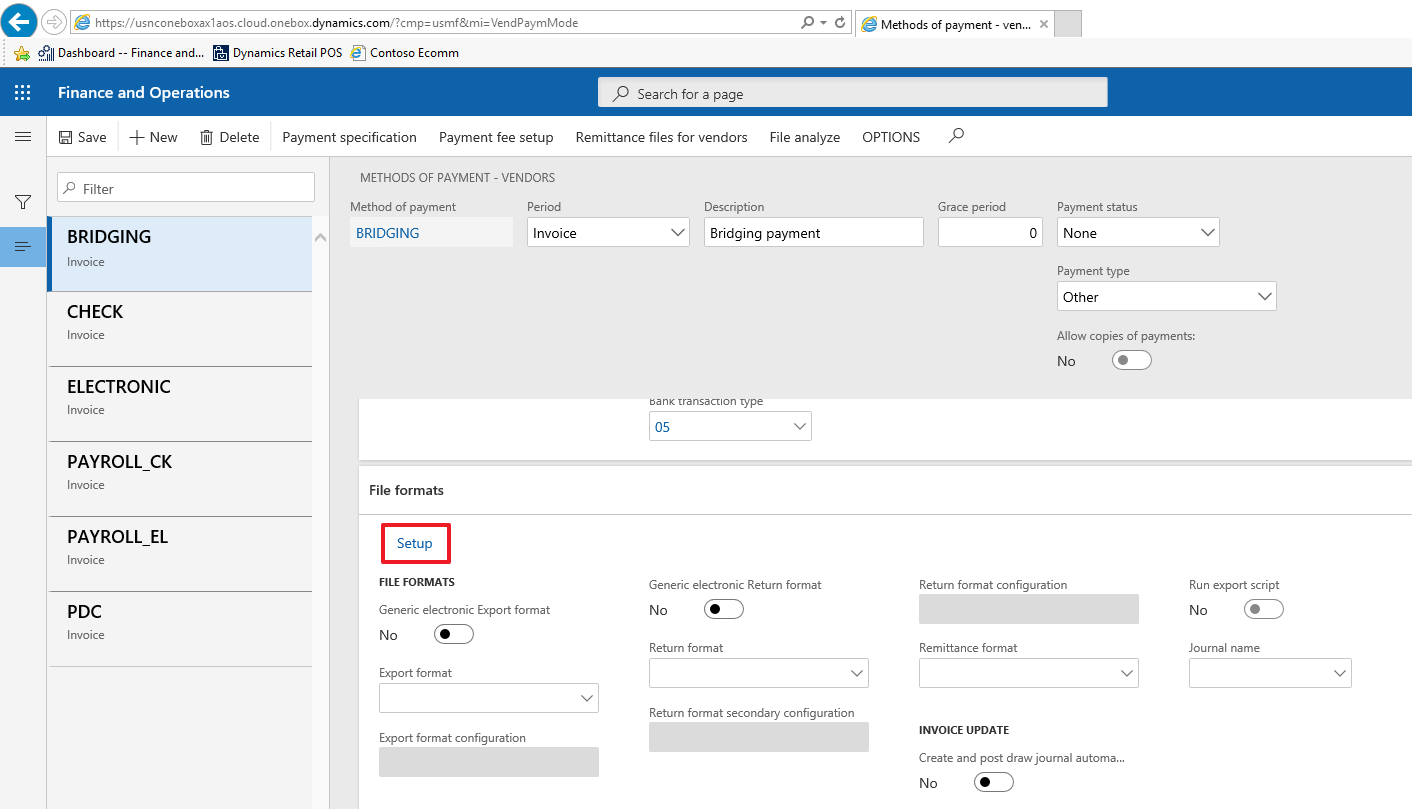
    After building the class successfully, we need set it up in the VendPaymMode Form.

    1. Click the setup button;
    1727.03.png

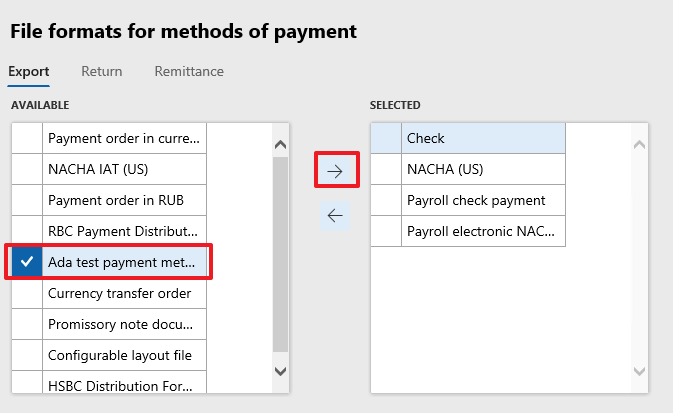
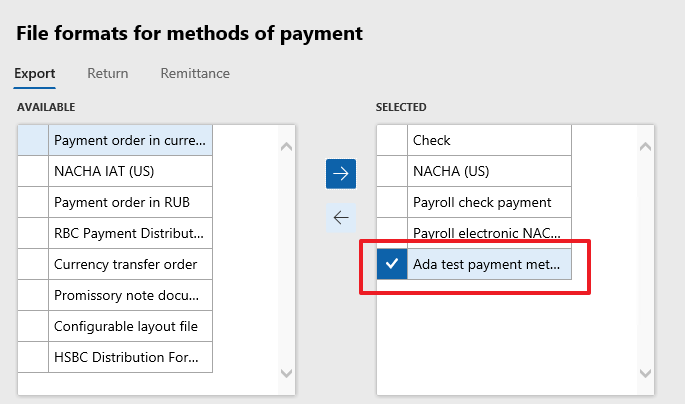
    2 In the "File formats for methods of payment" form, we can see the new created export format, and select it.
    3365.01.png

    1727.02.png

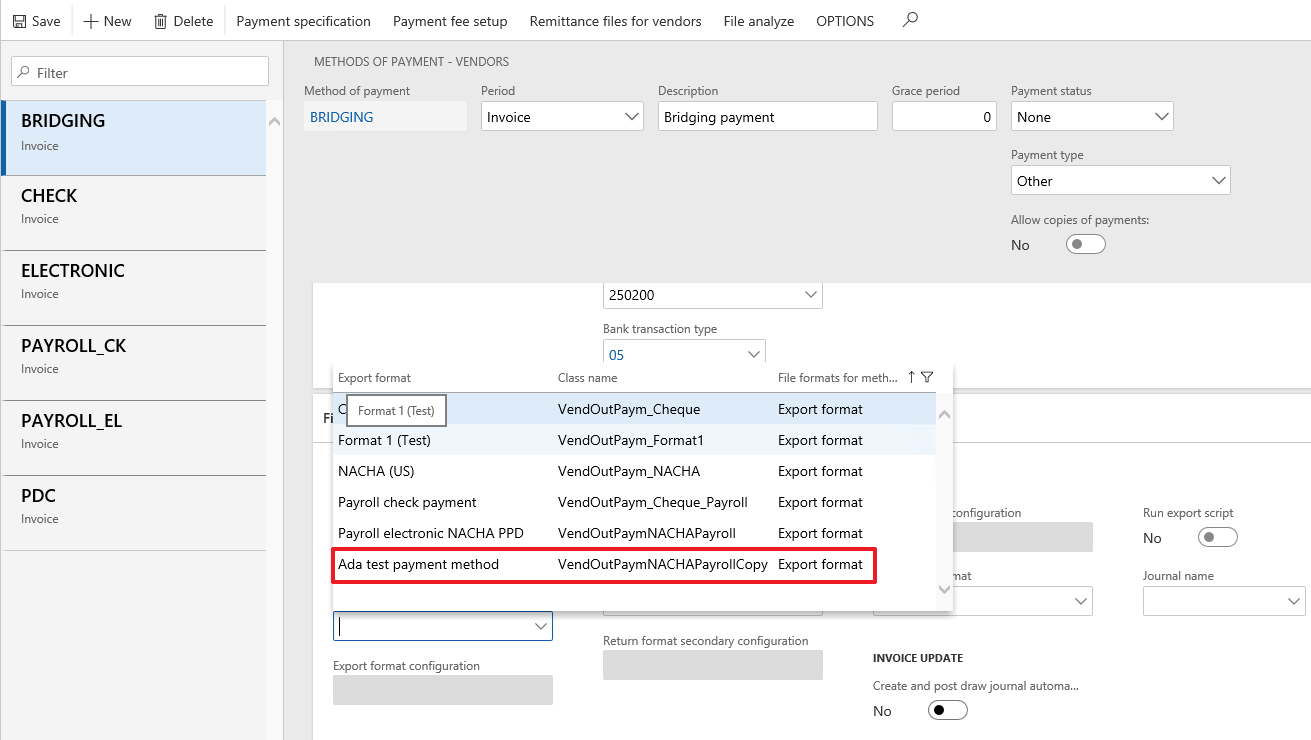
    3. Now we can see the export format listed with the new created one.
    1727.03.png

Under review

Thank you for your reply! To ensure a great experience for everyone, your content is awaiting approval by our Community Managers. Please check back later.

Helpful resources

Quick Links

November Spotlight Star - Khushbu Rajvi

Congratulations to a top community star!

Forum Structure Changes Coming on 11/8!

In our never-ending quest to help the Dynamics 365 Community members get answers faster …

Dynamics 365 Community Platform update – Oct 28

Welcome to the next edition of the Community Platform Update. This is a status …

Leaderboard > Finance

Last 30 days Overall leaderboard

Featured topics

Product updates

Dynamics 365 release plans
