Hello Every one
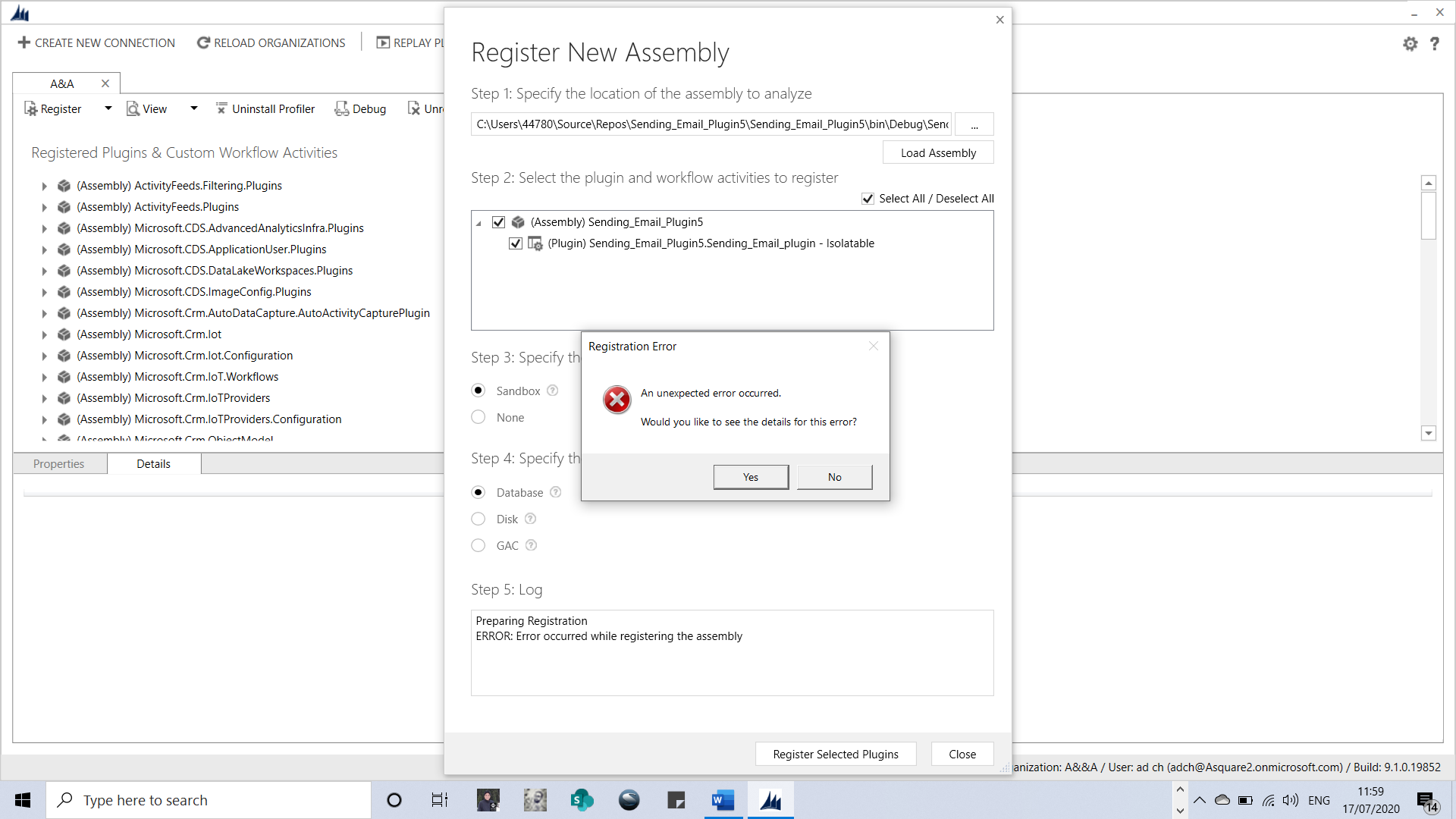
I am getting error message while creating a new assembly Iam using Dynamics 365 online Trail version and version 9.0 plugin registration Tool
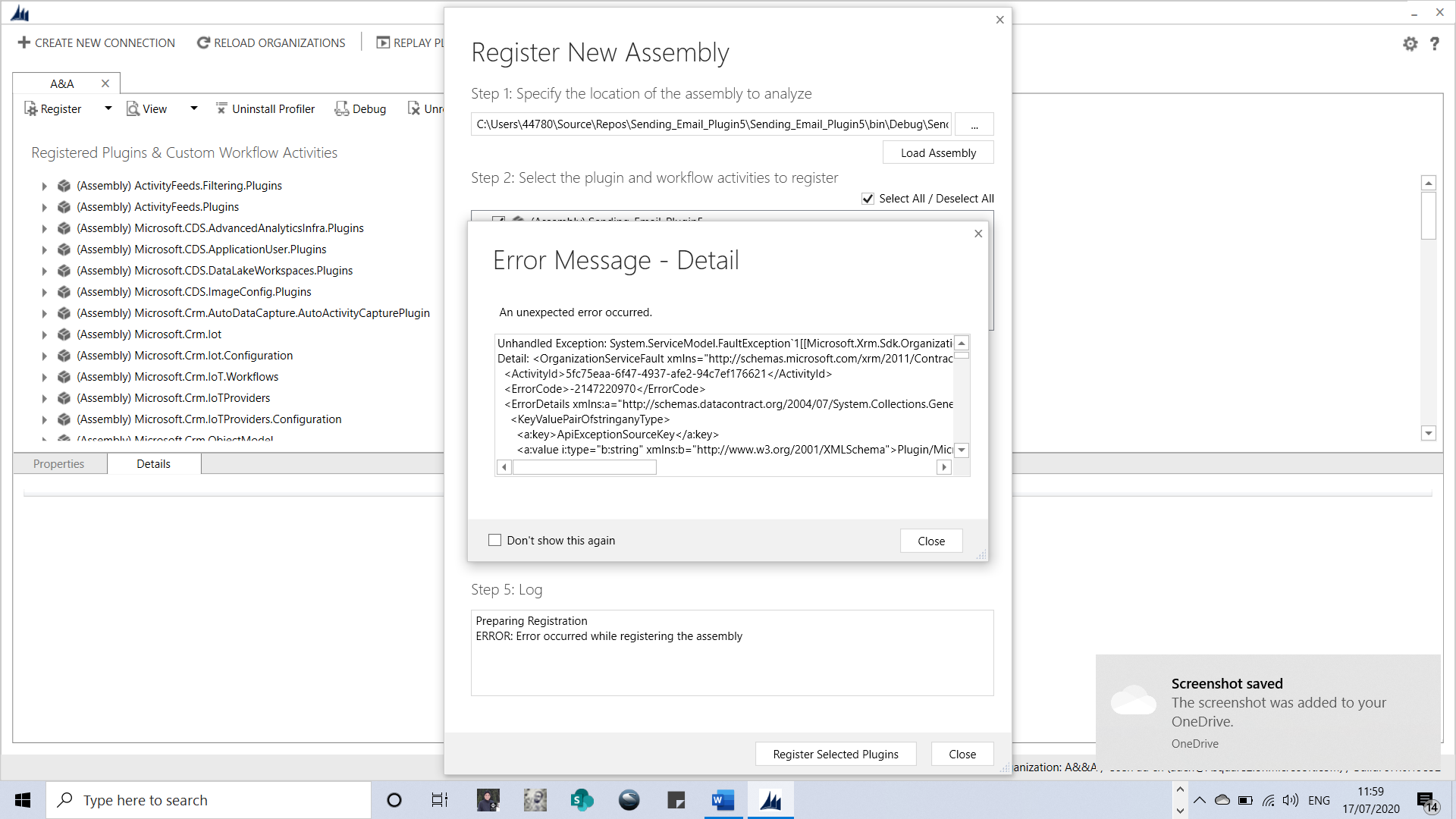
Unhandled Exception: System.ServiceModel.FaultException`1[[Microsoft.Xrm.Sdk.OrganizationServiceFault, Microsoft.Xrm.Sdk, Version=9.0.0.0, Culture=neutral, PublicKeyToken=31bf3856ad364e35]]: An unexpected error occurred.
Detail: <OrganizationServiceFault xmlns="">schemas.microsoft.com/.../Contracts" xmlns:i="">www.w3.org/.../XMLSchema-instance">
<ActivityId>40b3f440-9867-474f-90b4-84282d7e286e</ActivityId>
<ErrorCode>-2147220970</ErrorCode>
<ErrorDetails xmlns:a="">schemas.datacontract.org/.../System.Collections.Generic">
<KeyValuePairOfstringanyType>
<a:key>ApiExceptionSourceKey</a:key>
<a:value i:type="b:string" xmlns:b="">www.w3.org/.../a:value>
</KeyValuePairOfstringanyType>
<KeyValuePairOfstringanyType>
<a:key>ApiOriginalExceptionKey</a:key>
<a:value i:type="b:string" xmlns:b="">www.w3.org/.../XMLSchema">Microsoft.Crm.CrmException: An unexpected error occurred. ---> System.FormatException: Input string was not in a correct format.
at System.Text.StringBuilder.FormatError()
at System.Text.StringBuilder.AppendFormatHelper(IFormatProvider provider, String format, ParamsArray args)
at System.String.FormatHelper(IFormatProvider provider, String format, ParamsArray args)
at System.String.Format(IFormatProvider provider, String format, Object arg0, Object arg1)
at Microsoft.Crm.ObjectModel.TargetFrameworkVersionValidator.ValidateInternal()
at Microsoft.Crm.ObjectModel.PluginValidatorBase.Validate()
at Microsoft.Crm.ObjectModel.PluginAssemblyServiceInternal`1.ValidateAssemblyMetadata(ExecutionContext context, IBusinessEntity pluginAssembly, CrmPluginAssemblyMetadata assemblyMetadata)
at Microsoft.Crm.ObjectModel.PluginAssemblyServiceInternal`1.VerifyRegistrationAbility(IBusinessEntity pluginAssembly, Boolean createCall, ExecutionContext context, CrmPluginAssemblyMetadata assemblyMetadata)
at Microsoft.Crm.ObjectModel.PluginAssemblyServiceInternal`1.ValidateOperation(String operationName, IBusinessEntity entity, ExecutionContext context)
at Microsoft.Crm.ObjectModel.SdkEntityServiceBase.CreateInternal(IBusinessEntity entity, ExecutionContext context, Boolean verifyAction)
--- End of inner exception stack trace ---
at Microsoft.Crm.Extensibility.VersionedPluginProxyStepBase.Execute(PipelineExecutionContext context)
at Microsoft.Crm.Extensibility.PipelineInstrumentationHelper.Execute(Boolean instrumentationEnabled, String stopwatchName, ExecuteWithInstrumentation action, PipelineExecutionContext context)
at Microsoft.Crm.Extensibility.Pipeline.<>c__DisplayClass3_0.<RunStep>b__0()</a:value>
</KeyValuePairOfstringanyType>
<KeyValuePairOfstringanyType>
<a:key>ApiStepKey</a:key>
<a:value i:type="b:guid" xmlns:b="">schemas.microsoft.com/.../a:value>
</KeyValuePairOfstringanyType>
<KeyValuePairOfstringanyType>
<a:key>ApiDepthKey</a:key>
<a:value i:type="b:int" xmlns:b="">www.w3.org/.../a:value>
</KeyValuePairOfstringanyType>
<KeyValuePairOfstringanyType>
<a:key>ApiActivityIdKey</a:key>
<a:value i:type="b:guid" xmlns:b="">schemas.microsoft.com/.../a:value>
</KeyValuePairOfstringanyType>
<KeyValuePairOfstringanyType>
<a:key>ApiPluginSolutionNameKey</a:key>
<a:value i:type="b:string" xmlns:b="">www.w3.org/.../a:value>
</KeyValuePairOfstringanyType>
<KeyValuePairOfstringanyType>
<a:key>ApiStepSolutionNameKey</a:key>
<a:value i:type="b:string" xmlns:b="">www.w3.org/.../a:value>
</KeyValuePairOfstringanyType>
<KeyValuePairOfstringanyType>
<a:key>ApiExceptionCategory</a:key>
<a:value i:type="b:string" xmlns:b="">www.w3.org/.../a:value>
</KeyValuePairOfstringanyType>
<KeyValuePairOfstringanyType>
<a:key>ApiExceptionMesageName</a:key>
<a:value i:type="b:string" xmlns:b="">www.w3.org/.../a:value>
</KeyValuePairOfstringanyType>
<KeyValuePairOfstringanyType>
<a:key>ApiExceptionHttpStatusCode</a:key>
<a:value i:type="b:int" xmlns:b="">www.w3.org/.../a:value>
</KeyValuePairOfstringanyType>
</ErrorDetails>
<HelpLink>go.microsoft.com/.../
<Message>An unexpected error occurred.</Message>
<Timestamp>2020-07-17T10:51:19.5383642Z</Timestamp>
<ExceptionRetriable>false</ExceptionRetriable>
<ExceptionSource i:nil="true" />
<InnerFault>
<ActivityId>40b3f440-9867-474f-90b4-84282d7e286e</ActivityId>
<ErrorCode>-2147220970</ErrorCode>
<ErrorDetails xmlns:a="">schemas.datacontract.org/.../System.Collections.Generic" />
<HelpLink i:nil="true" />
<Message>System.FormatException: Input string was not in a correct format.
at System.Text.StringBuilder.FormatError()
at System.Text.StringBuilder.AppendFormatHelper(IFormatProvider provider, String format, ParamsArray args)
at System.String.FormatHelper(IFormatProvider provider, String format, ParamsArray args)
at System.String.Format(IFormatProvider provider, String format, Object arg0, Object arg1)
at Microsoft.Crm.ObjectModel.TargetFrameworkVersionValidator.ValidateInternal()
at Microsoft.Crm.ObjectModel.PluginValidatorBase.Validate()
at Microsoft.Crm.ObjectModel.PluginAssemblyServiceInternal`1.ValidateAssemblyMetadata(ExecutionContext context, IBusinessEntity pluginAssembly, CrmPluginAssemblyMetadata assemblyMetadata)
at Microsoft.Crm.ObjectModel.PluginAssemblyServiceInternal`1.VerifyRegistrationAbility(IBusinessEntity pluginAssembly, Boolean createCall, ExecutionContext context, CrmPluginAssemblyMetadata assemblyMetadata)
at Microsoft.Crm.ObjectModel.PluginAssemblyServiceInternal`1.ValidateOperation(String operationName, IBusinessEntity entity, ExecutionContext context)
at Microsoft.Crm.ObjectModel.SdkEntityServiceBase.CreateInternal(IBusinessEntity entity, ExecutionContext context, Boolean verifyAction): Microsoft Dynamics CRM has experienced an error. Reference number for administrators or support: #8BDED47D</Message>
<Timestamp>2020-07-17T10:51:19.5383642Z</Timestamp>
<ExceptionRetriable>false</ExceptionRetriable>
<ExceptionSource i:nil="true" />
<InnerFault i:nil="true" />
<OriginalException i:nil="true" />
<TraceText i:nil="true" />
</InnerFault>
<OriginalException i:nil="true" />
<TraceText i:nil="true" />
</OrganizationServiceFault>
Server stack trace:
at System.ServiceModel.Channels.ServiceChannel.HandleReply(ProxyOperationRuntime operation, ProxyRpc& rpc)
at System.ServiceModel.Channels.ServiceChannel.Call(String action, Boolean oneway, ProxyOperationRuntime operation, Object[] ins, Object[] outs, TimeSpan timeout)
at System.ServiceModel.Channels.ServiceChannelProxy.InvokeService(IMethodCallMessage methodCall, ProxyOperationRuntime operation)
at System.ServiceModel.Channels.ServiceChannelProxy.Invoke(IMessage message)
Exception rethrown at [0]:
at Microsoft.Crm.Tools.Libraries.RegistrationHelper.RegisterAssembly(CrmOrganization org, String pathToAssembly, CrmPluginAssembly assembly)
at Microsoft.Crm.Tools.AssemblyRegistration.PluginRegistrationViewModel.btnregisterClick()







