web
You’re offline. This is a read only version of the page.
close
Skip to main content

Notifications

Announcements

No record found.

Community site session details

Community site session details

Session Id :
Customer experience | Sales, Customer Insights,...
Suggested Answer

How to update Opportunity Sales Stage Option Set Values

(0) ShareShare
ReportReport
Posted on by 15

Greetings,

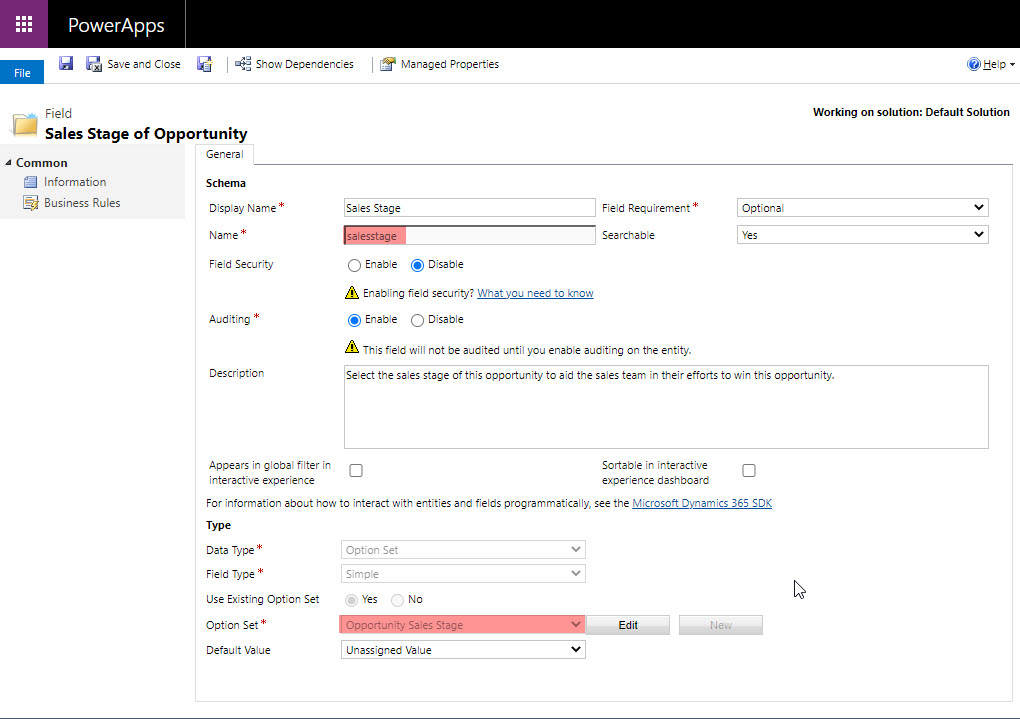
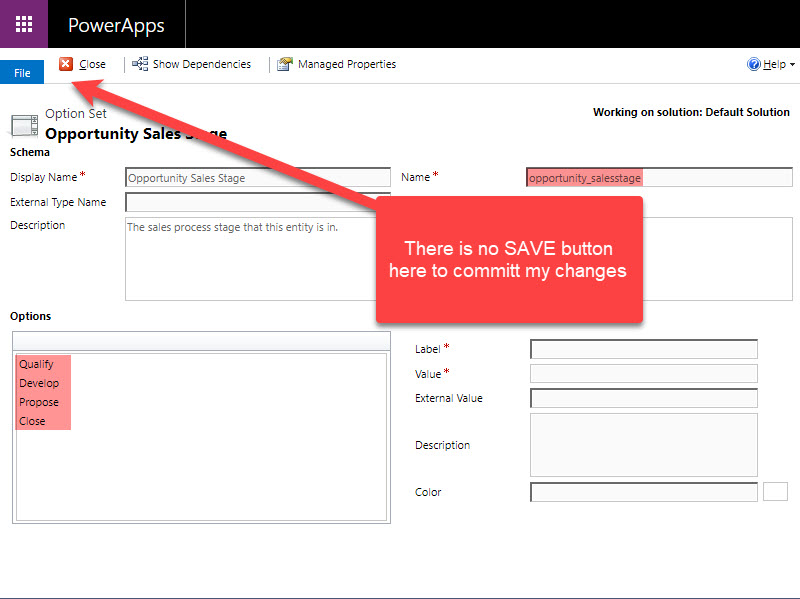
I am currently on Version 1612 (9.0.6.9) (DB 9.0.6.9) on-premises. I am attempting to change the values that are displayed for the Opportunity Sales Stage field on Opportunity. The Schema name for the field is "salesstage" and the related option set is called Opportunity Sales stage, schema name is opportunity_salesstage. I have drilled into the option set and noticed I am unable to save changes as shown in figure #2. I have changed the values of the Stage Categories option set and published it, however, that did not seem to update the Opportunity Sales Stage option set. Any assistance would be appreciated.

Figure 1 - Field on Opportunity
Opportunity-salesstage-field.jpg

Figure 2 - Related Option Set to Figure 1 Field
opportunity-Sales-Stage-Option-Set.jpg

I have the same question (0)
  • Suggested answer
    Wahaj Rashid Profile Picture
    11,321 on at

    Hi,

    Thank you for your query.

    You need to modify the Stage Category global optionset (not the Sales Stage)

    Please see following post for the steps:

    (+) Change Stage Category on Business Process Flow - Microsoft Dynamics CRM Forum Community Forum

    To change stages, you need to go to the Process -> Business Process Flows -> Open  Opportunity Sales Process (or the process you use) and update the stages directly there.

  • Suggested answer
    LuHao Profile Picture
    40,892 on at

    Hi Jeremy,

    Opportunity Sales Stage Option Set Values are not changeable.

    You should change the Stage in BPF directly.

    pastedimage1616063221973v1.png

    pastedimage1616063271440v2.png

  • Suggested answer
    Lucas.boaventura Profile Picture
    35 on at

    Hi Jeremy,

    I had the same problem. It´s a bug in dynamics. To edit the options of sales category stage, Manually enter the URL:

    (your envirolment URL)/tools/systemcustomization/optionset/optionset.aspx?appSolutionId=%7bFD140AAF-4DF4-11DD-BD17-0019B9312238%7d&id=%7b334EA217-AA70-4342-8EAF-E41D682C66BB%7d&_CreateFromType=7100&_CreateFromId=%7bFD140AAF-4DF4-11DD-BD17-0019B9312238%7d

    Worked for me. More information in:

    community.dynamics.com/.../what-happened-to-the-stage-category-option-set

    I hope I've helped.

    Regards, Lucas Boaventura

    from Brazil

Under review

Thank you for your reply! To ensure a great experience for everyone, your content is awaiting approval by our Community Managers. Please check back later.

Helpful resources

Quick Links

Responsible AI policies

As AI tools become more common, we’re introducing a Responsible AI Use…

Neeraj Kumar – Community Spotlight

We are honored to recognize Neeraj Kumar as our Community Spotlight honoree for…

Leaderboard > Customer experience | Sales, Customer Insights, CRM

#1
Tom_Gioielli Profile Picture

Tom_Gioielli 170 Super User 2025 Season 2

#2
#ManoVerse Profile Picture

#ManoVerse 70

#3
Jimmy Passeti Profile Picture

Jimmy Passeti 50 Most Valuable Professional

Last 30 days Overall leaderboard

Product updates

Dynamics 365 release plans



