web
You’re offline. This is a read only version of the page.
close
Skip to main content

Notifications

Announcements

No record found.

Community site session details

Community site session details

Session Id :
Finance | Project Operations, Human Resources, ...
Answered

Unable to edit Approval and Approval Workflow switches on a daily journal name

(0) ShareShare
ReportReport
Posted on by

Hi

I have encountered a strange scenario with not being able to edit the switches for approval and workflow approval on a journal name. My organisation has 8 companies and a daily journal called WD7  restricted to a group of finance team users, the journal is used to post any year end adjustments after the year has closed.  Note our year end is today  31st March 2020

This journal was originally set-up to use approval but this year there has been a request to change this to workflow approval for each of the 8 companies.  I have managed to add the new workflow to 7 of the 8 companies but for 1 of these 1015 I cannot edit the approval switch to turn this off or the workflow approval switch to turn this on. I can however select a workflow definition. I have also discovered for the 7 companies where I  have  successfully added the workflow I can only edit the workflow approval and approval switches for 1 of these companies 1035. So if I wanted to remove workflow from 7 of the companies I would not be able to. See screen shots below

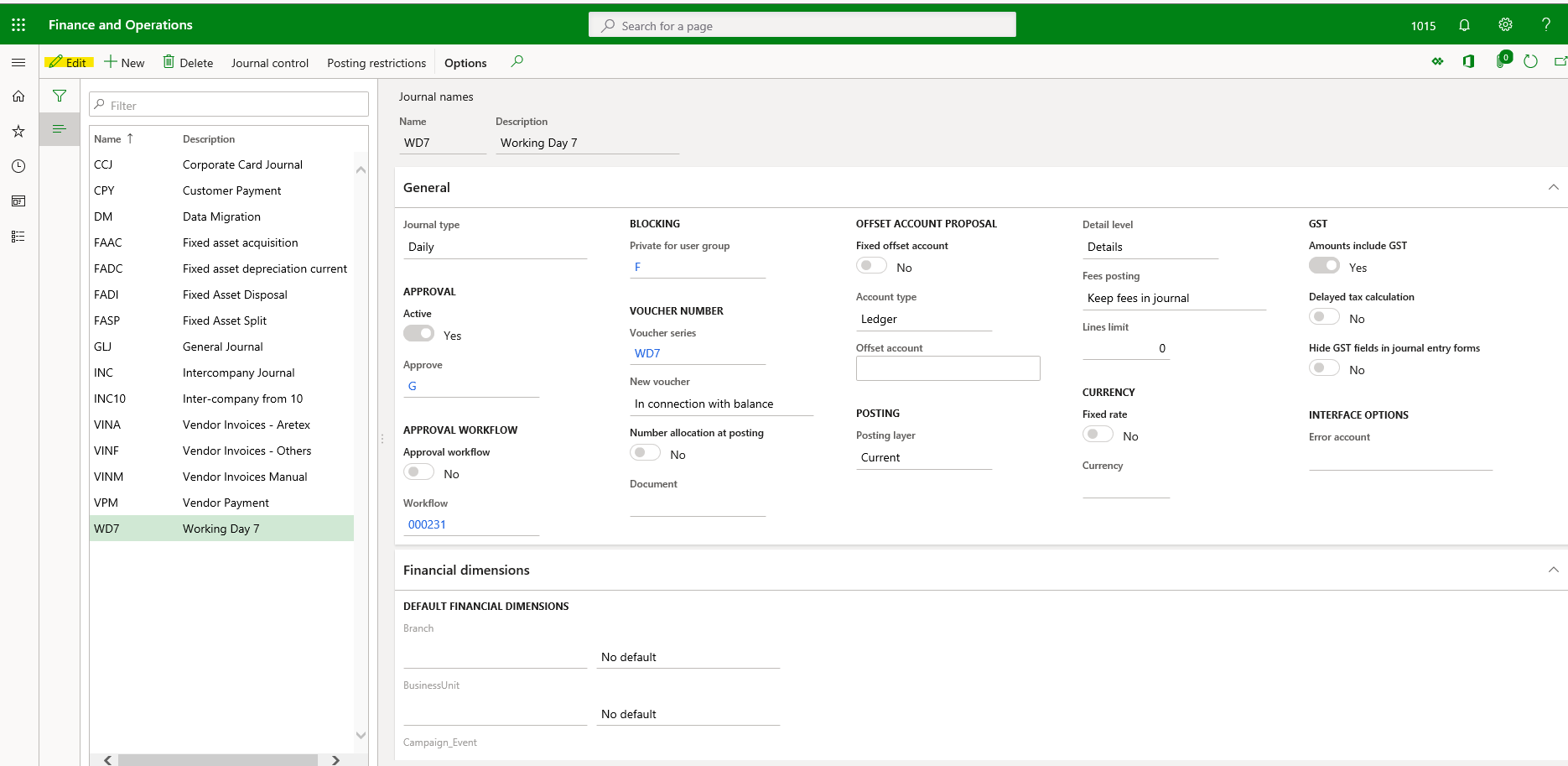
Company 1015 WD7 journal before edit selected
WD7-1015-before-edit-selected.png

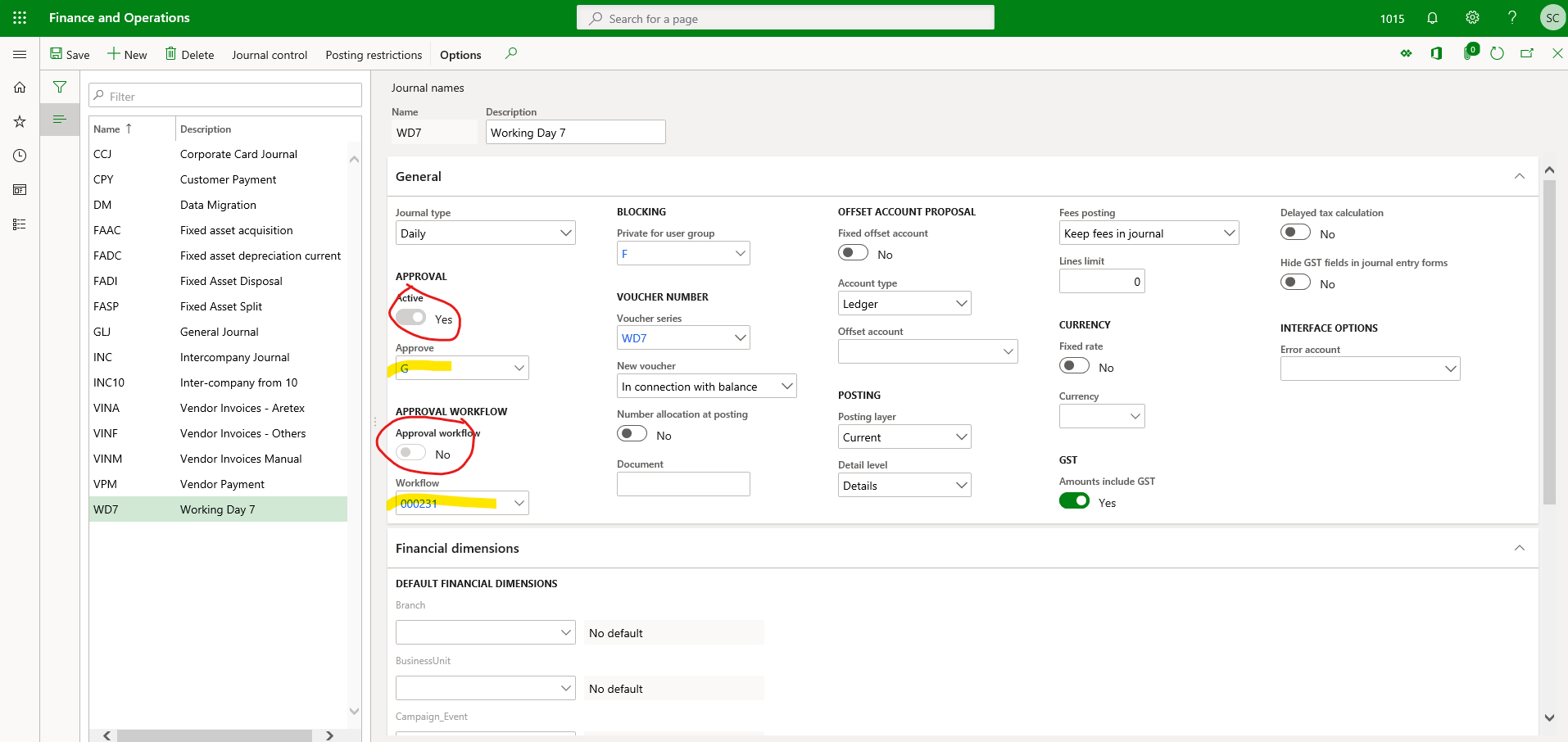
1015 journal name WD7  after edit selected and the approval switch is greyed out and cannot be turned on.
WD7-1015-after-edit-selected.png

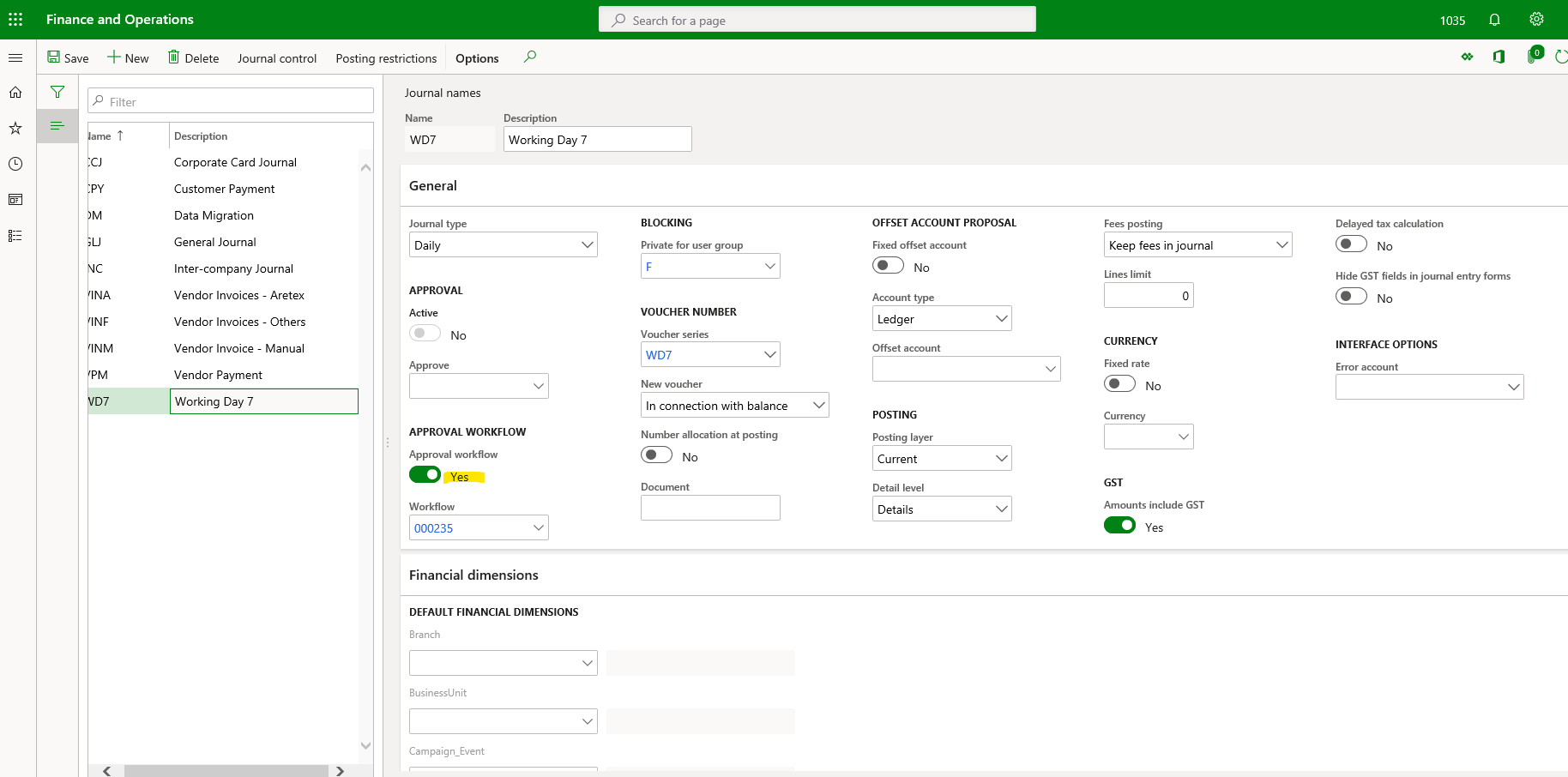
The same daily journal in Company 1035 with edit selected an you can see by the green colour that I can switch workflow approval off.
WD7-1035-after-edit-selected.png

I would further add that so far I have only done this in our UAT sandbox environment, I am not confident to update Production with the new workflow until I can find a solution to this issue. I have looked to see whether I can edit the approval and workflow approval switches for WD7 journal name in Production for all 8 companies and I can for all companies except for 1015. 

This is very strange and any assistance in resolving this will be gratefully appreciated. 

Regards

Simon  

I have the same question (0)
  • MATTGUO Profile Picture
    22,349 Moderator on at

    Hi Simon,

    Please check if the personalization of "Do not edit" is selected?

  • Community Member Profile Picture
    on at

    Hi Mattugo

    Thanks for this suggestion but I can't see any specific personalisation for my user for these two actions on the ledgerjournalsetup form. I can edit all other parts of the form including the approval group and the workflow ID. I just can't switch approval off and workflow on or workflow off and approval on the buttons are greyed out. Also it does not apply to every company and I am fairly sure personalisation is global so that would not explain why I can edit these two items in one company but not others.

    Best regards

    Simon    

  • Verified answer
    Community Member Profile Picture
    on at

    Hi Mattguo

    With help from our Dynamics partner we debugged this issues in our Dev environment and the conclusion is it is a bug. The buttons should disable each other i.e you can only have 1 or none active at the same time. But it appears that under certain circumstances that are 100% clear to me both buttons become disabled. The good news is there is a work around if you encounter this issue.  Simple select new to create a new journal name, but don't save this just select the journal name you wish to edit make the change (such as activating workflow) save and then delete the unnamed journal name you created see screen shot below.

    Workaround-click-on-new.png

    I hope this will help out anybody that runs into this issue in the future.

    Regards

    Simon

  • MATTGUO Profile Picture
    22,349 Moderator on at

    Good morning Simon,

    Thank you for sharing the solution, and verifying your answer.

Under review

Thank you for your reply! To ensure a great experience for everyone, your content is awaiting approval by our Community Managers. Please check back later.

Helpful resources

Quick Links

Responsible AI policies

As AI tools become more common, we’re introducing a Responsible AI Use…

Neeraj Kumar – Community Spotlight

We are honored to recognize Neeraj Kumar as our Community Spotlight honoree for…

Leaderboard > Finance | Project Operations, Human Resources, AX, GP, SL

#1
Martin Dráb Profile Picture

Martin Dráb 559 Most Valuable Professional

#2
André Arnaud de Calavon Profile Picture

André Arnaud de Cal... 464 Super User 2025 Season 2

#3
Sohaib Cheema Profile Picture

Sohaib Cheema 250 User Group Leader

Last 30 days Overall leaderboard

Product updates

Dynamics 365 release plans
