web
You’re offline. This is a read only version of the page.
close
Skip to main content

Notifications

Announcements

No record found.

Community site session details

Community site session details

Session Id :
Customer experience | Sales, Customer Insights,...
Answered

How do embed an event registration from on a Marketing Page?

(0) ShareShare
ReportReport
Posted on by

Howdy,

   I am trying to embed an Event registration form on a marketing page. I have tried the following approaches with no real success..

1) Create Event Form,

2) Make it go live

3) Try to add to a Marketing page

Outcome: Can't select it (besides its not linked to the event in any way)

Other approach (more successful, but still fails)
1) Create Event Form

2) Make it go live

3) Go to Live Event and go to related "Form Pages"

4) Create the Form (this creates a Form Page that is hosting the Form)

5) Copy the Div & Javascript (so basically your normal external form hosting

6) Create a new Marketing Page

7) Copy content into Marketing Page

8) Go Live

Outcome:
1) Page has the form (Yah!)
2) Form submissions create Event registrations (Yay Twice!!!)
3) Form throws an error to the user when they register instead of a thank you message for registering :-( (BOO!)

Error: pastedimage1598313665236v1.png
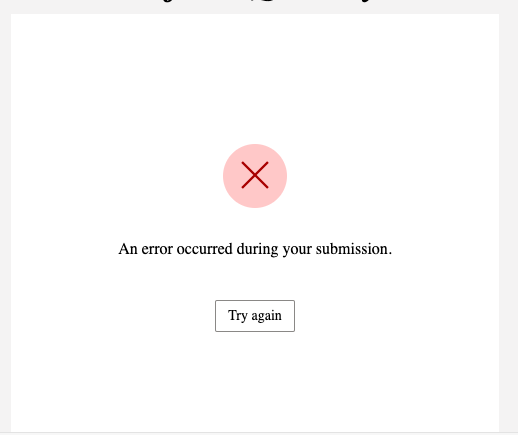
Which looks to be some kind of CORS error : 

pastedimage1598313755904v2.png

Because we are still configuring things out we are running on a default portal URL (so XYZ.microsoftcrmportals.com)

Any suggestions 

Ideally we would like our Marketing department to be able to drop marketing registration forms into any Marketing Page as they need... But for now, just doing it once during this POC would be nice ;-).. 

Thanks all

I have the same question (0)
  • Verified answer
    cloflyMao Profile Picture
    25,210 on at

    Hi Joshua,

    We should associate the form to a specific event record.

    1_2D00_1.JPG

    Then the default event registration form will be changed to marketing form:

    pastedimage1598324602900v1.png

    To embed the form to a marketing page, due to currently there isn't a page type called "event registration",

    thus what you have done is right -- we need to copy the script to marketing page manually, but we should copy the script of form hosting field instead.(I circled the field in the first screenshot)

    Below is my process:

    1. Select a "landing page" type template.

    2. Find the default form block, remove the attribute, paste the script and divs into that div.

    2_2D00_2.JPG

    3. The form has been embedded in marketing page

    5482.JPG

    I can receive success message after submission.

    pastedimage1598325797705v2.png

    Regards,

    Clofly

  • Community Member Profile Picture
    on at

    That was the difference, I kind of went the back way round by adding the form to the event via related entities....  When I followed your way I got the option to copy the javascript right from the event entity rather than from the hosted form tab on the form..

    Thanks!!

  • mneumayer Profile Picture
    641 on at

    Thanks that worked great for me! At first I did no see the event form, however it will appear in the published "go live" state of the marketing page!

  • Angele Profile Picture
    40 on at

    I want to say thank you as well!  I have been struggling with this and when I asked a similiar question I was told it was not possible.  Worked great!

    Thanks!!

Under review

Thank you for your reply! To ensure a great experience for everyone, your content is awaiting approval by our Community Managers. Please check back later.

Helpful resources

Quick Links

Responsible AI policies

As AI tools become more common, we’re introducing a Responsible AI Use…

Neeraj Kumar – Community Spotlight

We are honored to recognize Neeraj Kumar as our Community Spotlight honoree for…

Leaderboard > Customer experience | Sales, Customer Insights, CRM

#1
Tom_Gioielli Profile Picture

Tom_Gioielli 170 Super User 2025 Season 2

#2
#ManoVerse Profile Picture

#ManoVerse 70

#3
Jimmy Passeti Profile Picture

Jimmy Passeti 50 Most Valuable Professional

Last 30 days Overall leaderboard

Product updates

Dynamics 365 release plans
