web
You’re offline. This is a read only version of the page.
close
Skip to main content

Notifications

Announcements

No record found.

Community site session details

Community site session details

Session Id :
Finance | Project Operations, Human Resources, ...
Answered

Business document management - Purchase order(Excel) running error

(0) ShareShare
ReportReport
Posted on by 916

HI,

I'm trying to setup order model(Excel)  from standard without any change of the model imported.

I'm on PU36 and i try using the version 73.57 and 73.56 but i get the same error: 

Error 1 :  on the  Electronic report > report >  Order Model > run the tempale
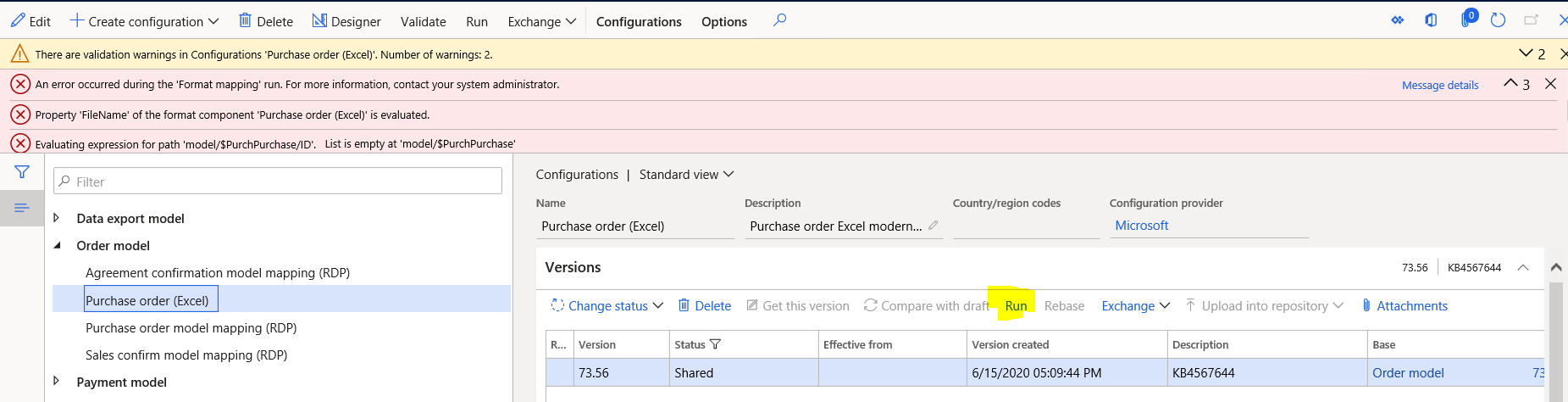
5353.pastedimage1597219668544v2.png

Here i see that the error message  says that the purchase order inquiry ID is not correctly mapped but i don't know how to map it and which ID.

Error 2 : After setup the model of purchase order following thoses steps  i get another error: 

setup print management : 
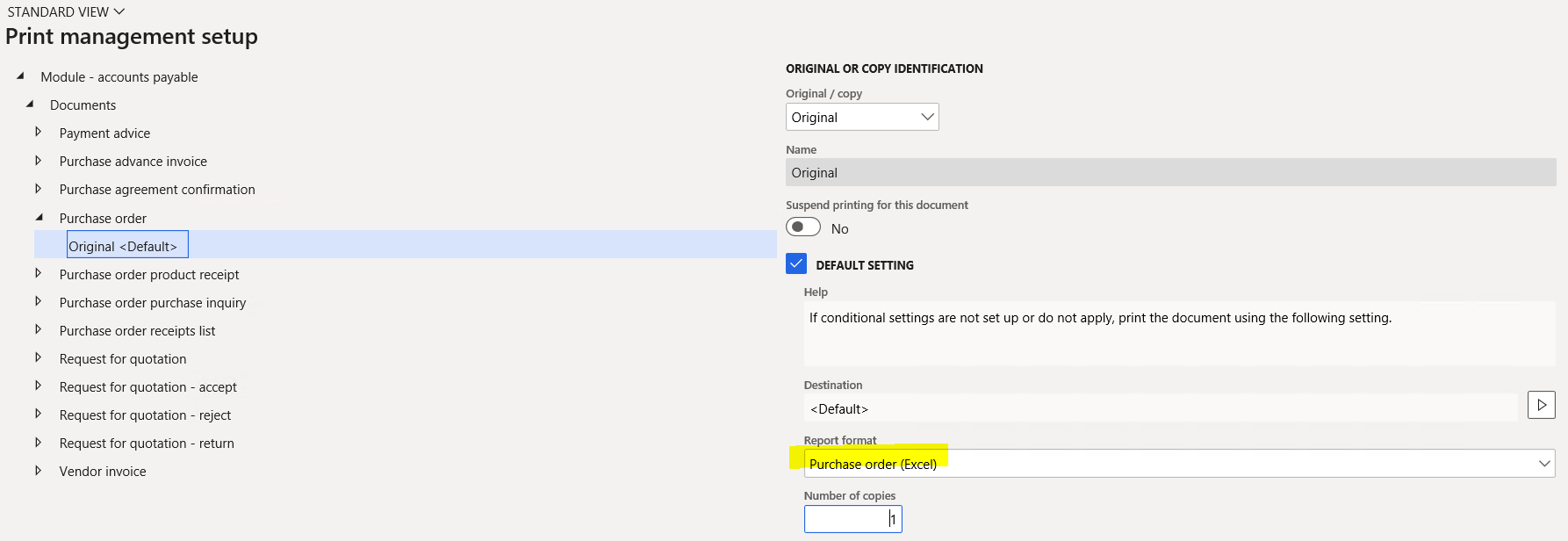
3404.pastedimage1597219816292v3.png

create and publish templale : 

1212.pastedimage1597220693924v4.png

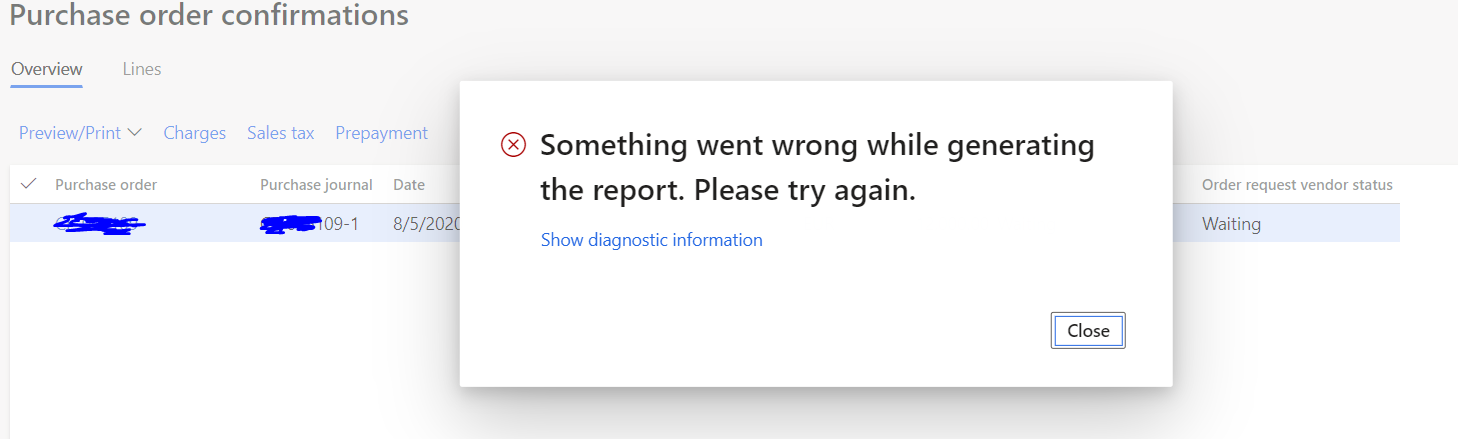
Print purchase order confirmation

0207.pastedimage1597220777009v5.png

 Can someone help me?

I have the same question (0)
  • Ludwig Reinhard Profile Picture
    Microsoft Employee on at

    moved to the d365 forum

  • Suggested answer
    Ludwig Reinhard Profile Picture
    Microsoft Employee on at

    Hi,

    I had a look at LCS and noticed that there are a number of issues listed for that report that will be fixed in 10.0.14

    fix.lcs.dynamics.com/.../Results

    10.0.14 will be GA in October; so probably have a look at LCS and check the available fixes there.

    Best regards,

    Ludwig

  • Verified answer
    Sukrut Parab Profile Picture
    71,710 Moderator on at

    Hi Alex ,

    Your set up is all correct but you cant run this report from the run option present on the reporting configuration  screen as this report expects purchase ID as parameter. The error is little bit misleading but it gives a hint from the purchase id present in the second line of error and I can reproduce it I try to run it from the same screen which you are trying.

    Try to  post po confirmation or from Purchase order  form ? Purchase > Journal > purchase order confirmations and see if you get the copy of excel report you are trying to generate. It should work.

    ER-Error.png

Under review

Thank you for your reply! To ensure a great experience for everyone, your content is awaiting approval by our Community Managers. Please check back later.

Helpful resources

Quick Links

Responsible AI policies

As AI tools become more common, we’re introducing a Responsible AI Use…

Neeraj Kumar – Community Spotlight

We are honored to recognize Neeraj Kumar as our Community Spotlight honoree for…

Leaderboard > Finance | Project Operations, Human Resources, AX, GP, SL

#1
Martin Dráb Profile Picture

Martin Dráb 584 Most Valuable Professional

#2
André Arnaud de Calavon Profile Picture

André Arnaud de Cal... 499 Super User 2025 Season 2

#3
Sohaib Cheema Profile Picture

Sohaib Cheema 254 User Group Leader

Last 30 days Overall leaderboard

Product updates

Dynamics 365 release plans