Hi Asif,
Do you have duplicate detection rules enabled?
If not, D365 does not detect duplicate records, which will create duplicate records when importing records.
If you want to turn on duplicate detection rules, follow these steps:
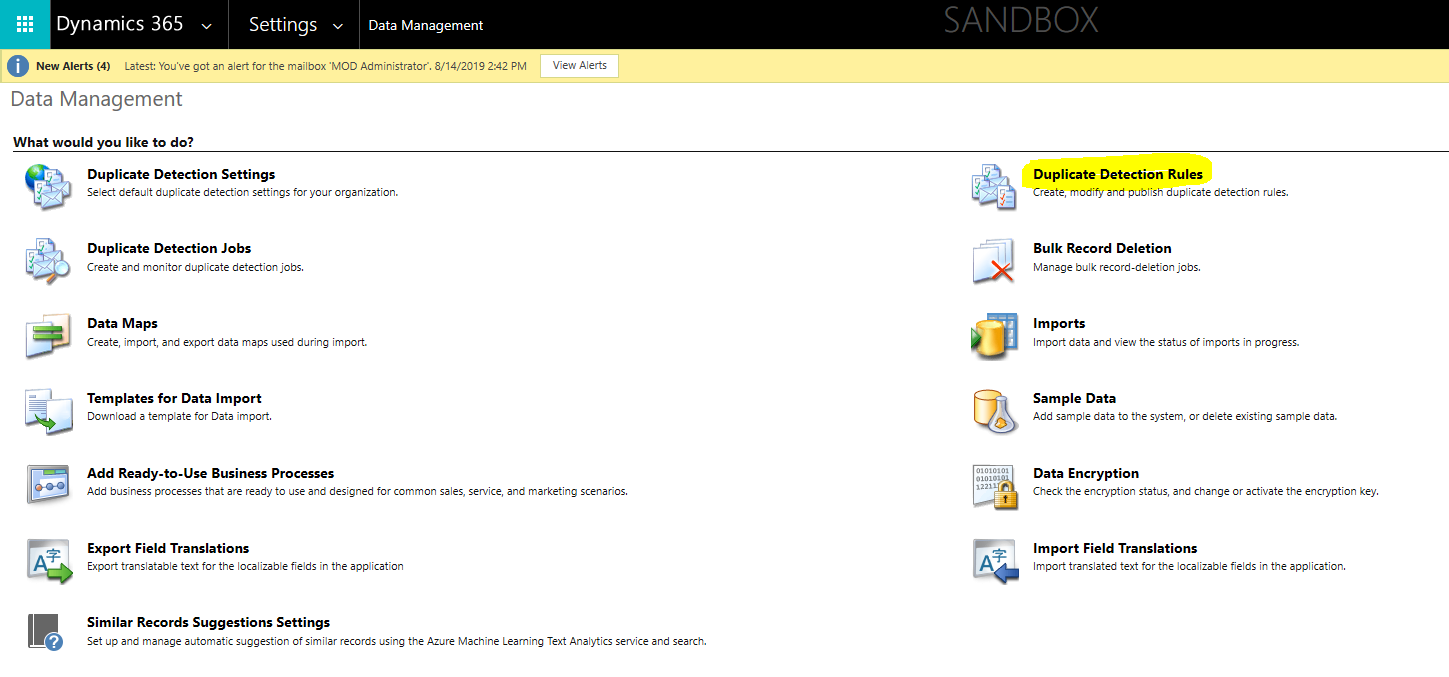
Go to Advanced Settings > Data Management > Duplicate Detection Rules.

Select the rules for Account and click the Publish button.
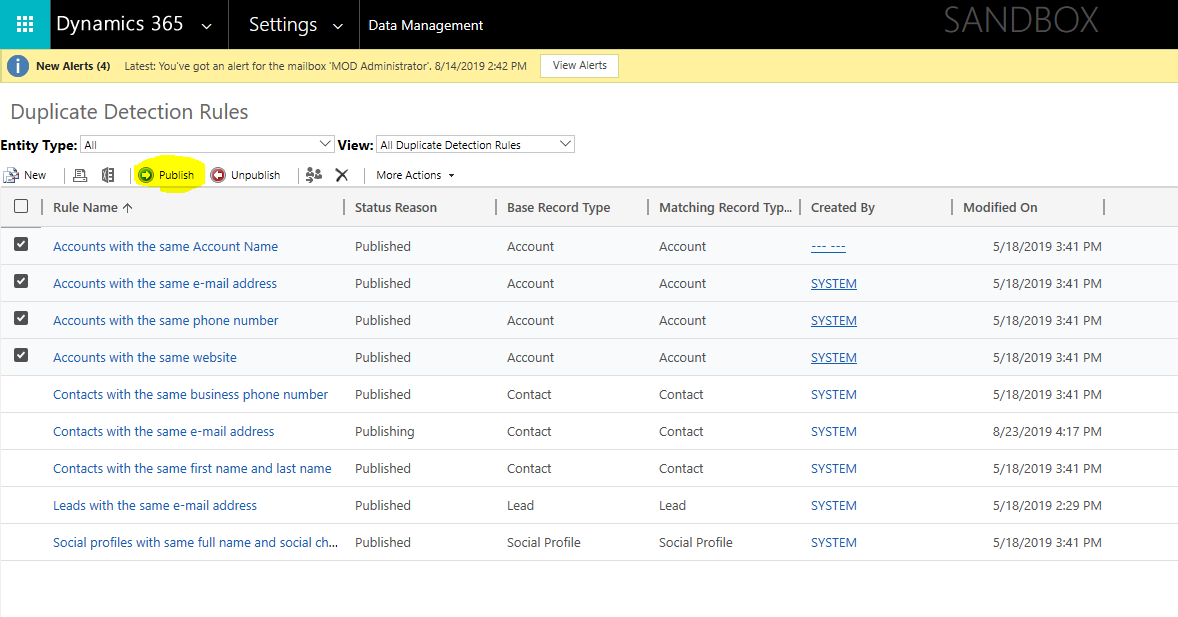
If you need to create a new duplicate detection rule, click the New button to create it.
After you publish the duplicate detection rules, then import accounts, duplicate records will not be created.


