web
You’re offline. This is a read only version of the page.
close
Skip to main content

Notifications

Announcements

No record found.

Community site session details

Community site session details

Session Id :
Microsoft Dynamics AX (Archived)

Issue in running Morphx report through x++ code

(0) ShareShare
ReportReport
Posted on by

I have an old report which was developed by my predecessors. Users have been running the report from a menu item and it is working fine with them. Now we have a new requirement to run this report daily and send the report by email.

We already have many reports SSRS and Morphx running daily and sent on email. Our Morphx report execution code is as follows:

args = new Args(reportName);
args.caller(reportRun);
reportRun = new reportRun(args);
reportRun.design(reportDesign);
reportRun.query().interactive(false);
reportRun.report().interactive(False);
reportRun.args().caller(null);
reportRun.setTarget(printMedium::File);
reportRun.printJobSettings().setTarget(PrintMedium::File);
reportRun.printJobSettings().format(reportFormat);
reportRun.printJobSettings().fileName(fileLocation+customReportFormats.morphXExtension(reportFormat));
reportRun.init();
reportRun.run();

This code is working perfectly fine with all our current Morphx reports.

We applied the same code for our current report, however it does not excute the report properly. The report file is created but its empty.

We went through the report design and found that there are many programmable sections. All the programmable sections are executed in a custom method called "DrawReportDesign" which in trun is called from an executeSection method of a Body in a SectionGroup. Find below a snip of the report design.

ReportSections.PNG

In the Methods node of the report there is no fetch method. 

When users run the report they pass a parameter Batch Number, we are passing a range in our x++ code as follows follows before the init() and run() methods.

reportRun.query().dataSourceTable(TableNum(InventBatch)).addRange(fieldnum(InventBatch,inventBatchId)).value(batchNumber);

Range is set correctly however the report always tuns up empty. See below:Report-Run.PNG
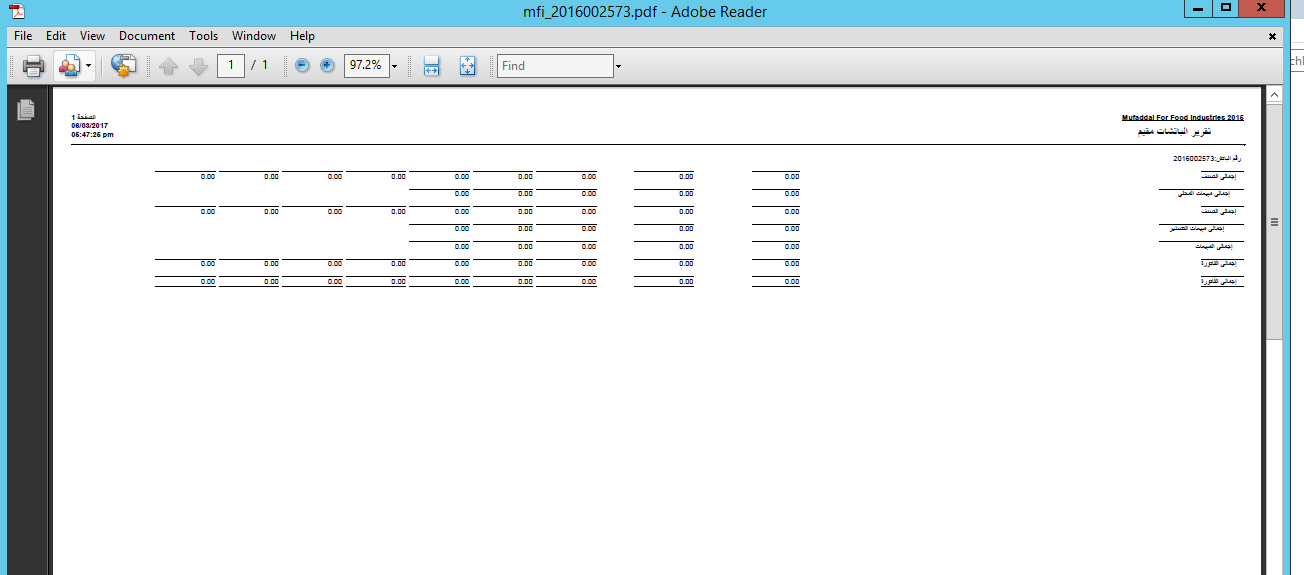
The printed data is labels of the programmable sections. From my little understanding of Morphx reports it seem that the programmable sections were never executed.

Any help will be appreciated

*This post is locked for comments

I have the same question (0)
  • Verified answer
    Martin Dráb Profile Picture
    237,948 Most Valuable Professional on at

    Why don't you verify or disprove your assumption by debugging the code? You'll see whether it's executed or not.

    Nevertheless I would start with checking the query - maybe it simply doesn't return anything. For example, if batchNumber isn't correctly packed and never makes it to the batch, the report will try to show batches without any ID (which can't return anything).

  • Verified answer
    Community Member Profile Picture
    on at

    Thank you for the prompt reply Martin. I did the trace on the test environment and found the issue.

    Apparently the report developer had hard coded a date range in the dialog box code which appears when we run the report from a menuItem. Ofcourse when I run the report from x++ I disable the dialogues.

    reportRun.query().interactive(false);

    reportRun.report().interactive(false);

    So the report does not get any data as all programmable sections have select statements which use the date range.

    The query used is basically selecting all records from InventBatch table .

    A classic example of a poorly designed report.

Under review

Thank you for your reply! To ensure a great experience for everyone, your content is awaiting approval by our Community Managers. Please check back later.

Helpful resources

Quick Links

Responsible AI policies

As AI tools become more common, we’re introducing a Responsible AI Use…

Neeraj Kumar – Community Spotlight

We are honored to recognize Neeraj Kumar as our Community Spotlight honoree for…

Leaderboard > 🔒一 Microsoft Dynamics AX (Archived)

#1
Martin Dráb Profile Picture

Martin Dráb 4 Most Valuable Professional

#1
Priya_K Profile Picture

Priya_K 4

#3
MyDynamicsNAV Profile Picture

MyDynamicsNAV 2

Last 30 days Overall leaderboard

Featured topics

Product updates

Dynamics 365 release plans



