web
You’re offline. This is a read only version of the page.
close
Skip to main content

Announcements

News and Announcements icon
Community site session details

Community site session details

Session Id :
Microsoft Dynamics 365 | Integration, Dataverse...
Answered

Email schedule in dynamics 365

(0) ShareShare
ReportReport
Posted on by 1,085

Hello Community Experts,

There is a requirement where i need to collect few leads and schedule email to only those set of leads, how do i achieve this

Kindly guide

Best regards,

Sumaira Noor

I have the same question (0)
  • Verified answer
    LuHao Profile Picture
    40,892 on at

    Hi Sumaira,

    We can do it using Advanced Find.

    First we need to create a email template. 

    Go to personal settings, under Email Templates tab, new.

    pastedimage1586325259521v3.png

    pastedimage1586325297272v4.png

    pastedimage1586325349267v6.png

    Then open Advanced Find, select Look For to Leads, set up filter to search for the Leads you want. Click Result button.

    pastedimage1586325199688v2.png        pastedimage1586325125223v1.png

    2) Select Leads that you want to send email, click Send Direct Email button. Select the email template you created. Click Send.

    pastedimage1586325399979v7.png    pastedimage1586325437509v8.png

  • Sumaira Noor Profile Picture
    1,085 on at

    Thanks for the response Lu, but they want the mail to be scheduled so that it automatically sends mail to the set of leads every 15 days

    Is it possible using flows?

    Kindly guide

    Best Regards,

    Sumaira Noor

  • Verified answer
    LuHao Profile Picture
    40,892 on at

    Hi Sumaira,

    We will use Power Automate to send emails.

    Log in to https://us.flow.microsoft.com/en-us/, create a scheduled flow.
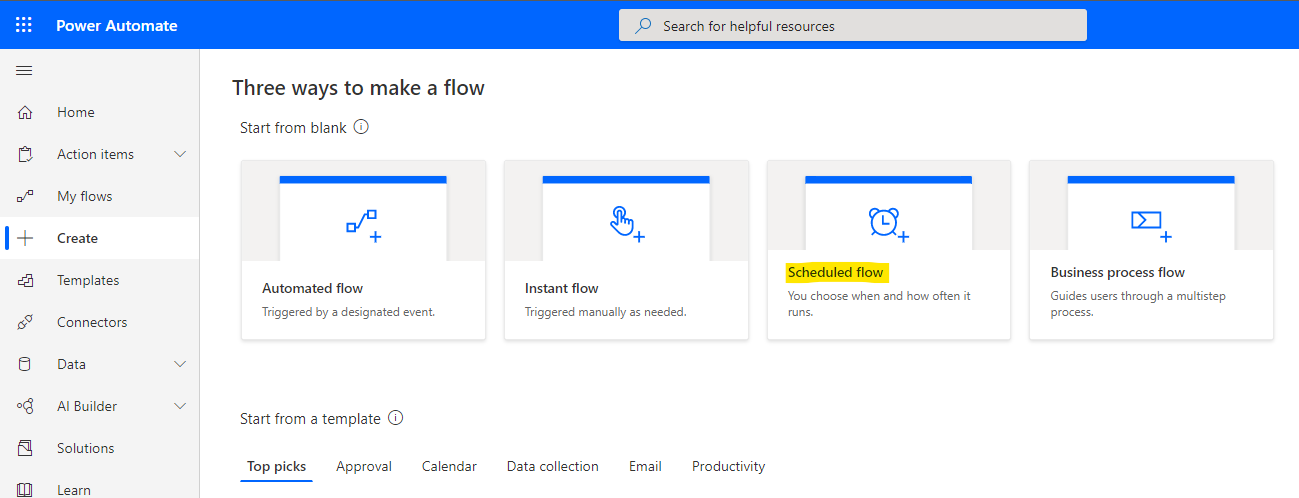
    pastedimage1586335525096v1.png

    Type name, select time and every 15 days.
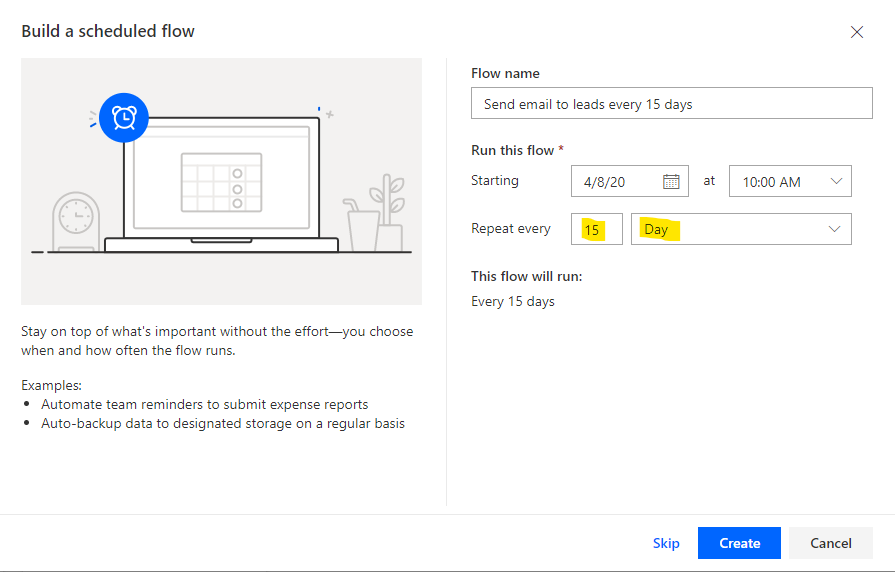
    pastedimage1586335745611v2.png

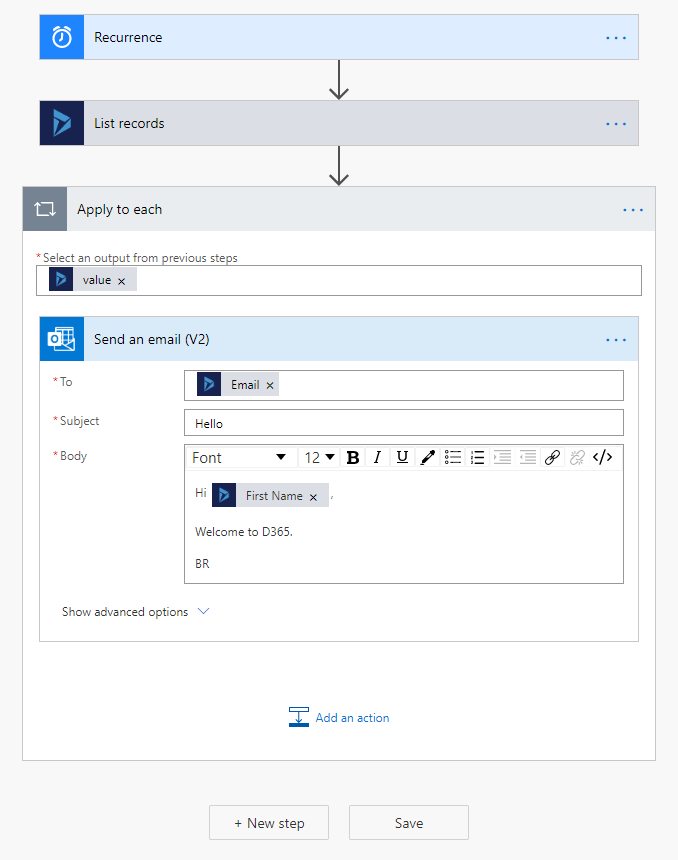
    New step, search for List records (D365) and select it, then select organization name and Leads. Show advanced options, you could add some filter for leads. (Use the name of the fields instead of the display name.)

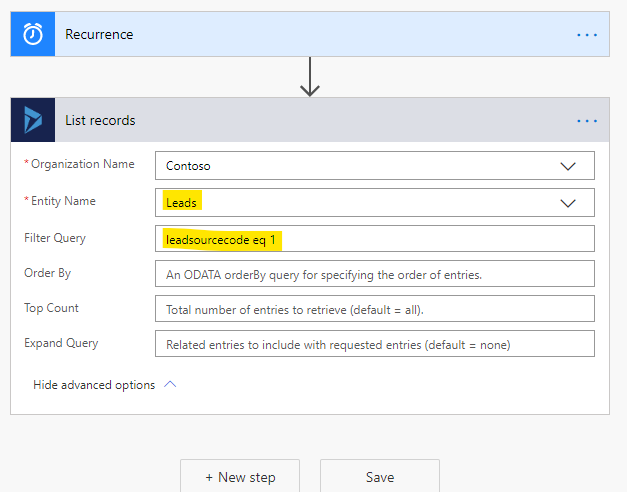
    pastedimage1586335842660v3.png    pastedimage1586336026368v5.png

    New step, search for Send an Email and select Send an email (V2). In the To field, click Add dynamic content and select Email. Then type Subject and Body, you could select fields in them.

    pastedimage1586336166760v6.png    pastedimage1586336236541v7.png    pastedimage1586336282132v8.png

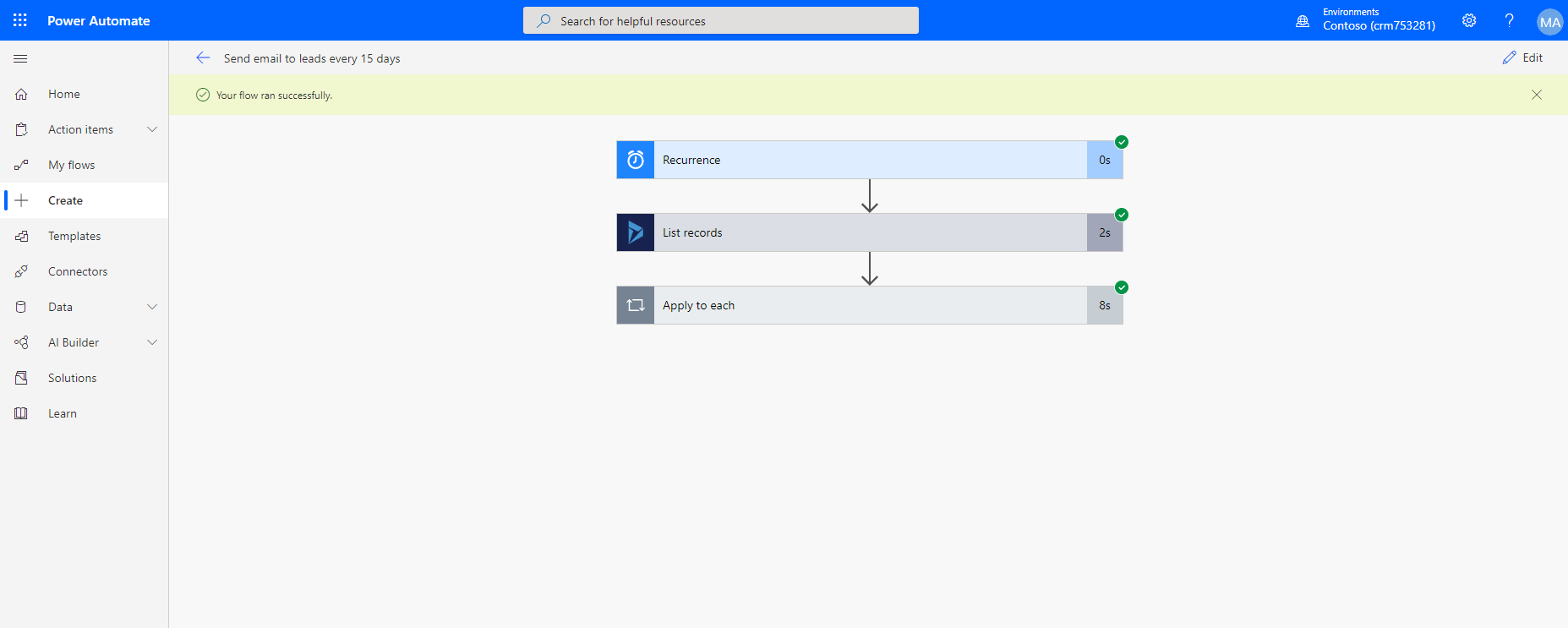
    Save and Test. See if the leads will recrive the email.

    pastedimage1586336356517v9.png    pastedimage1586336427088v10.png

  • Sumaira Noor Profile Picture
    1,085 on at

    Thanks a lot Lu

    Mails are going in spam folder, could you please guide on how to solve that issue?

    Please guide

    Best regards,

    Sumaira Noor

  • Verified answer
    LuHao Profile Picture
    40,892 on at
  • Sumaira Noor Profile Picture
    1,085 on at

    Thanks a lot for the links Lu

    I have one more question

    Suppose we have two users apart from me, when the above flow is triggered, it sends mail only from my email address, leads present in those two users instance will also receive mail from my ID only.

    i want lead to receive mail from their respective owners

    I tried specifying the dynamic owner name in the from field, but it is looping twice and that actually didn't work, it sent single mail 10-12 times to a single lead

    Kindly guide,

    Best Regards

    Sumaira Noor

  • anderson.cains Profile Picture
    5 on at

    Thanks. I had similar question. It was quite helpful.

  • Verified answer
    LuHao Profile Picture
    40,892 on at

    Hi Sumaira,

    We need to add a Get Record (Common Data Service) action before the Send Email in the Apply to each.

    pastedimage1586512045170v1.png

Under review

Thank you for your reply! To ensure a great experience for everyone, your content is awaiting approval by our Community Managers. Please check back later.

Helpful resources

Quick Links

Season of Sharing Community Challenge Launch!

Jump in, show your community spirit, and win prizes!

Women in Power Builds Momentum

Expanding mentorship, skilling, and AI innovation

Congratulations to the May Top 10 Community Leaders

These are the community rock stars!

Leaderboard > Microsoft Dynamics 365 | Integration, Dataverse, and general topics

#1
Subra Profile Picture

Subra 148

#2
André Arnaud de Calavon Profile Picture

André Arnaud de Cal... 99 Super User 2026 Season 1

#3
BillurSamdancioglu Profile Picture

BillurSamdancioglu 85 Most Valuable Professional

Last 30 days Overall leaderboard

Product updates

Dynamics 365 release plans