







Enable FetchXML Intellisense
Views (6)

 Like
Like Share
Share
 Report
Have you ever wanted to have the Intellisense while typing FetchXML ?
In today's post we'll see how to do that :)

Here is the process :
In today's post we'll see how to do that :)
Here is the process :
- Get the schema for the FetchXML language You can find this schema in the SDK\Schemas\fetch.xsd file in the SDK package or here.
- Put it in a cool dry place. (A folder of your choice).
- Open your XML file in Visual Studio.
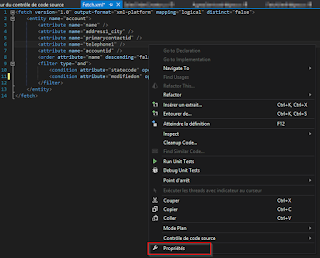
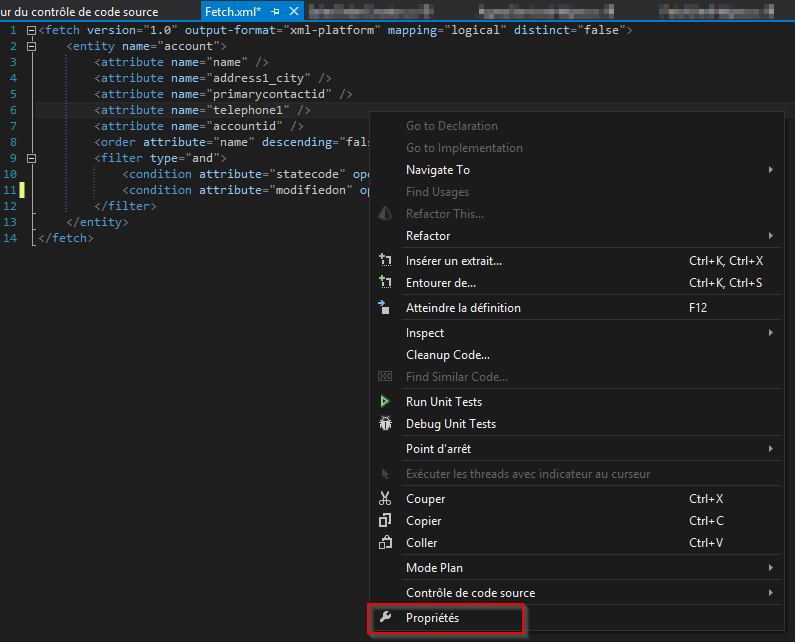
- Right-click in the editor window and click on the Properties item.
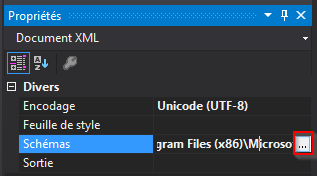
- In the Properties tab, search for the Schemas property and click on the Browse (...) button.
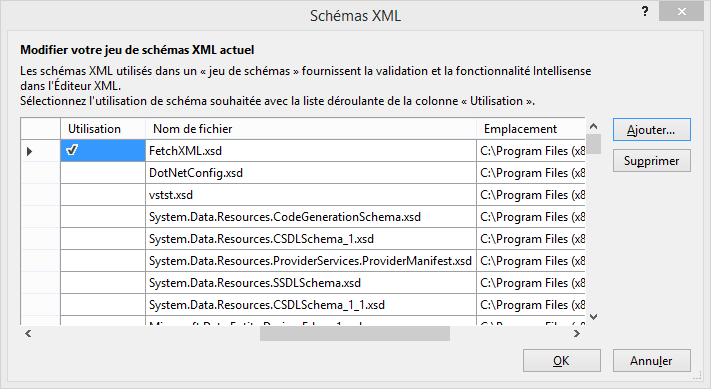
- Click on the button Add and search for the xsd file.
- The file is automatically checked as Use this schema.

- Et voilà ! You have enabled the FetchXML Intellisense ;)
This was originally posted here.
*This post is locked for comments