




 Like
Like Share
Share
 Report
Introduction:
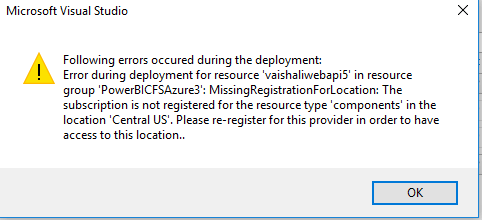
Missing Registration For Location Error Can come when we are trying to publish the web application on azure from Visual studio.
Solution:
There are many blogs which says updating your visual studio or Upgrading Azure SDK will resolve your problem but this solutions did not work for me. So I used alternative approach for publishing.
Steps:
- Publish your web application using visual studio. It gives this error. but It creates App Service Plan and App Service in Azure.
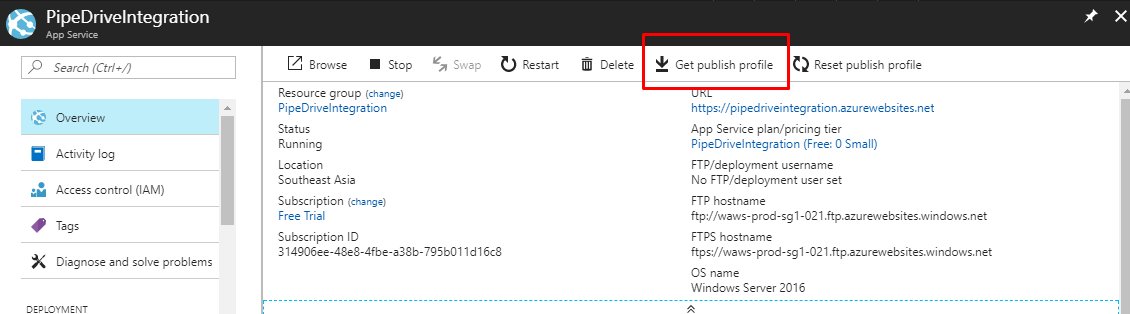
- sign in to portal.azure.com
- Select the App Service which you have created.
- Click on Get Publish Profile.
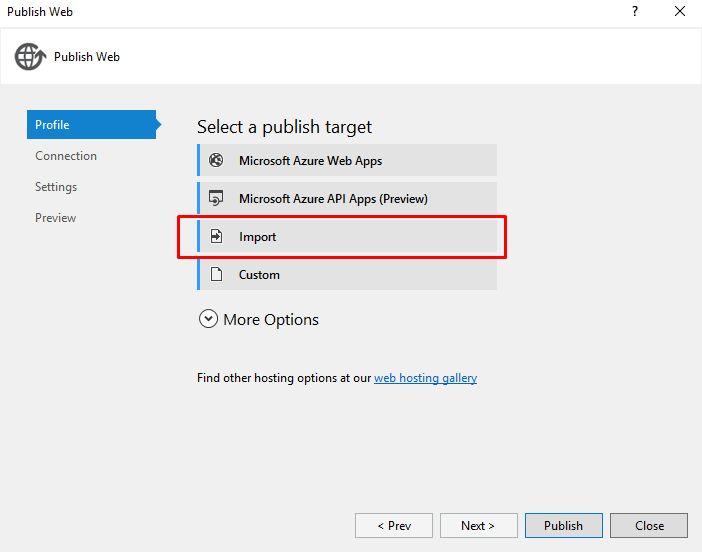
- Now Again Go to Visual studio and Publish.
- This time while publishing select Import.
- Select the file which you have downloaded from azure.
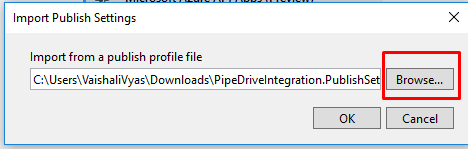
- Click Ok.
- Click On Publish.
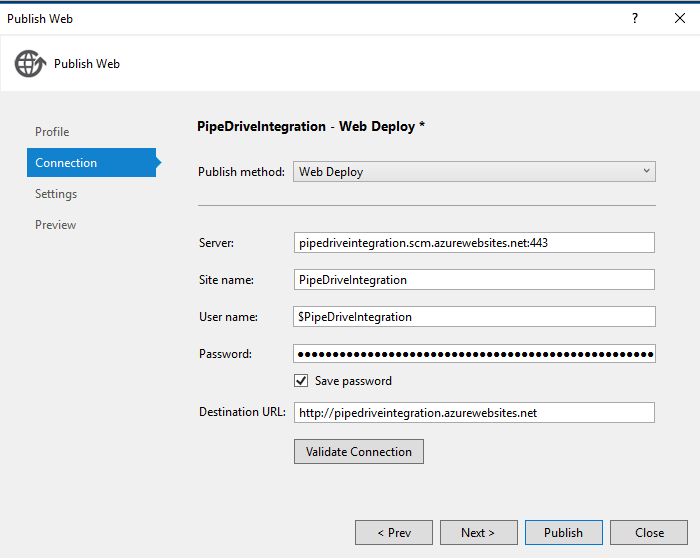 10. Your Application will get Publish.
I hope this solve your issue also.
The post Missing Registration For Location Error while Publishing the API on Azure. appeared first on CloudFronts - Microsoft Dynamics 365 | Power BI | Azure.
*This post is locked for comments