




 Like
Like Share
Share
 Report
The classic “give me 5 minutes and I’ll whip a flow for you” did not start well. Users entity table was not there.
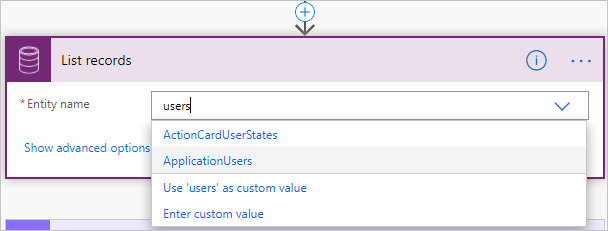
Options Choices:
- It’s something trivial and I’m simply no longer worthy.
- ‘u’ is not an actual ‘u’ but Russian ‘и’ typed accidentally but in a weird font.
- It’s a UI bug
- It’s singular not plural
- I missed an announcement and it’s a new feature where only selected tables appear in the dropdown and I need to enable some obscure setting. “It’s for your own good” kind of flag because it’s a coveted systemusers
entity@&^! table.
At this point the only thing I was happy about I was not running a screenshare. I went for a copout. “Something is not right, give me 20 I’ll call you back”.
18 minutes in, table (the physical one) dented. Take this:
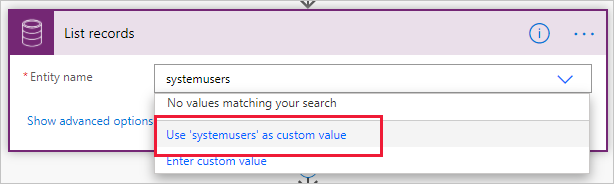
Save, close, reopen. @#%*&^%!
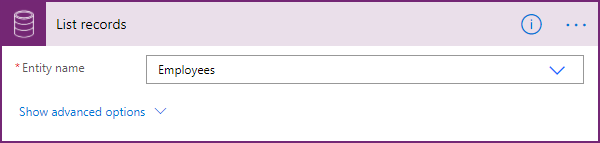
I forgot 3 years ago the client insisted on Employees rather than Users despite my plea not to rename. Nostradamus is my middle name except that my gloomy predictions only apply to my own doomed future.
Lesson: if you can’t find a table in the connector dropdown, check if it hasn’t been renamed. As far the blame is concerned, I’ll go with Occam’s razor – sometimes I’m simply not worthy.
*This post is locked for comments