






Mass Calculate Rollup Fields Without Waiting 12 Hours
 Megan V. Walker
 1,856
Most Valuable Professional
1,856
Most Valuable Professional
 Like
Like Share
Share
 Report
Rollup fields in CRM will run 12 hours after they have been created. Ideally they will run when most users are out of the system. But what if you don’t want to wait and need to mass calculate rollup fields? Maybe you are working on a report or search and need the data to be populated. You can edit the schedule if you wish, but there is a quick and simply way to update all of the fields at one time. Not a good idea to do for massive amounts of data, but if you need to, you can follow these steps.
First, go to Advanced Find then look for System Jobs. Set your criteria as Recurrence Start Contains Data, and System Job Type Equals Mass Calculate Rollup Field.

Run the search, then find the Rollup field in question and open the System Job.

From the top of the screen click on Actions, then Resume:
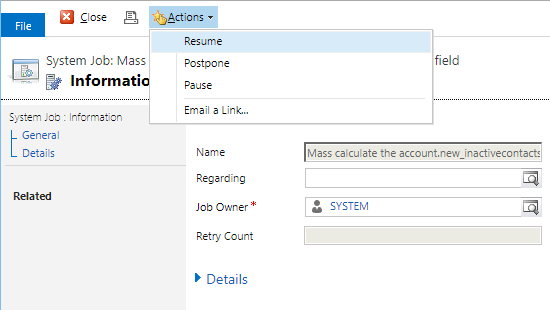
The job will run, and the field will be calculated for all of the records. Pretty quick and simple, and easier than manually refreshing the field on all of the records for an entity, and faster than waiting 12 hours!

This was originally posted here.
*This post is locked for comments