




 Like
Like Share
Share
 Report
Introduction:
A very handy approach for admins and users of Dynamics 365 who want to bulk clean up field values – And just selecting them in Bulk Editing them as shown below doesn’t help!!
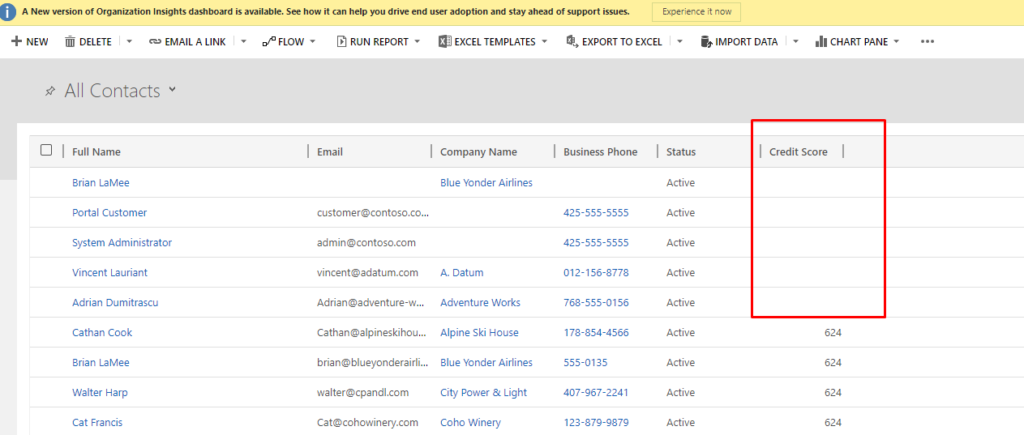
So here’s the scenario – You want to clear the selected records for their Credit Score field.
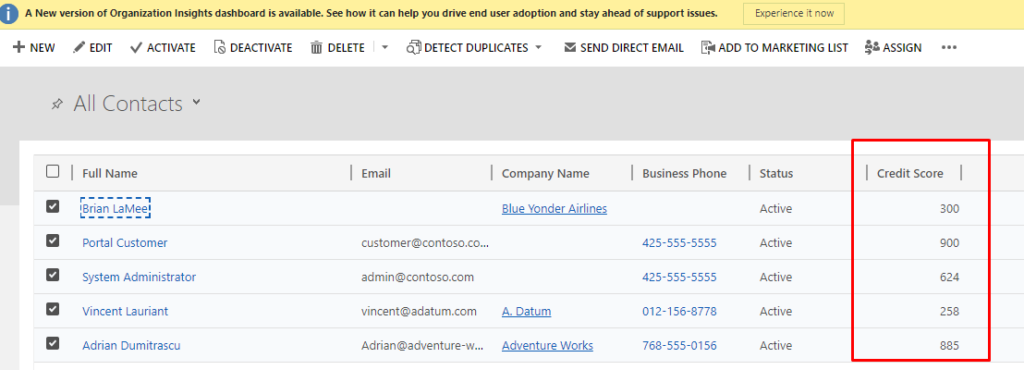
Because primarily, you can commonly put a value in a field using Bulk Edit, but not clear the value.
Workaround:
What you can do instead, create a quick and simple workflow to clear the field.
1. Create an On-Demand workflow on Contact entity with an Update step for Contact
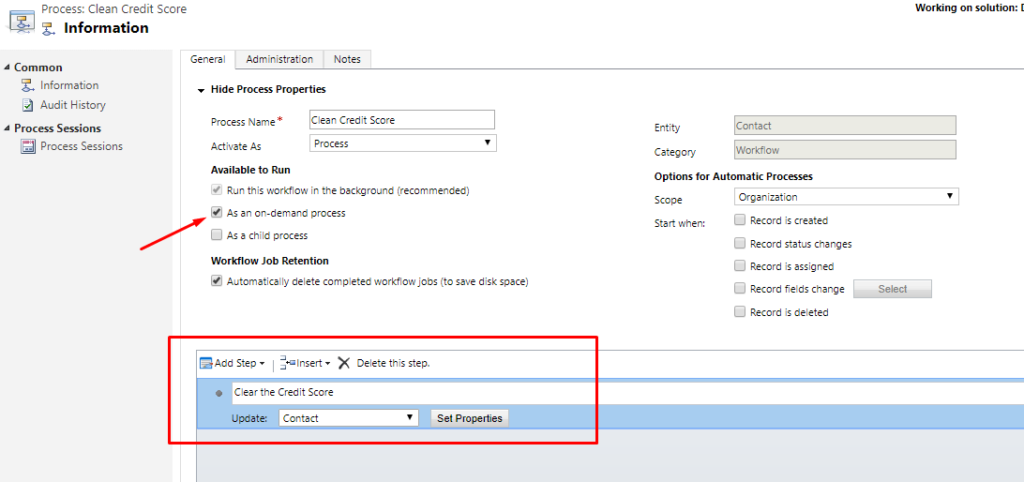
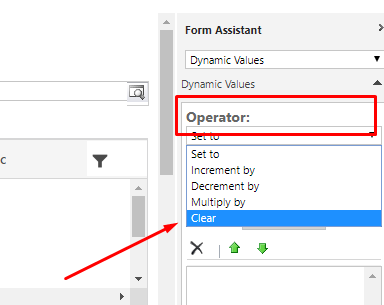
2. In the Update step, point to the field and then select the Operator on the right hand side to select Clear.
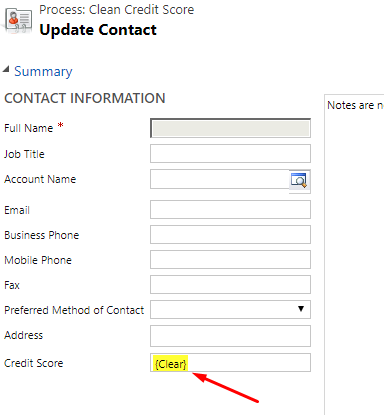
3. Make sure the Clear appears on the field you want to Bulk Update.
4. Once done, save and Activate the workflow. Run on the selected records you want to clear at once.
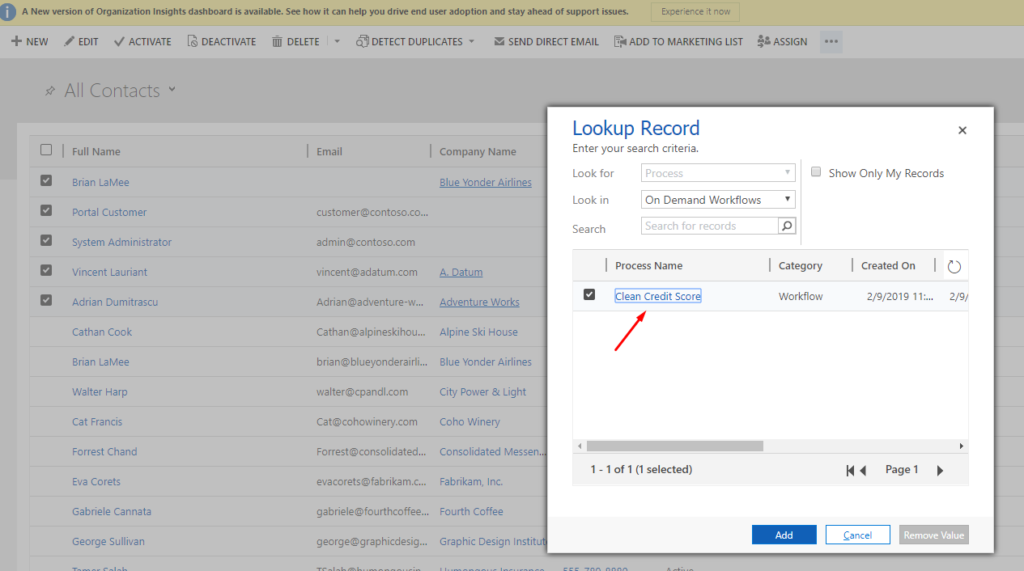
5. The values will not be cleared for these records.
Hope this helps!
The post Bulk Clear field values in D365 appeared first on CloudFronts - Microsoft Dynamics 365 | Power BI | Azure.
*This post is locked for comments