






Restrict or Change Number of products in Bundle
Views (55)
 Mahadeo Matre
 17,021
 Like
Like Share
Share
 Report
In MS CRM you can create bundle to sell different products together.
You can add maximum 2,147,483,647 products into single bundle.
MS CRM has default setting to create bundle with 15 products.
Maximum number of products in bundle setting is specified in System settings, sales tab.
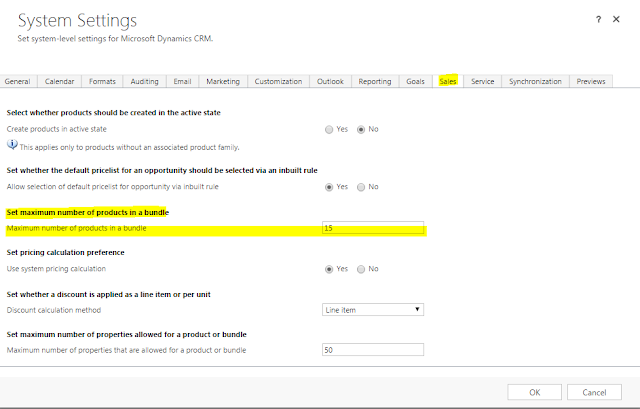
When you want to restrict number of products in single bundle, need to change this setting as per requirement, Once number of products in bundle are reached with limit specified in settings, MS CRM will throw error message as
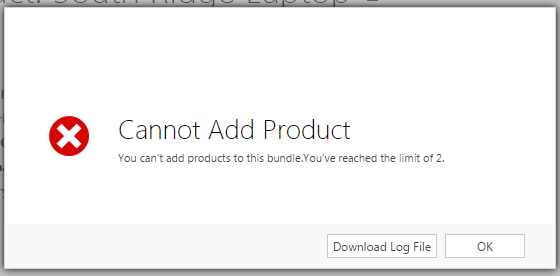
and you will not able to add more products into bundle.
You can add maximum 2,147,483,647 products into single bundle.
MS CRM has default setting to create bundle with 15 products.
Maximum number of products in bundle setting is specified in System settings, sales tab.
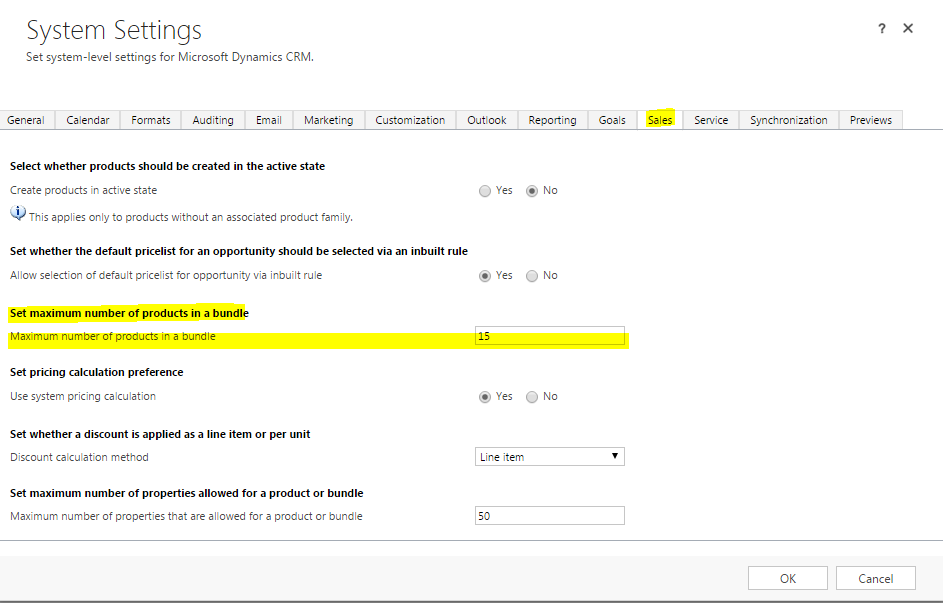
When you want to restrict number of products in single bundle, need to change this setting as per requirement, Once number of products in bundle are reached with limit specified in settings, MS CRM will throw error message as
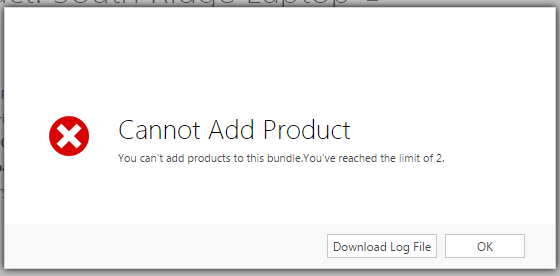
and you will not able to add more products into bundle.
This was originally posted here.
*This post is locked for comments