




 412
412 Like
Like Share
Share
 Report
Introduction
In this blog, we are going to see how we can open a lookup control with the click of a custom button.
Example
We are going to add a custom button named “Open Lookup Control” on the Account entity and on click of which it will open contact lookup control.
Step 1: Add a custom button on the account entity using Ribbon Workbench by adding its command and necessary details.
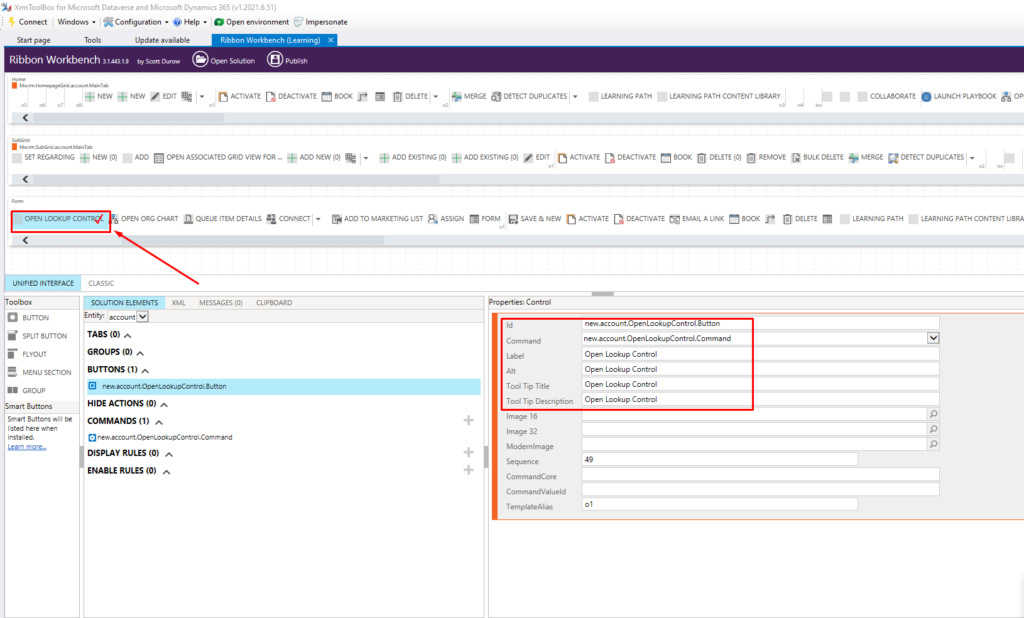
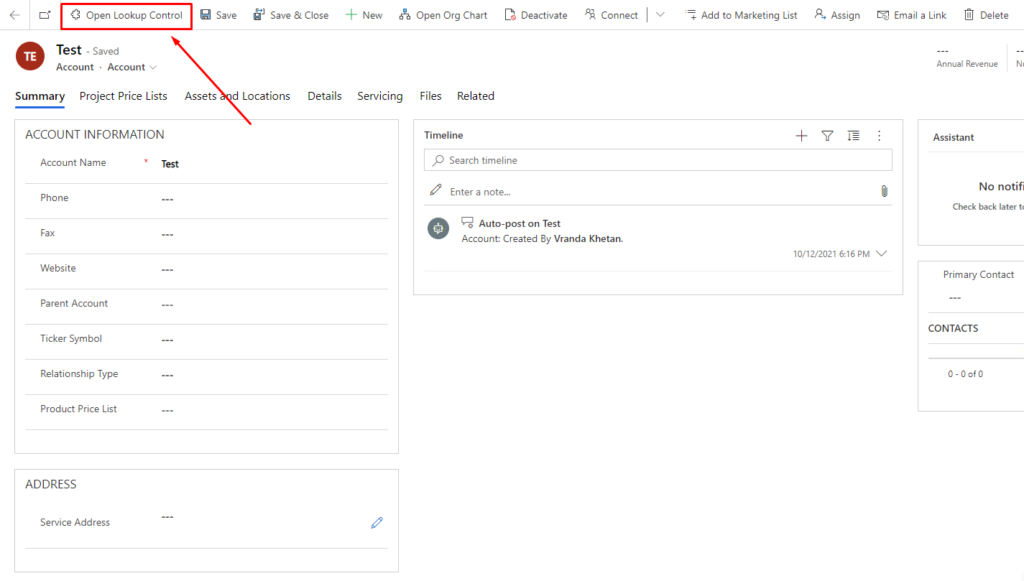
Step 2: Save and Publish the solution. Now you can see the button on the Account form.
Step 3: Add the following code in the script file for the button.
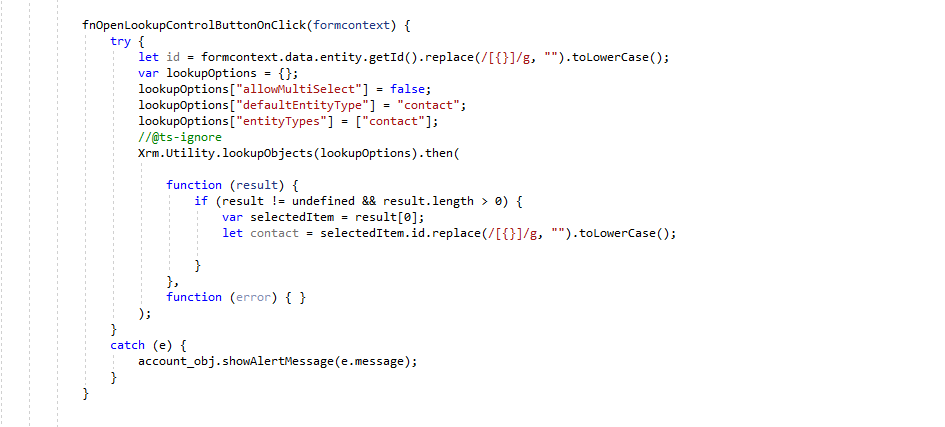
Step 4: Add the script file in Ribbon Workbench and publish the solution.

Result

The post How to open lookup control on click of custom button? appeared first on Nebulaa IT Solutions.
*This post is locked for comments