




 Like
Like Share
Share
 Report
Introduction:
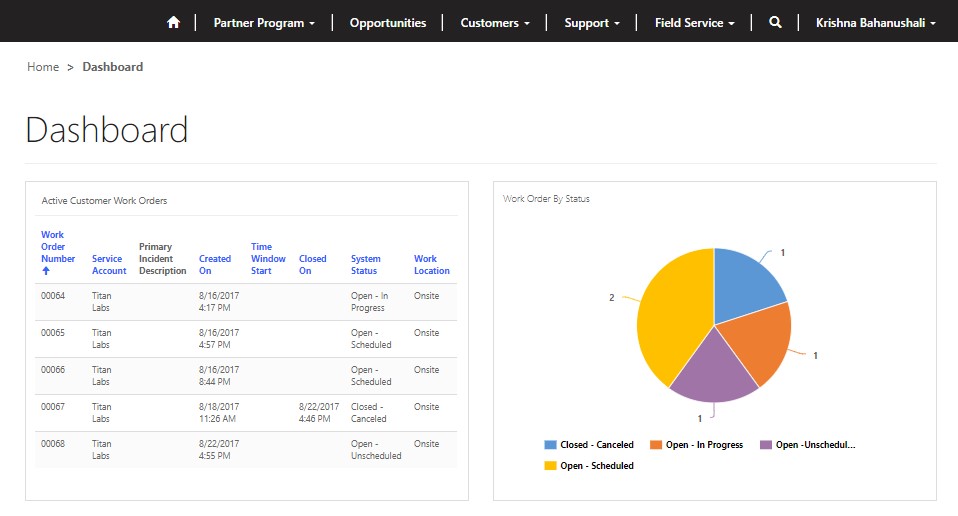
This blog explains how to embed D365 Field Service Views in Dashboard of D365 Online Portal.
Steps of Implementation:
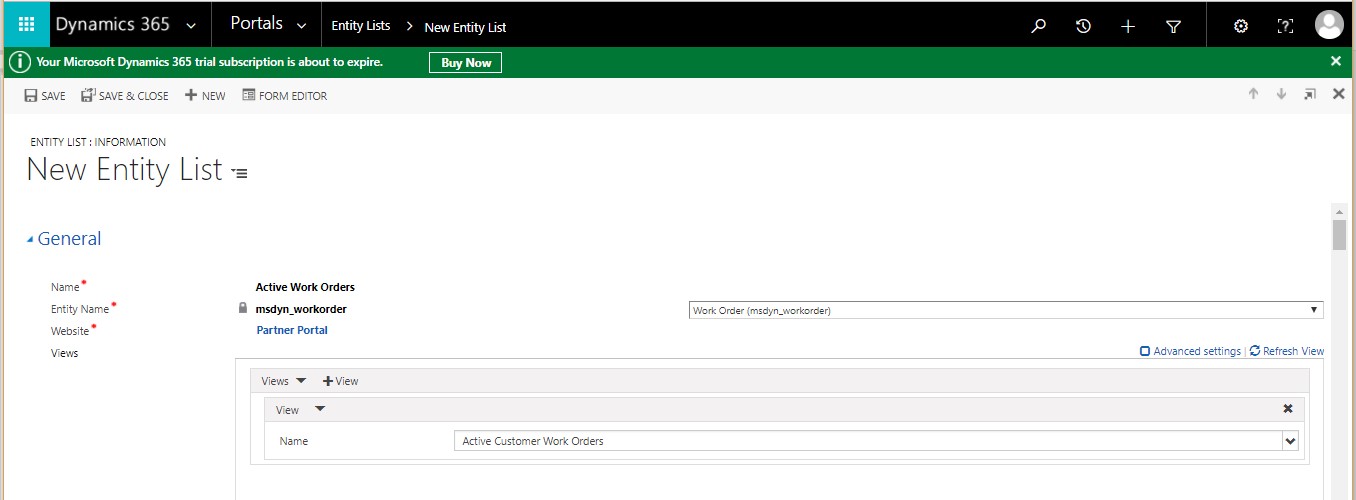
- Create a new Entity List in D365 Field Service.
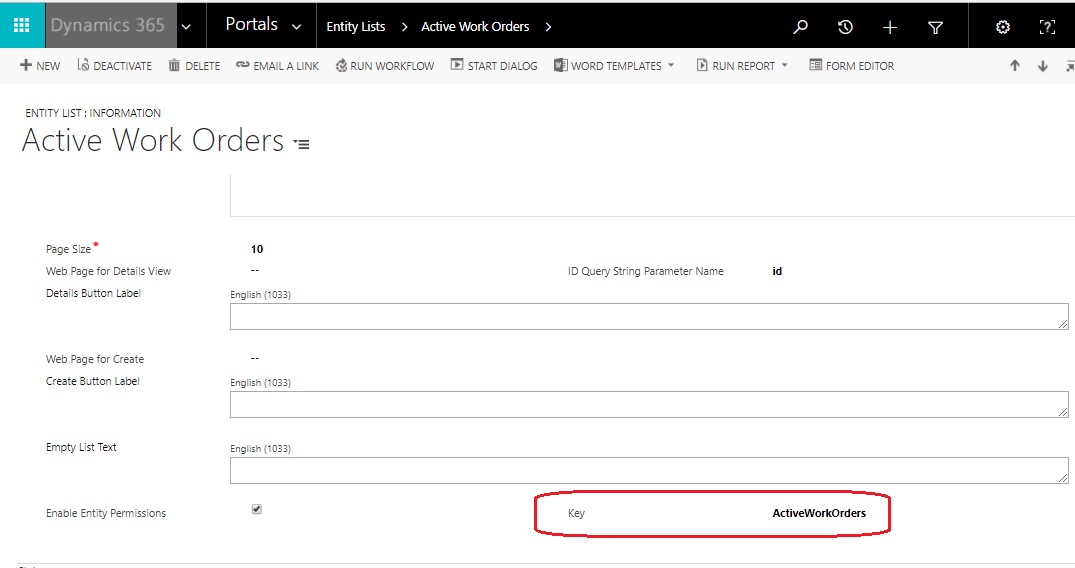
- Set key on Entity list as highlighted below.
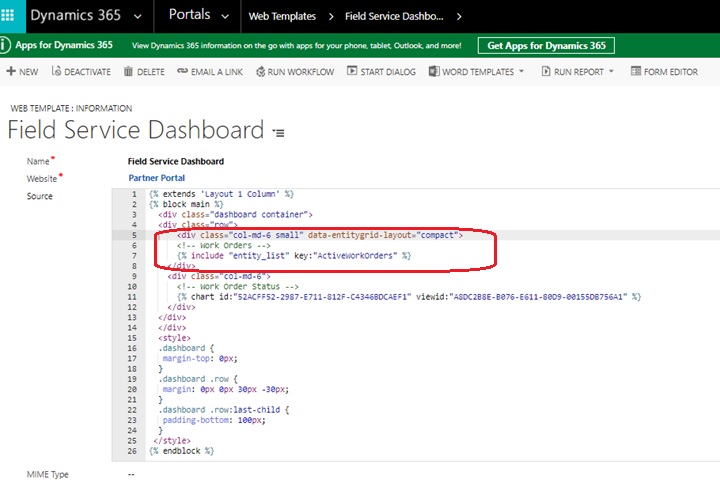
- Add View to Web Template as shown below.
Note: You can refer blog how to configure Dashboards in D365 Online Portals by referring to link – https://www.cloudfronts.com/embedding-d365-field-service-charts-d365-online-portals/
Conclusion:
Above description in blog helps users to embed D365 Field Service Views in Dashboard of D365 Online Portal.
The post Embed D365 Field Service Views in Dashboard of D365 Online Portal appeared first on CloudFronts - Microsoft Dynamics 365 | Power BI | Azure.
*This post is locked for comments