




 412
412 Like
Like Share
Share
 Report
Introduction
In this blog, we will learn how to create text and integer type of fields using plugin.
We all know how we can create fields using entity customizations but not many of us know to do that using code.
Example
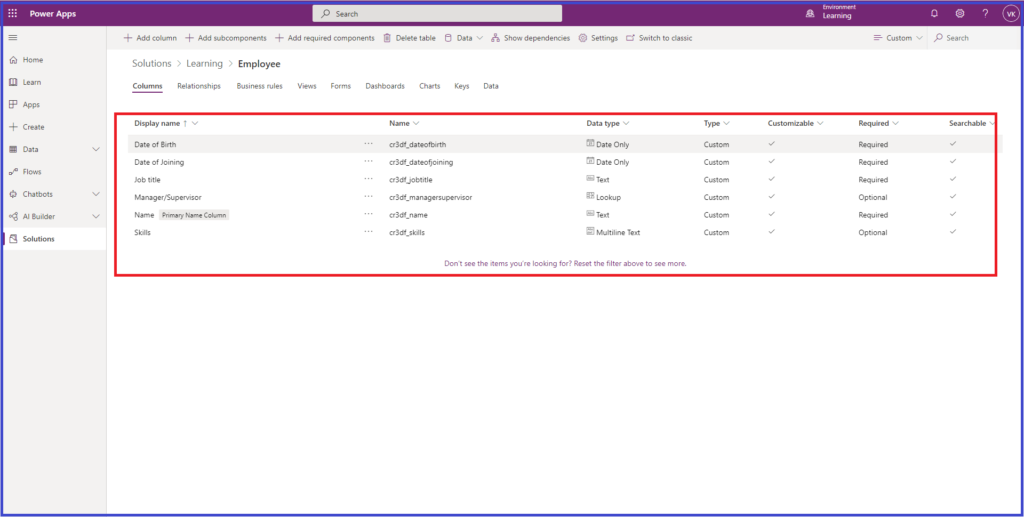
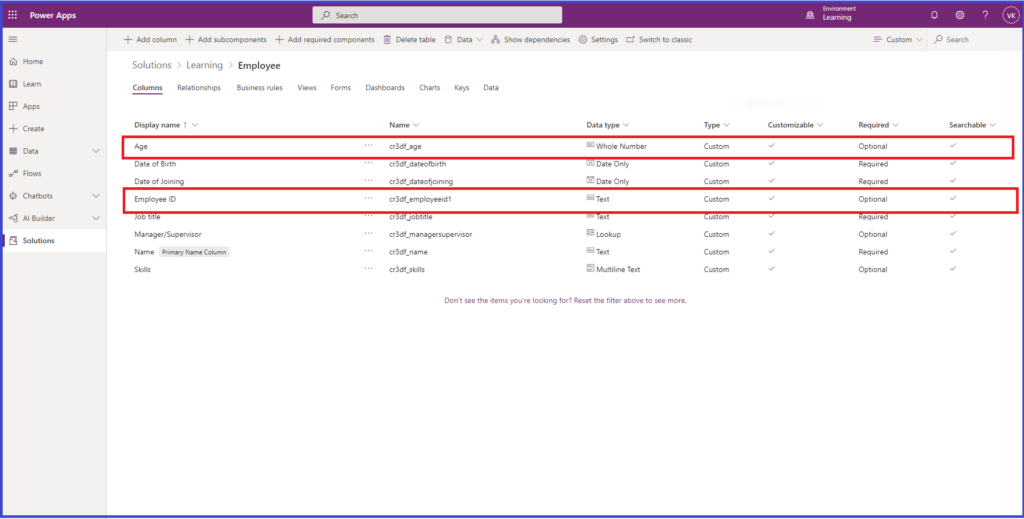
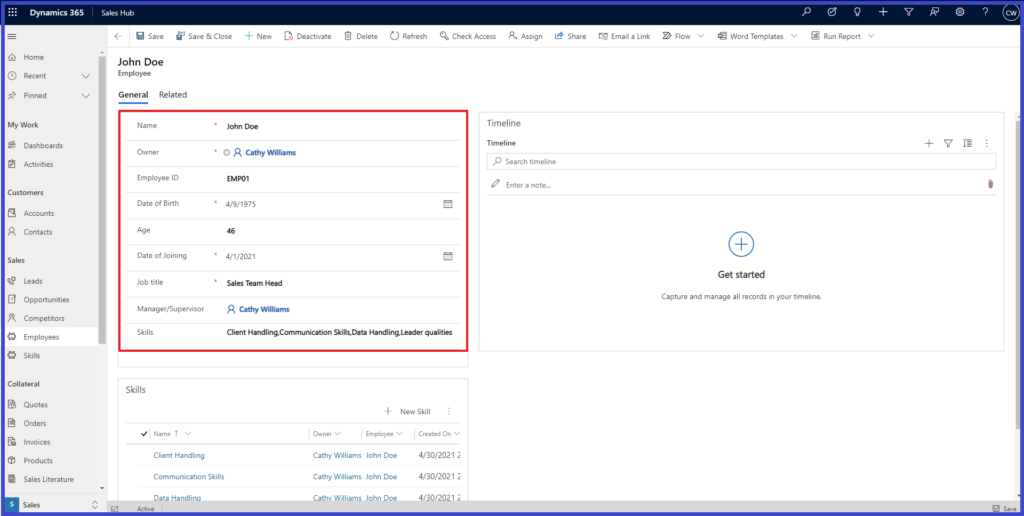
We will create a text field named Employee ID and integer field named Age on Employee entity using Plugin.
- Create a Plugin with Execute method as below:

2. Add function named “CreateFieldsonEmployee” and add below code:
- For creating Employee ID (text) field creation:

- For Age (integer) field creation:
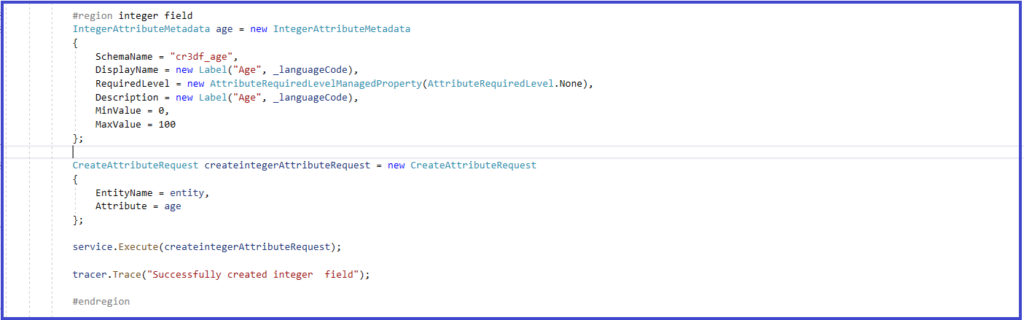
3. Build and register the plugin on Pre-Validation stage on create of Employee entity.

Result
- Before fields creation:
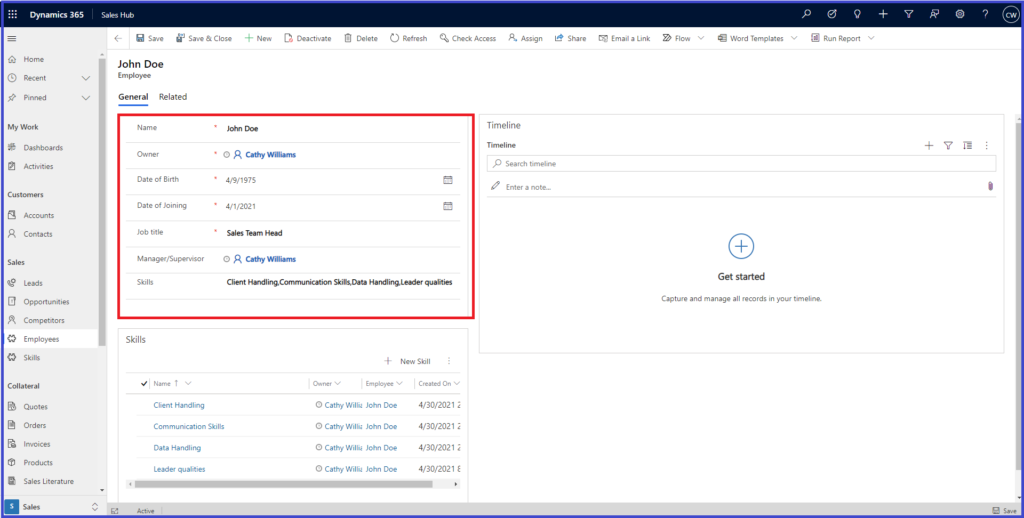
- After the fields creation:
The post How to create columns of different data types using Plugin? appeared first on Nebulaa IT Solutions.
*This post is locked for comments