







Shortcut to Settings from Unified Interface: D365
Views (1)

 Like
Like Share
Share
 Report
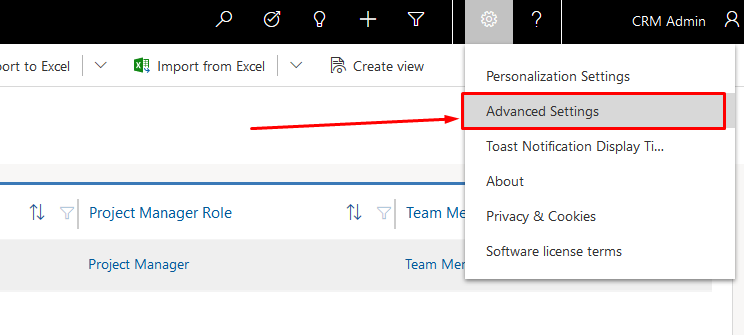
If you’re spending time looking and wondering that you always need to go to the app switcher to go the Settings from the Unified Interface, you need to do the following –
Once you are in the Unified Interface, click on the Gear icon next to the help icon on top-right corner as shown below and click Advanced Settings –
Right on the next tab, Settings with the classic UI is shown –
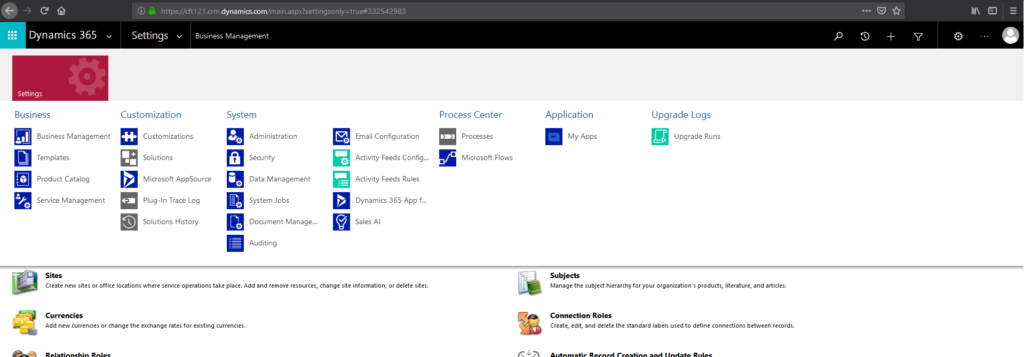
And there’s nothing else on the SiteMap.
Hope this helps!
The post Shortcut to Settings from Unified Interface: D365 appeared first on .
*This post is locked for comments