







Three new cool enhancements thanks to Feature management
 Yohann Rolland Axcible
 3,111
3,111
 Like
Like Share
Share
 Report
Having a look on recent new features available within the Feature management workspace, I’ve raised 3 (non exhaustive list) new cool features which helps improve MSDyn365Fin and MSDyn365SCM user experience when running daily task.
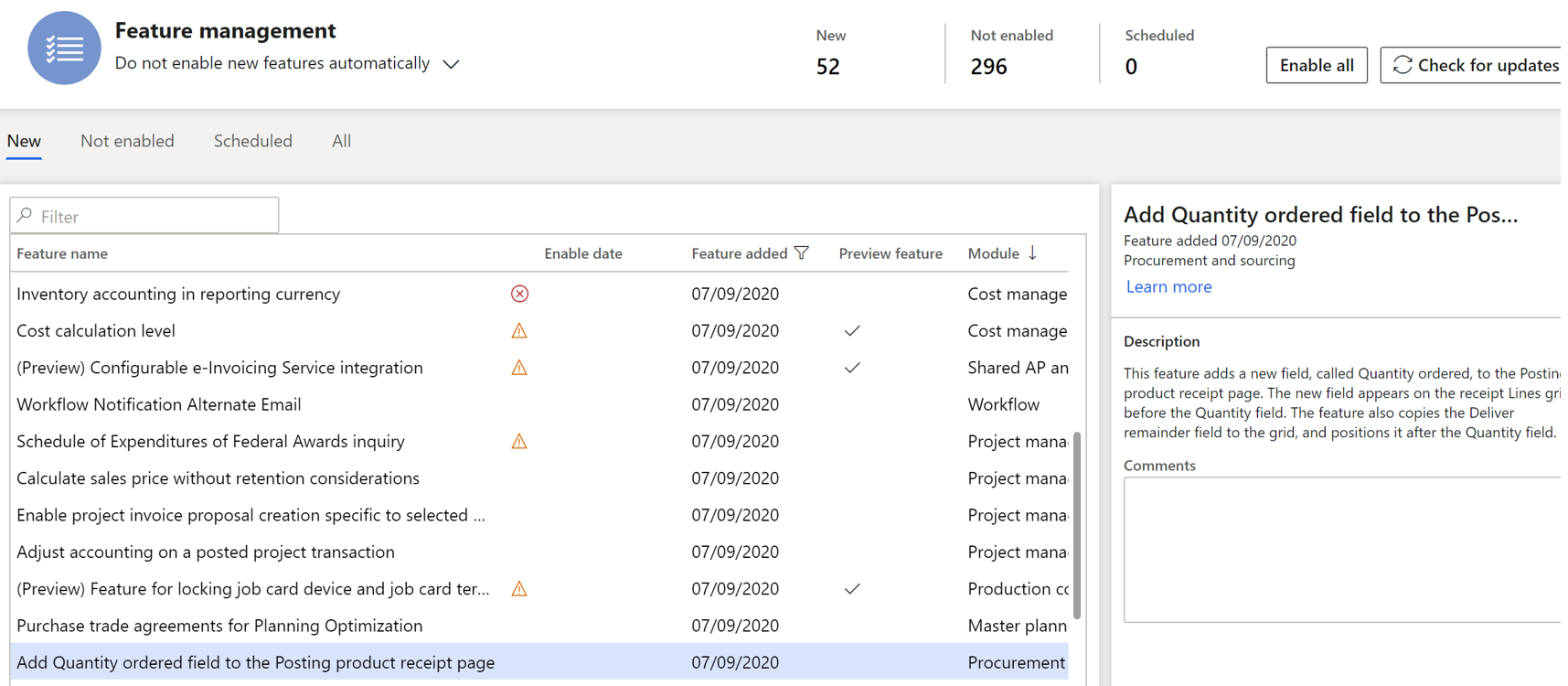
Add quantity ordered field to the Posting product receipt page
Let’s start with this first one available since September 2020 about product receipts.
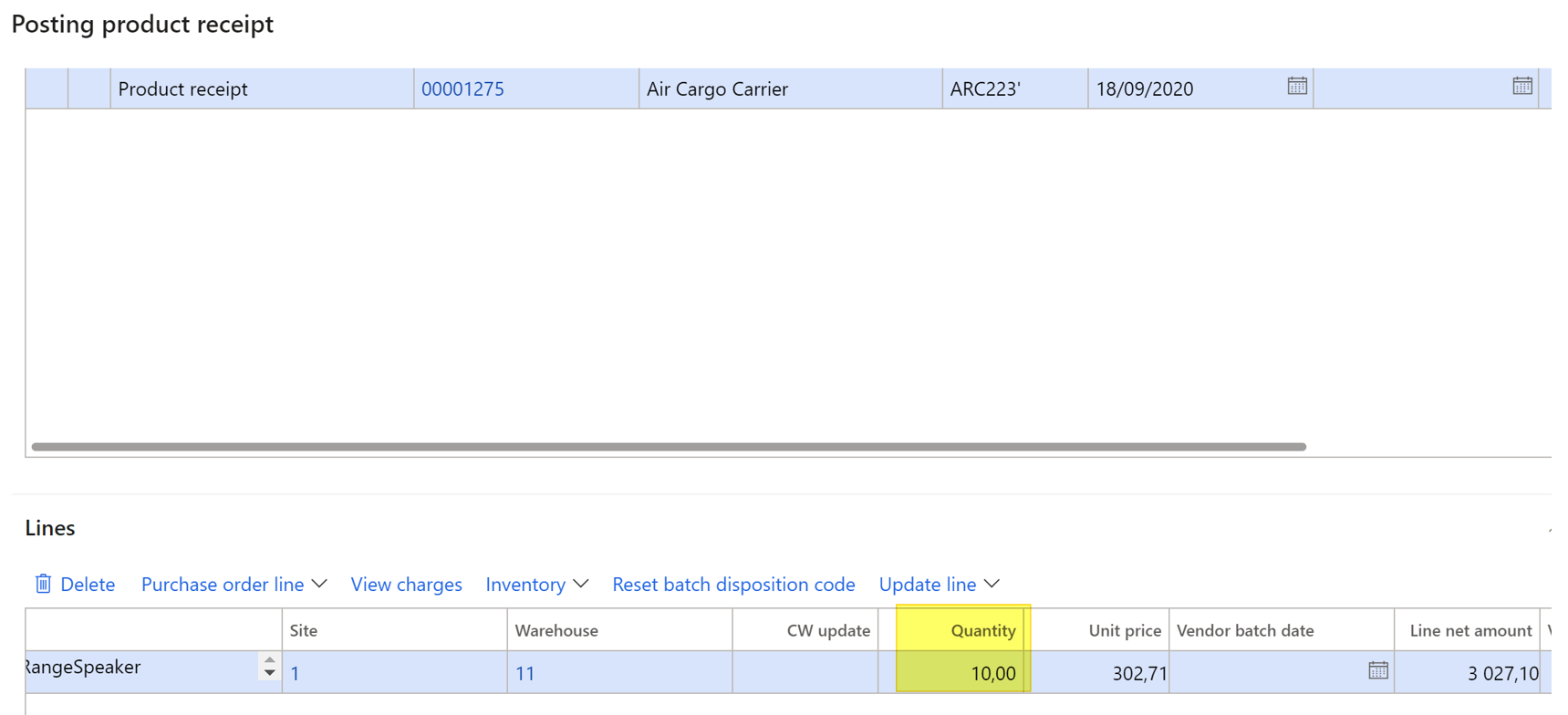
Before activating it, when running a product receipt posting, you can notice the Quantity field which retrieve the current quantity to receive (which could be the Receive now quantity, Ordered or registered quantity, etc… depending on the Quantity Field available on the Product Receipt header under Parameter).
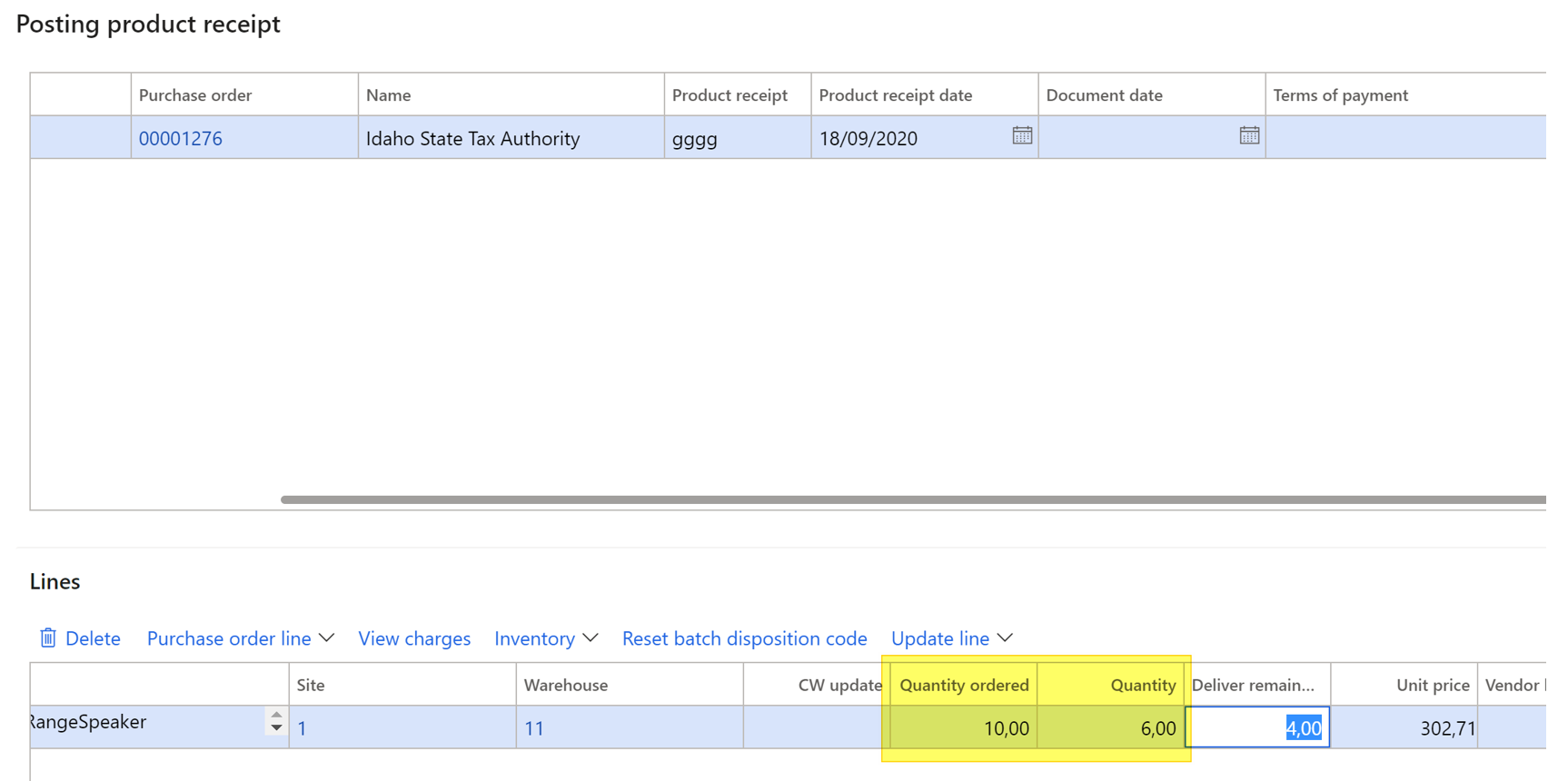
By enabling the new enhancement, now you will find in addition to the Quantity field the Quantity Ordered Field which is useful when doing partial receipt for instance.
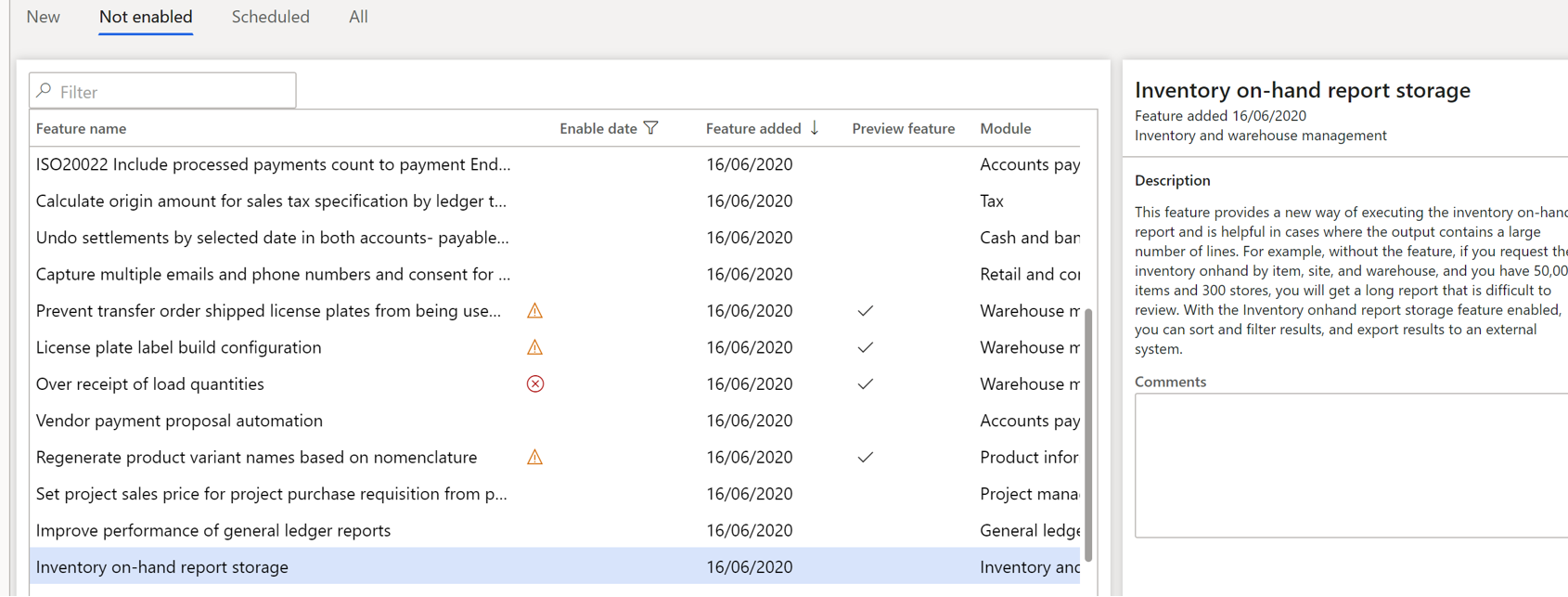
Inventory on-hand report storage
The second functionality is about on-hand reports.
The existing On-hand list report allows you to filter before editing it.
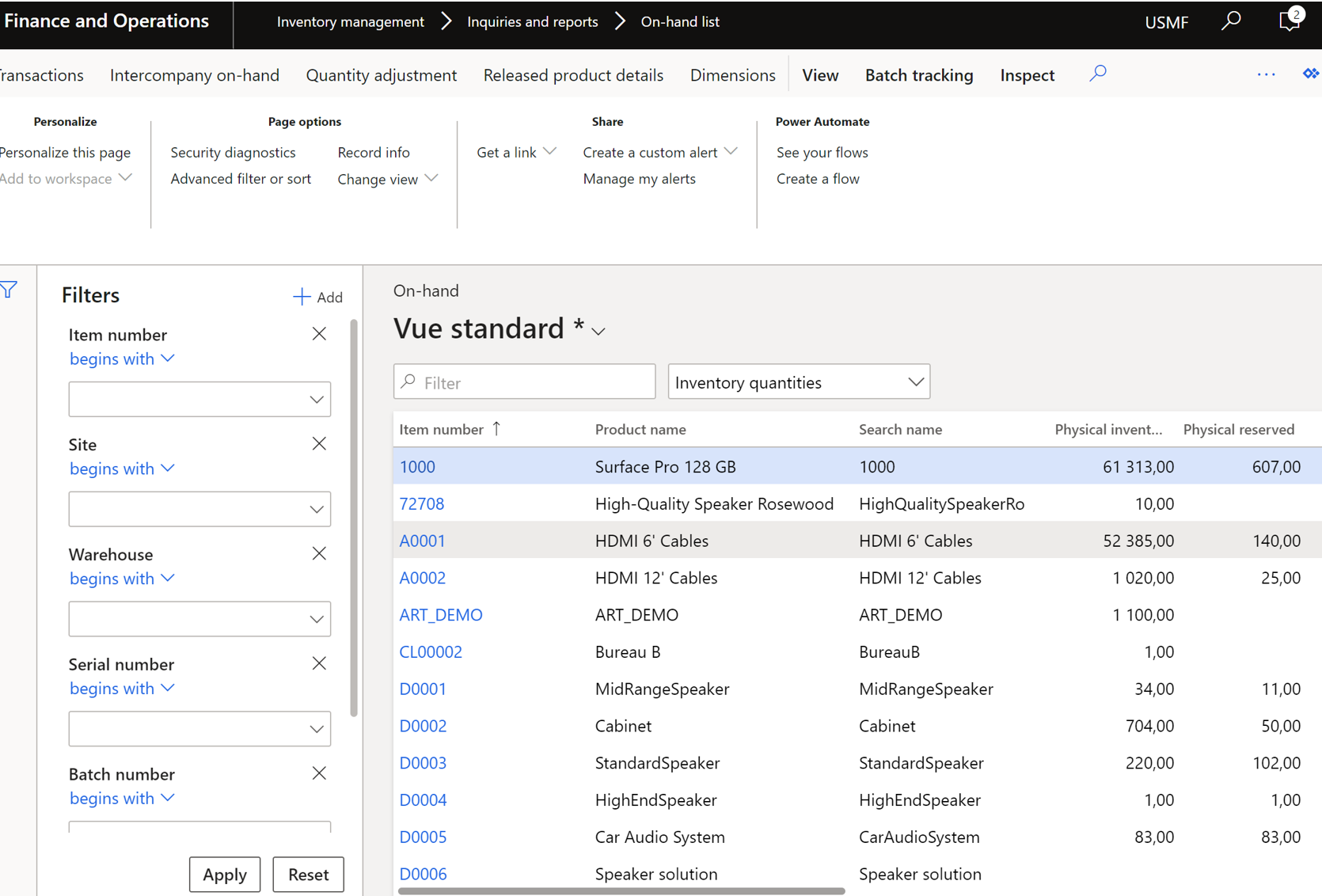
By activating the new functionality, a new report in now available from the Inventory Management module : Inventory on-hand report storage
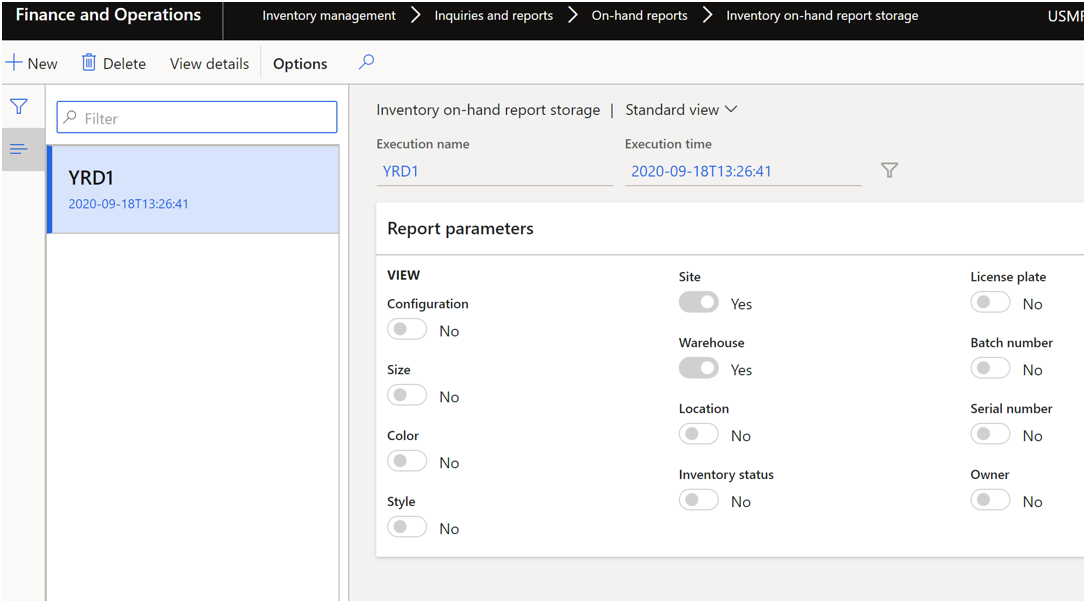
Basically, you can setup your own filter criteria and save them, making easy to run the save query another time.
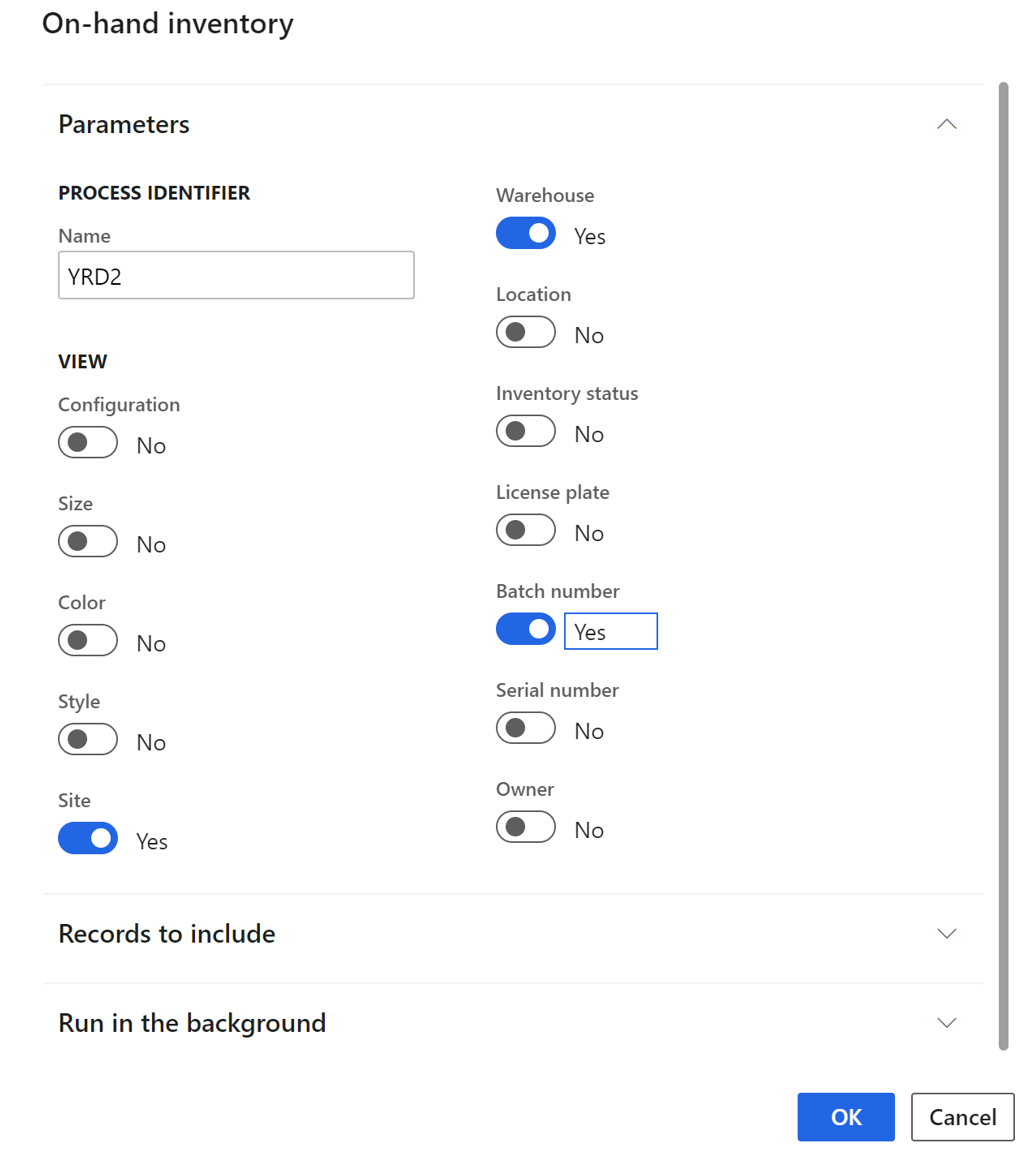
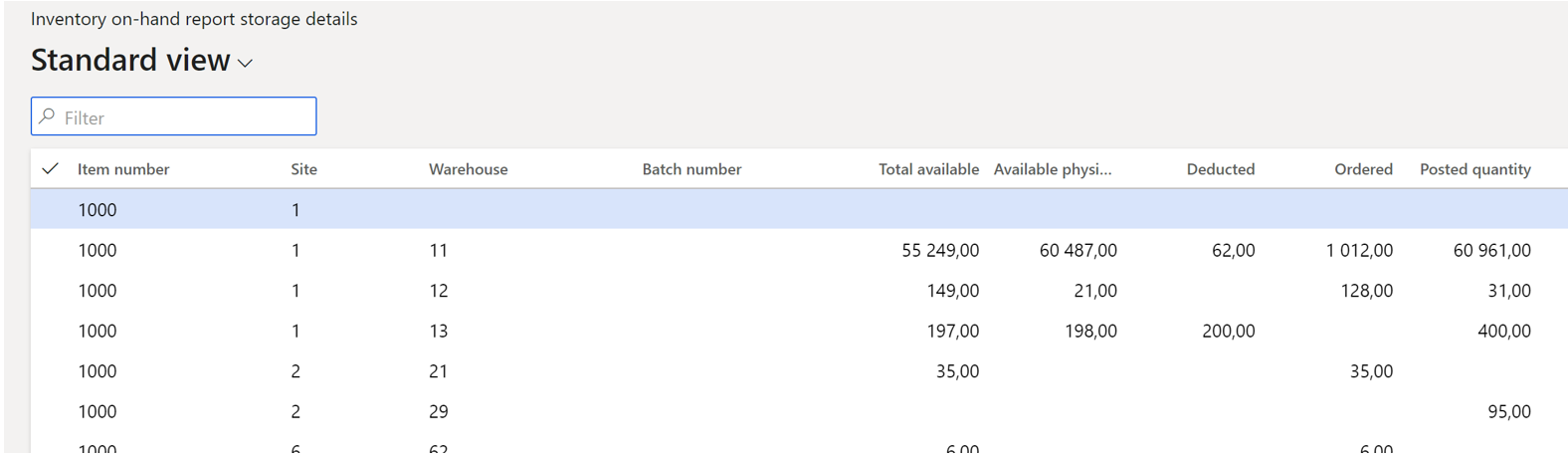
The query run in background, and after few times you can view details :
Enable project invoice proposal creation specific to selected project
The last one for today is the following making the possibility to retrieve automatically the current sub project when running an invoice proposal.
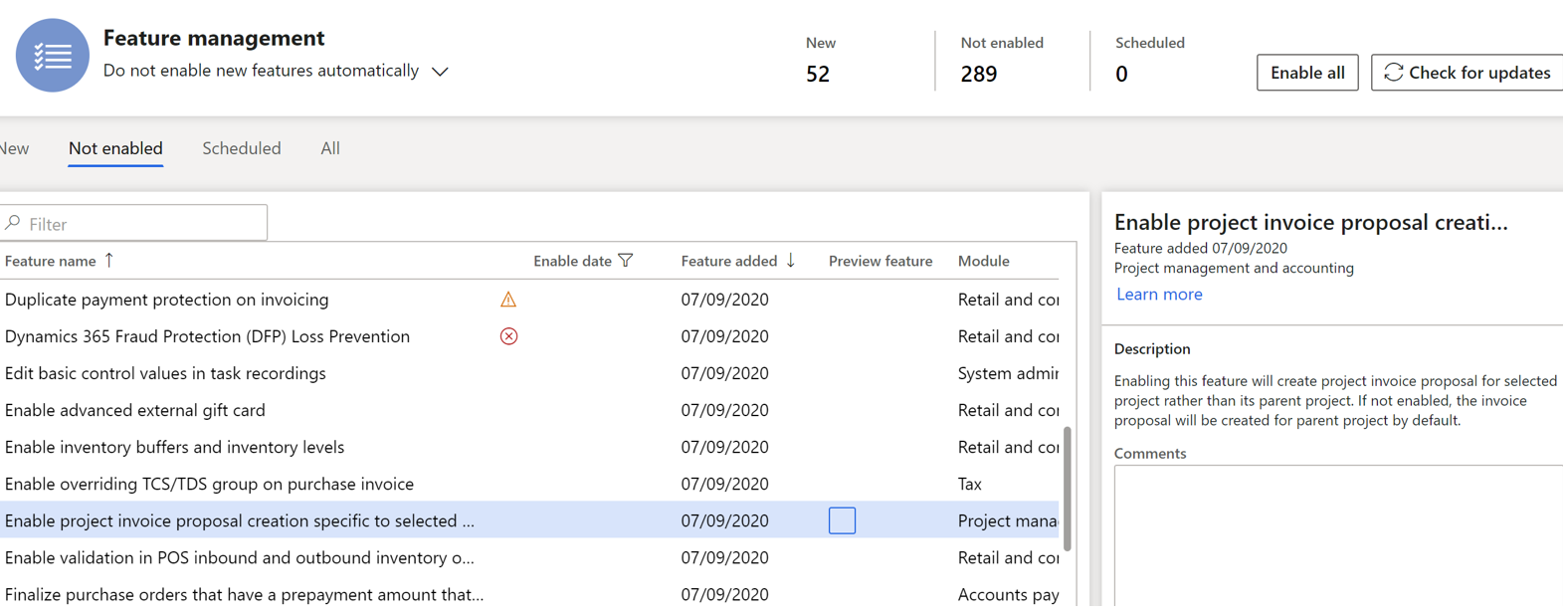
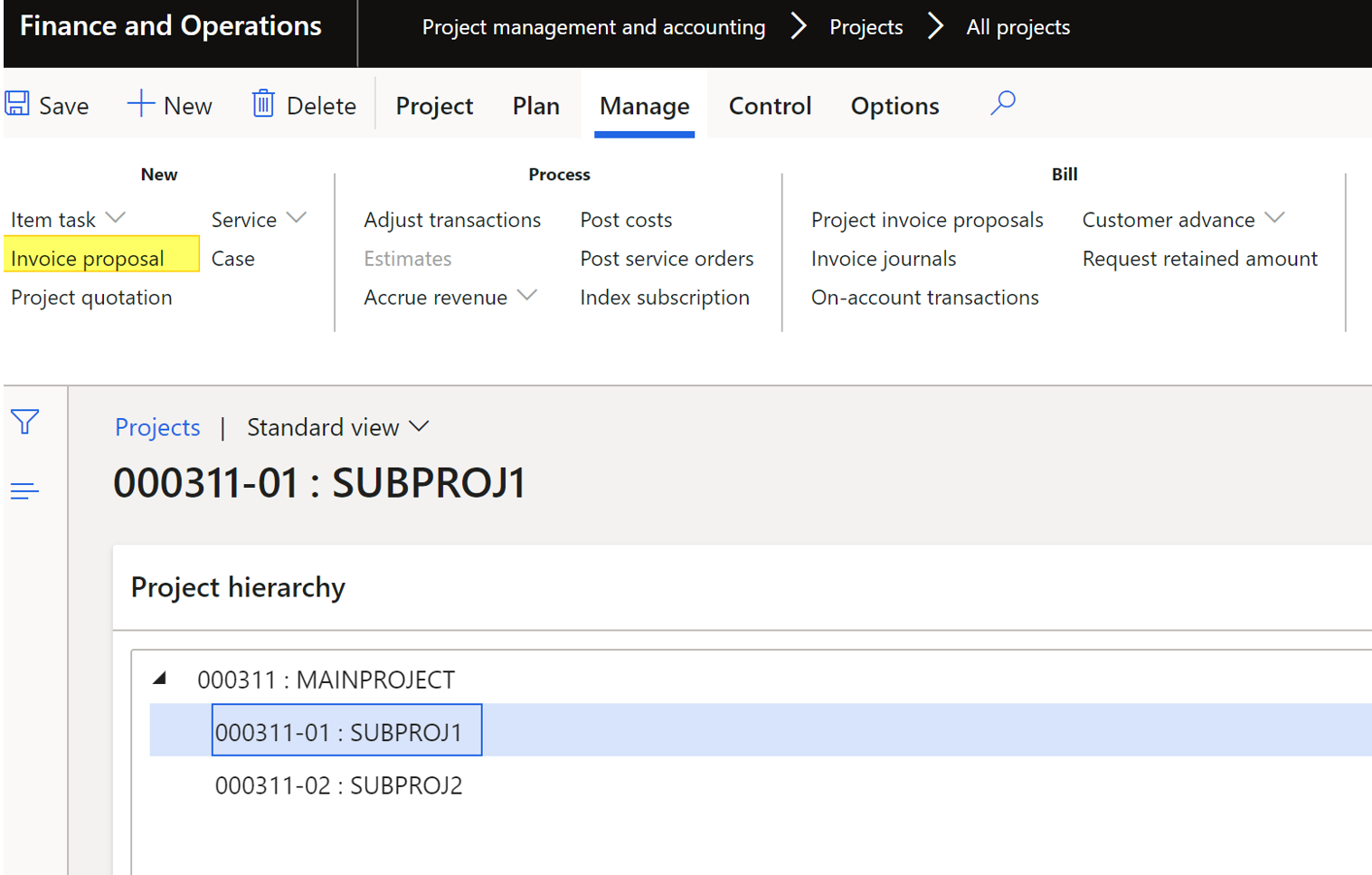
Without this function activated, when running an invoice proposal on a sub-project, the parent project is always selected by default. As you can see below, I have selected one sub-project:
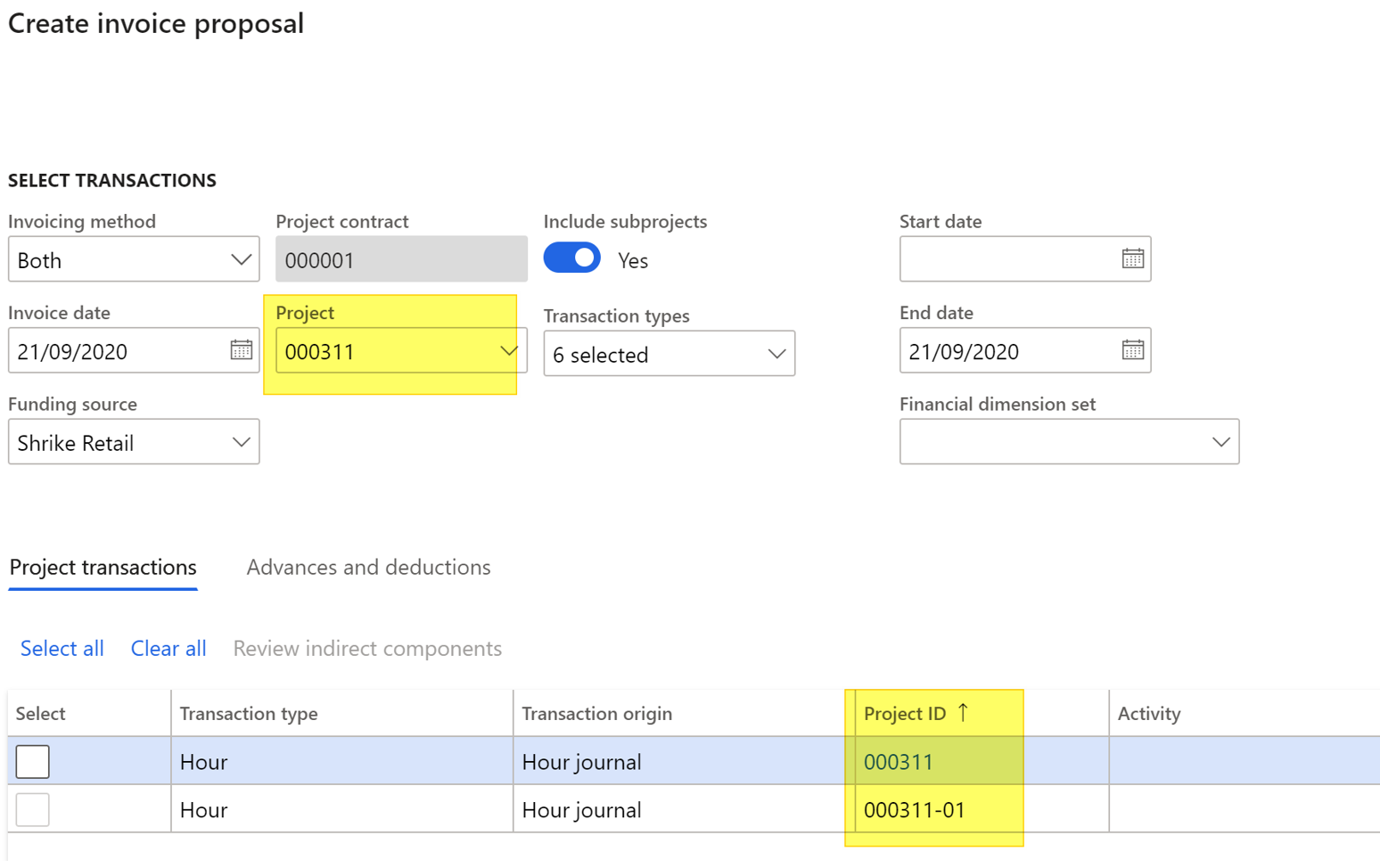
And when creating the invoice proposal, the parent project is retrieved.
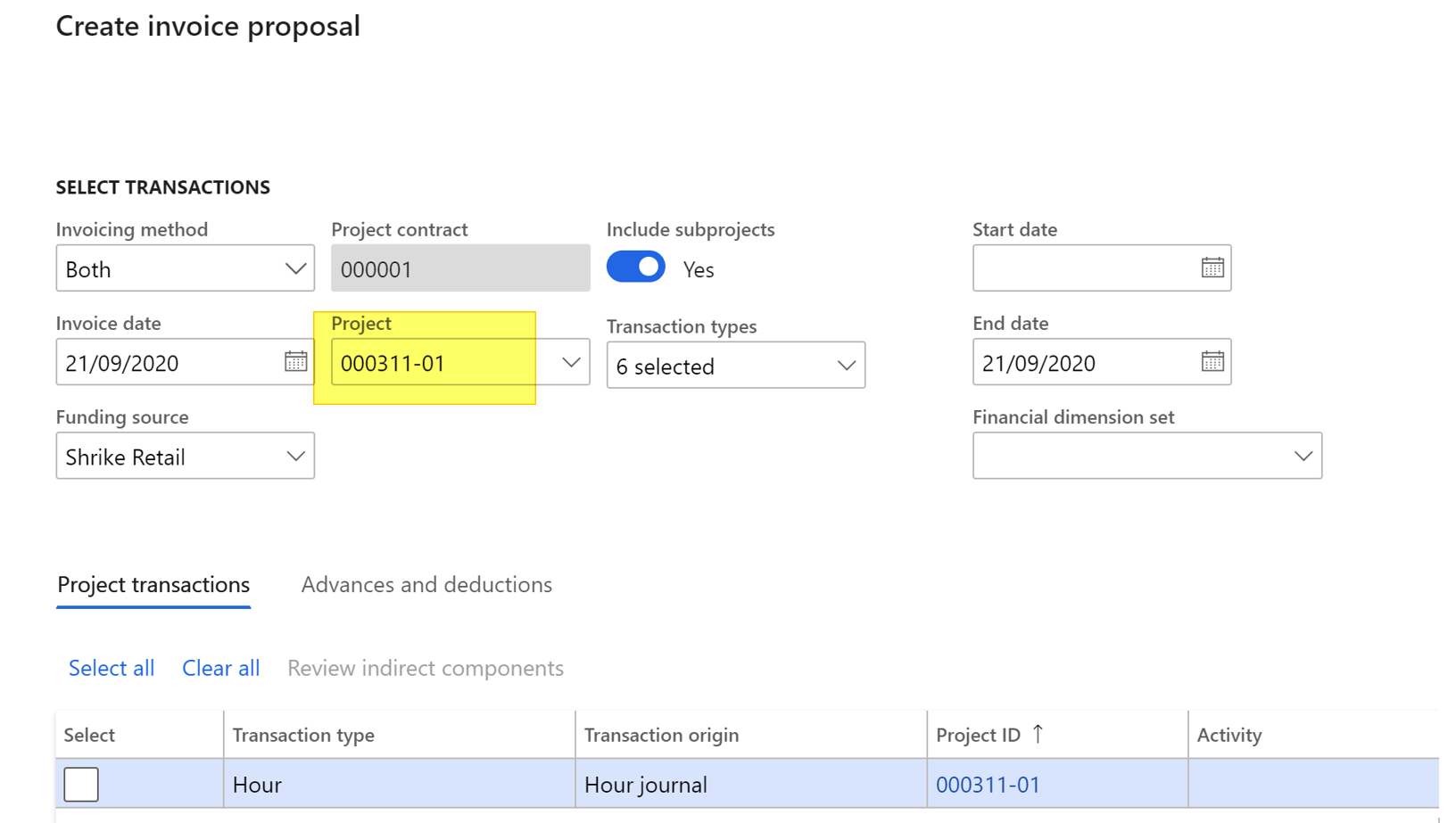
When enabling the new feature : the error is fixed.
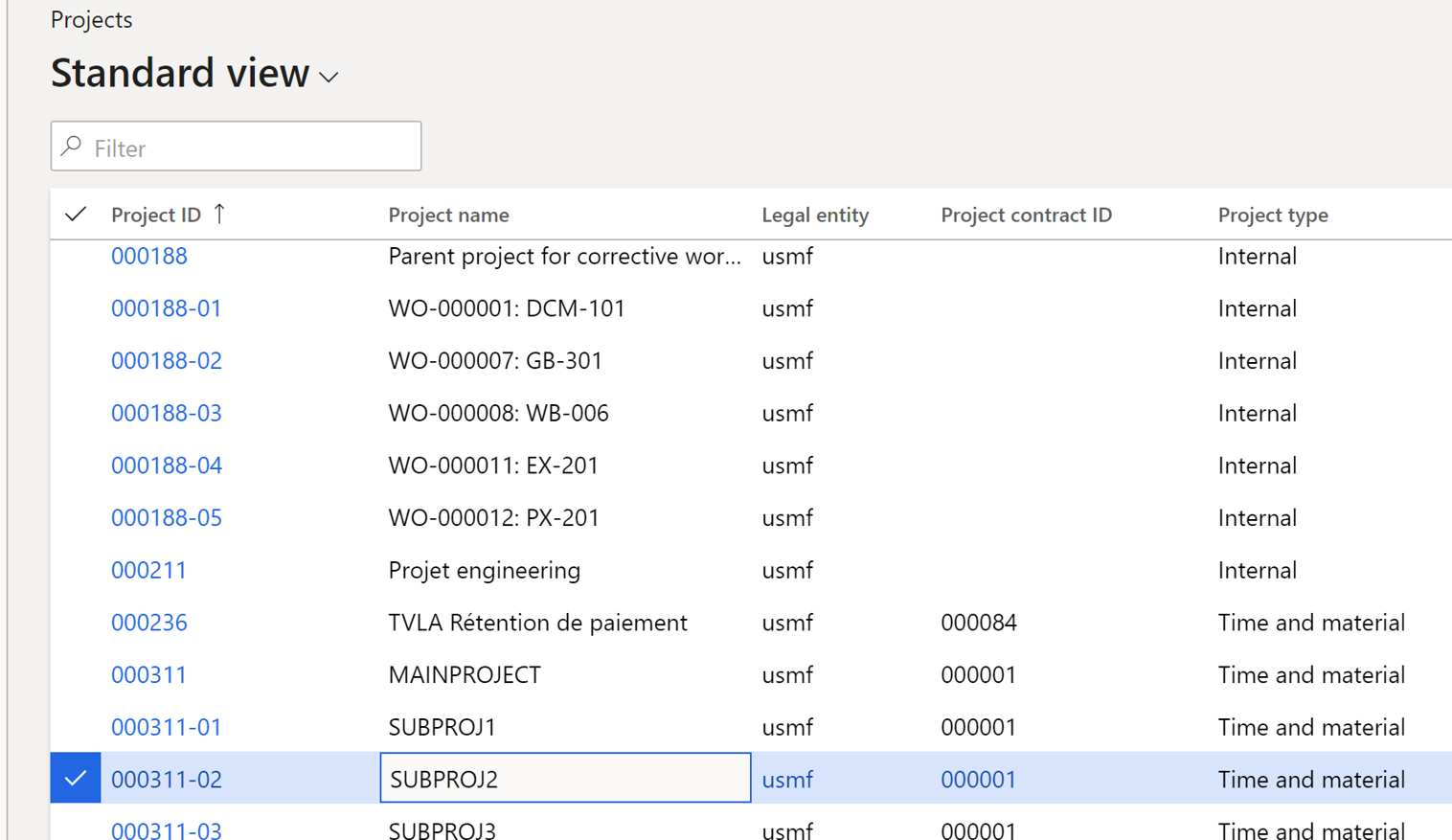
More, the list of projects and subprojects is clearly displayed on all projects list as you can see below for main projet 311:
Yohann
L’article Three new cool enhancements thanks to Feature management est apparu en premier sur D365Tour.
This was originally posted here.
*This post is locked for comments