




 Like
Like Share
Share
 Report
Introduction:
This blog explains how to Filter records in gallery control based on value selected in other gallery control in PowerApps.
Scenario:
- I am using Dynamics 365 Connection.
- I have data source named as Time Entry within that data source I have fields named as Projects and Project task and data type of both fields is lookup.
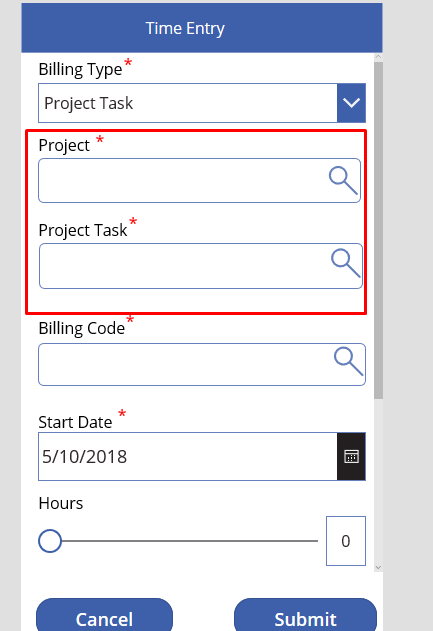
- Values in Project Task is filtered based on value selected in Project field.
Implementation Steps for Filtering Project Task based on Project:
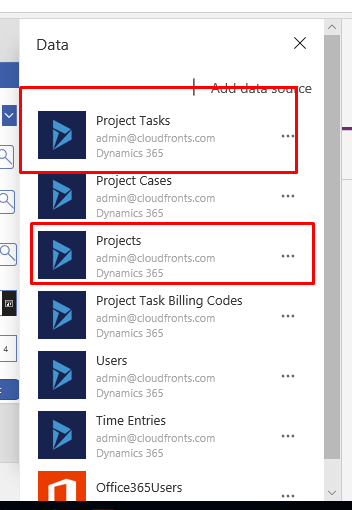
- We must add Projects and Project Task data source in PowerApps because their data type is Lookup.(If you don’t know how to work with lookup fields Refer: https://www.cloudfronts.com/connect-dynamics-365-use-lookup-field-dynamics-crm-powerapps/ )
- Add New screen name it Project Lookup and add gallery control on that screen.
- Select gallery control and set its item property to:SortByColumns(Search(Filter(Projects,statecode=0 ), TextSearchBox1_1.Text, “cf_name”), “cf_name” )
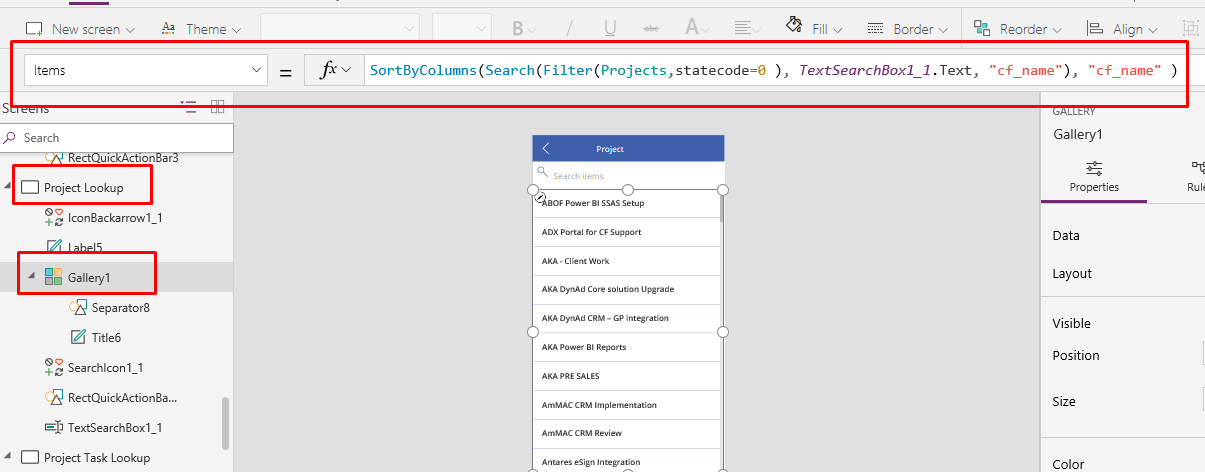
- Select gallery control and set its item property to:SortByColumns(Search(Filter(Projects,statecode=0 ), TextSearchBox1_1.Text, “cf_name”), “cf_name” )
- Add new Screen and name it Project Task Lookup and add gallery control on that screen.
- Select gallery control and set its item property to:SortByColumns(Search(Filter(‘Project Tasks’, _cf_project_value =Gallery1.Selected.cf_projectid),TextSearchBox1_2.Text,”cf_name”),”cf_name”)
here: Gallery1 is the name of gallery control on Project Lookup screen.
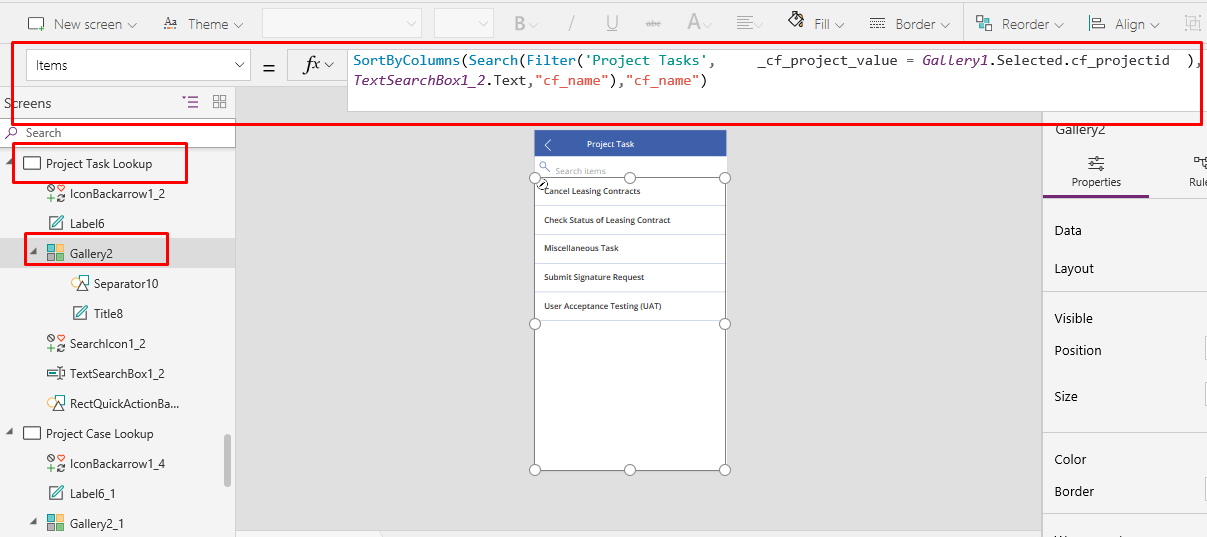
- Select gallery control and set its item property to:SortByColumns(Search(Filter(‘Project Tasks’, _cf_project_value =Gallery1.Selected.cf_projectid),TextSearchBox1_2.Text,”cf_name”),”cf_name”)
The post Filter records in gallery control based on value selected in other gallery control in PowerApps. appeared first on CloudFronts - Microsoft Dynamics 365 | Power BI | Azure.
*This post is locked for comments