







Access Dynamics 365 without consuming user License
Views (5636)

 Like
Like Share
Share
 Report
Scenario:
We have a requirement to access Dynamics 365 environment from a custom application hosted outside D365 environment but we do not want to consume the D365 license. We want the user to have all privilege required to perform all task which administrator can do.
Solution:
Please follow below steps to create user
- Login to Dynamics 365 portal (Global administrator User)
Login to Dynamics 365 portal (https://portal.office.com/adminportal/home) and create new user with minimum user level access.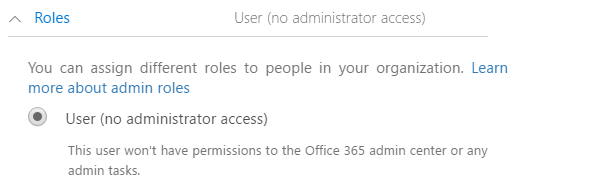
Assign Dynamics 365 license to the user
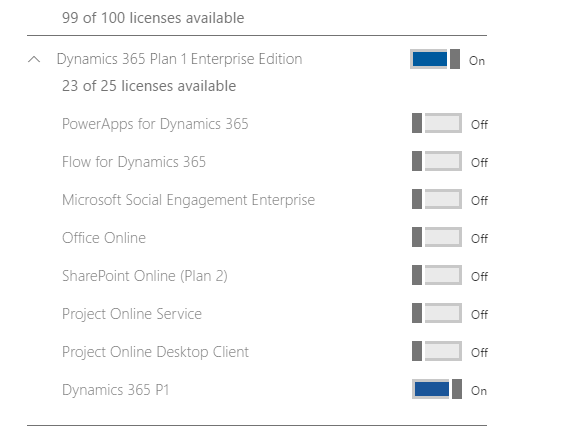
- Assign security role to the user
Assign System Administrator role to the user.
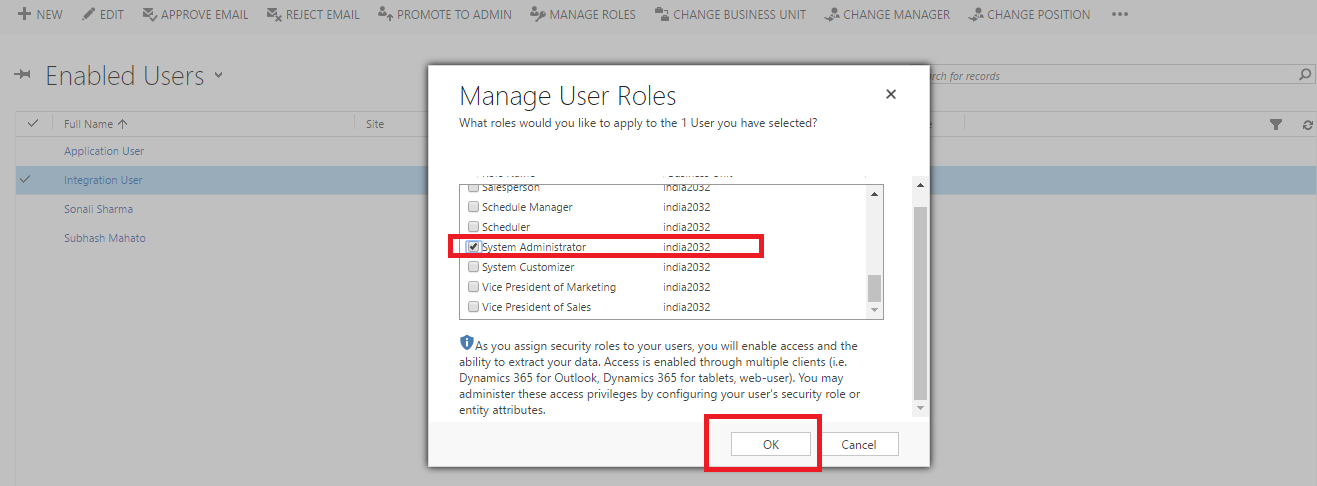
- Change Access Mode to Non-Interactive
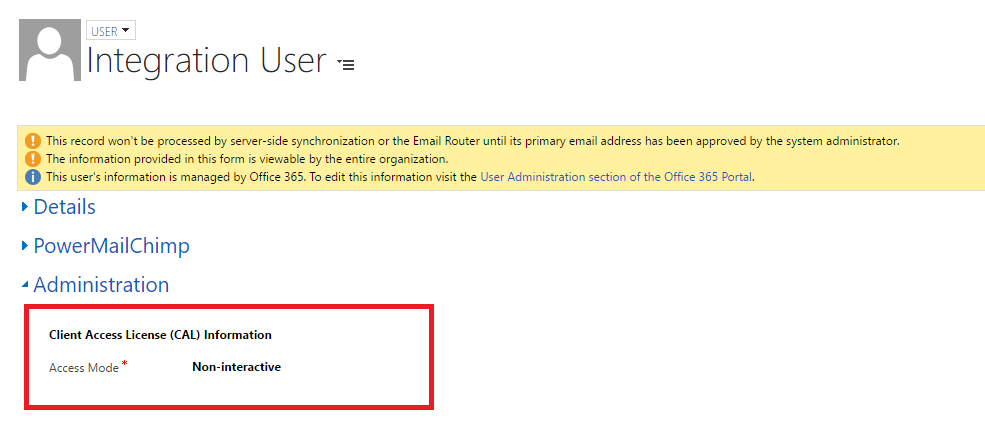
- Remove Dynamics 365 user license
Now remove D365 license assigned to integration user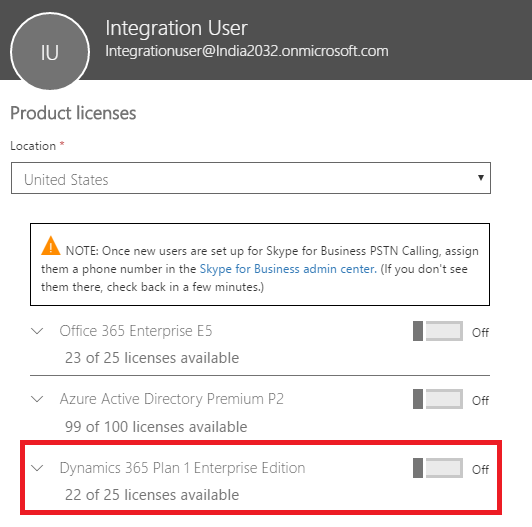
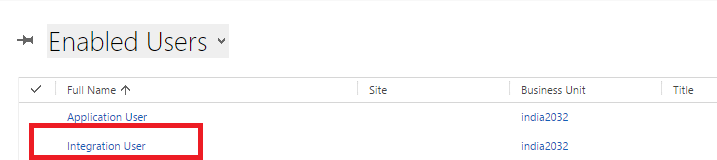
If you observed, you can see integration user as “Enabled User” in the Dynamics 365 Environment after removing D365 license.
The post Access Dynamics 365 without consuming user License appeared first on CloudFronts - Microsoft Dynamics 365 | Power BI | Azure.
*This post is locked for comments