




 3,111
3,111 Like
Like Share
Share
 Report
In this second post (see the previous overview here) on Rebate Management, I will focus in more details on different alternative scenarios regarding the rebate management module.
Retroactivity
Let’s test this scenario which can be very usefull : the retroactivation of the deal. In some industries, especially in agri-food industries, the back rebate are negociating during Q1 and activation is done end of Q1 for application from January to December of the same year. With the old Trade Allowance Management it didn’t work in standard, now it works. That’s good.
For this test, considering that today = 24th of August
I have already an order delivered and invoiced for the 23th.

I’m now creating a new Rebate management deal :
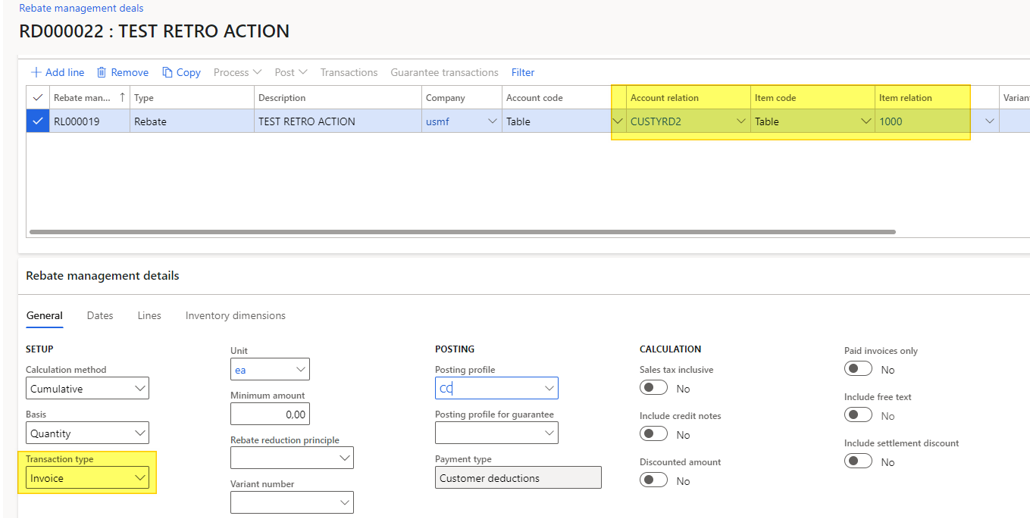
It applies for the dedicated customer, with Transaction type up to Invoice.
The date range start from the past until the end of the current month.

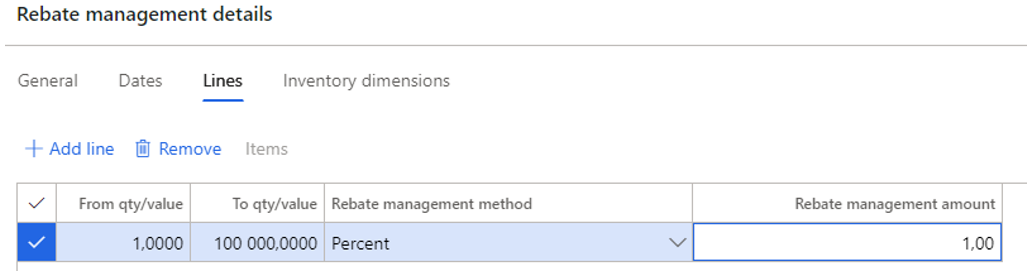
On the detail Lines, nothing specific : 1% is agreed from the first item sold. It’s not the point to focus here.
I’m validating the deal and after sending it through the workflow, it’s active.
I’m creating a brand new sales order, and process it until the invoice.

If now I’m processing the rebate calculation :
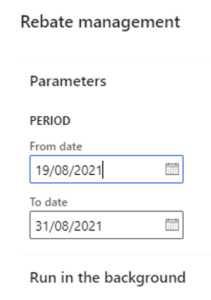
As you can see, the 2 orders (the one in the past and the one done today) are taken into account.

That’s wonderful in my opinion. A real improvement here.
Rebate discount available in a dedicated sales order thanks to an item
Let’s try an alternative for managing the rebate offered by the Rebate management module : the usage of an item in a specific sales order created automatically.
By creating the deal, I’m choosing the Item in the Rebate output field.
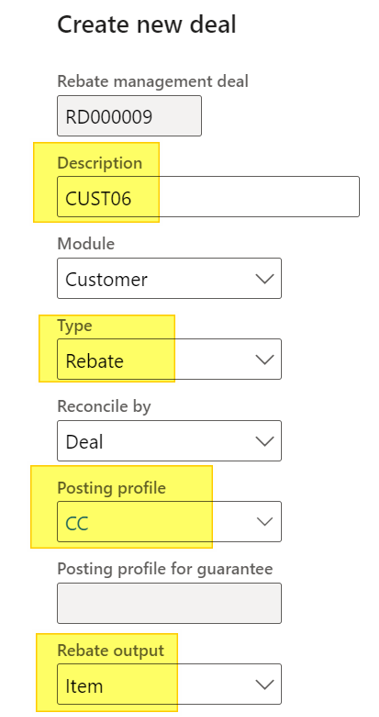
On the Rebate posting profil, the Rebate account is important because the sales order will be created based on this setup for the customer US-006 in my case.
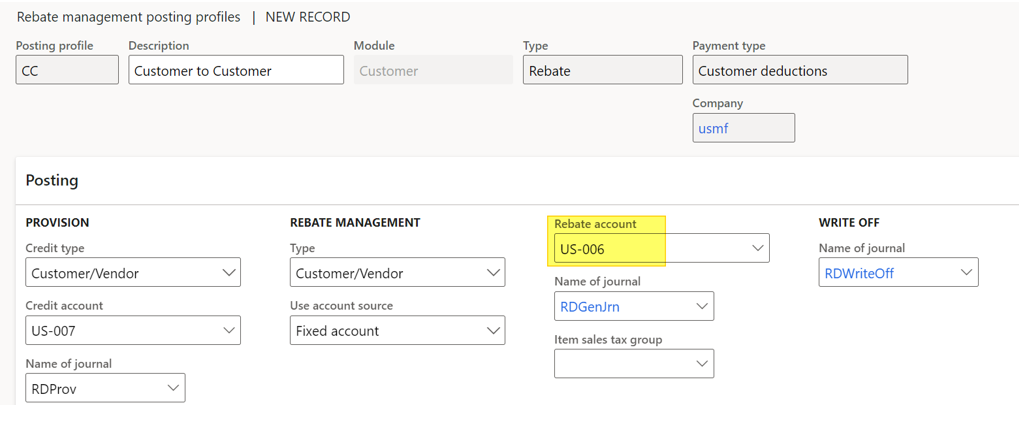
The Rebate management line is created as usual.

In the Lines tab, however, the Items option is available and the Rebate management method is unavailable.
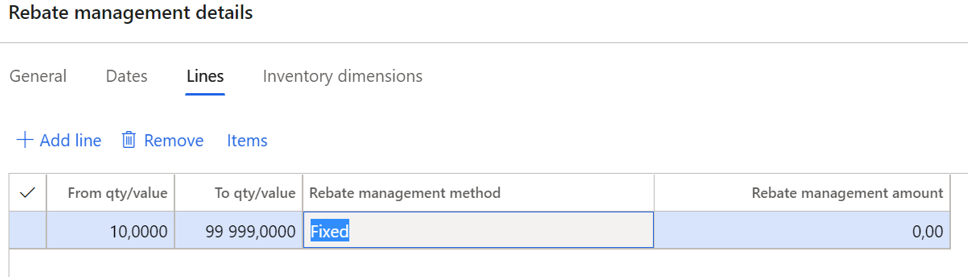
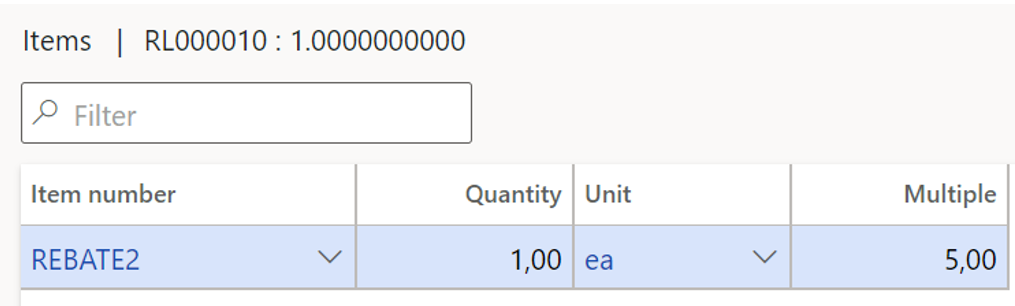
From there, I’m choosing the Item I want to use in my sales order. I can setup multiple conditions.
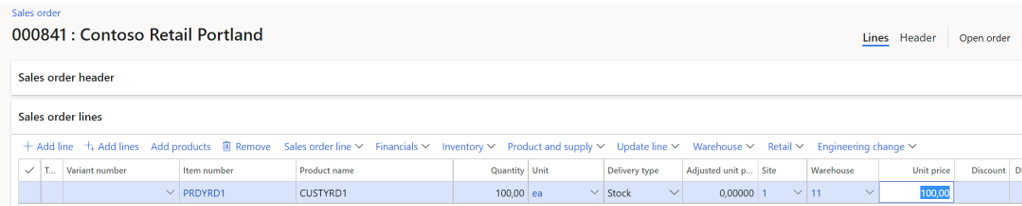
After activating the deal (workflow approbation), I’m creating a brand new sales order for a quantity of 100.
Processing then the rebate management as usual :
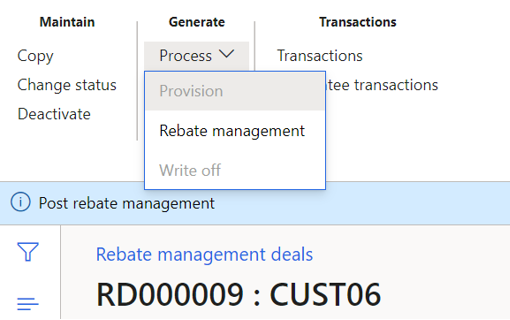
Now, posting the transactions.
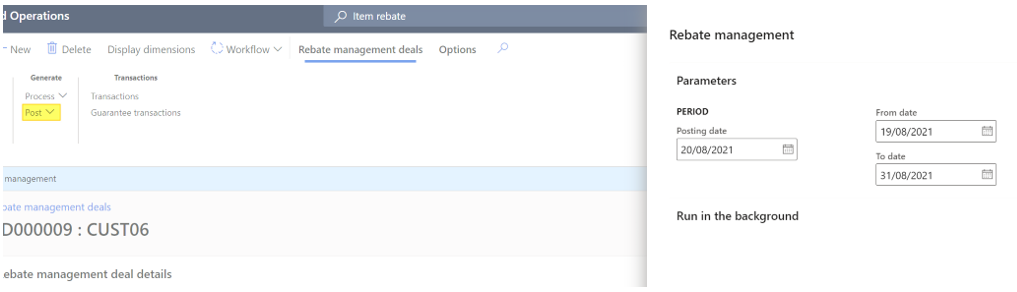
The pop-up tells us one sales order has been created this time.

Indeed, the sales order for US-006 has been created, with the rebate item I’ve setup, for a quantity of 20 (1 for each multiple of 5, and I’ve 100 in the sales order).

It’s another way to setup the back rebate which could be usefull and didn’t exist in the older rebate modules.
Yohann
L’article Rebate management : retroactivity and usage of items est apparu en premier sur D365Tour.
*This post is locked for comments