






How to send an email (email template, placeholders and email processing table)
Views (3704)
 Evaldas
 1,800
1,800
 Like
Like Share
Share
 Report
Hello AX World,
Often we need to send emails during a process in Dynamics 365 for Finance and Operations. That's quite a standard requirement which often makes you look up some examples of your own or web.
Here is yet another blog post on email sending.
In this blog post I will provide a few examples of sending email. But first let me introduce you some terms.
I assume you have all you email parameters in place and its functional.
Let's send some emails!
The simplest way is to send it directly. Check out the following example:
Tip: addTo method accepts semicolon separated email addresses.
Let's be a little bit more sophisticated and create an email template.
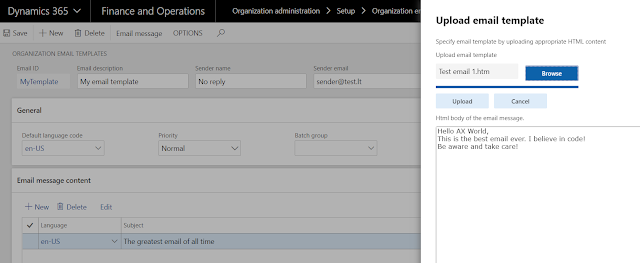
Now let's send an email using the template.
What's the template without placeholders, right?
Let's add a couple of placeholders %UserName% and %DateTime% and resolve them. But first we need to add them to the template.

See the code example bellow on how to resolve the placeholders:
Note: Keys in the map are not enclosed with %, the code inside stringExpand encloses the keys.

OK. Let's try one more thing. Let's say you would like to have a control on emails, like being able to resend in case of some failure.
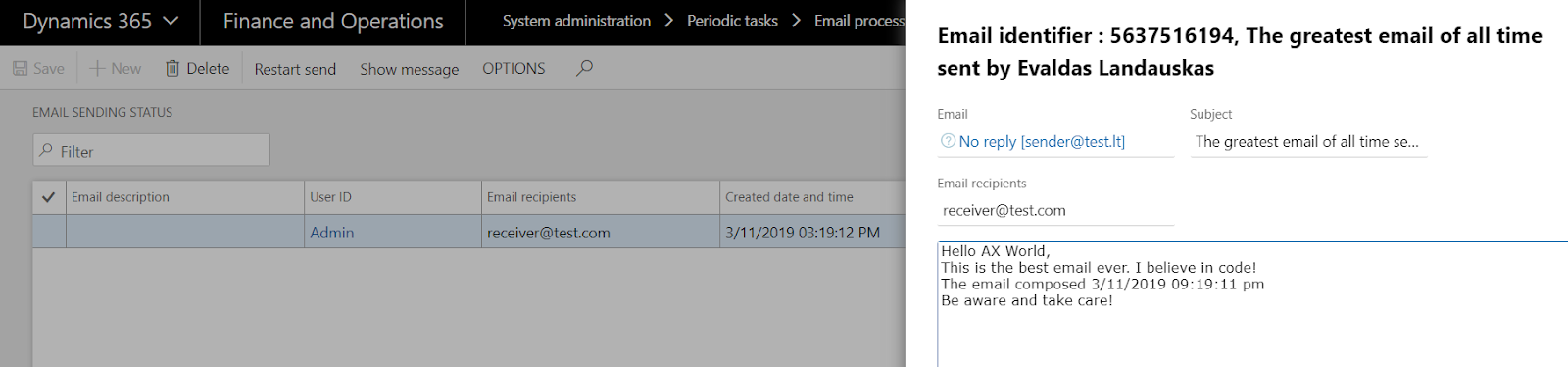
In this example we will use email processing table instead of directly sending an email.
And the result is this.

The emails in this table are processed via batch job
System administration>Periodic tasks>Email processing>Email distributor batch.
That's it for now. Next time I am thinking it would be nice to show some examples with attachments e.g. generate a report and send it or send a document attached to document handling.
Be aware and take care!
Often we need to send emails during a process in Dynamics 365 for Finance and Operations. That's quite a standard requirement which often makes you look up some examples of your own or web.
Here is yet another blog post on email sending.
In this blog post I will provide a few examples of sending email. But first let me introduce you some terms.
- Email template - Templates stored underOrganization administration>Setup>Organization email templates. The underlying tables are SysEmailTable and SysEmailMessageTable.
- Placeholder - a string enclosed within percent (%) symbols. E.g. %placeholder%.
- Email processing table - two tables SysOutgoingEmailTable and SysOutgoingEmailData that store emails to be processed by a batch job. Emails can be found under System administration>Periodic tasks>Email processing>Email sending status.
I assume you have all you email parameters in place and its functional.
Let's send some emails!
The simplest way is to send it directly. Check out the following example:
var builder = new SysMailerMessageBuilder();

builder.addTo("receiver@test.com");
builder.setFrom("sender@test.com");

builder.setSubject("The greatest email of all time");
builder.setBody("This is the best email ever. I believe in code!");
var message = builder.getMessage();

SysMailerFactory::getNonInteractiveMailer().sendNonInteractive(message);
Tip: addTo method accepts semicolon separated email addresses.
Let's be a little bit more sophisticated and create an email template.
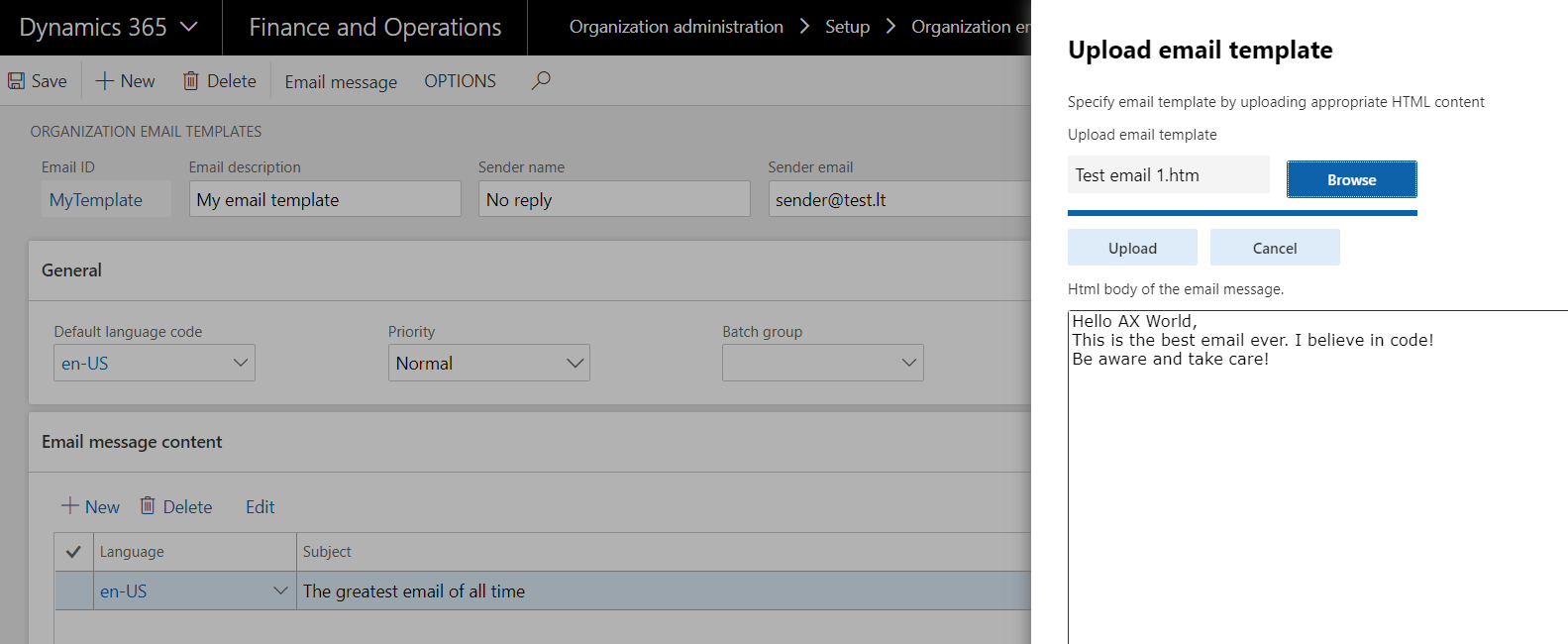
Now let's send an email using the template.
SysEmailTable        sysEmailTable        = SysEmailTable::find('MyTemplate');
SysEmailMessageTable sysEmailMessageTable = SysEmailMessageTable::find(sysEmailTable.EmailId, sysEmailTable.DefaultLanguage);

var builder = new SysMailerMessageBuilder();

builder.addTo("receiver@test.com");
builder.setFrom(sysEmailTable.SenderAddr, sysEmailTable.SenderName);

builder.setSubject(sysEmailMessageTable.Subject);
builder.setBody(sysEmailMessageTable.Mail);
var message = builder.getMessage();

SysMailerFactory::getNonInteractiveMailer().sendNonInteractive(message);
What's the template without placeholders, right?
Let's add a couple of placeholders %UserName% and %DateTime% and resolve them. But first we need to add them to the template.
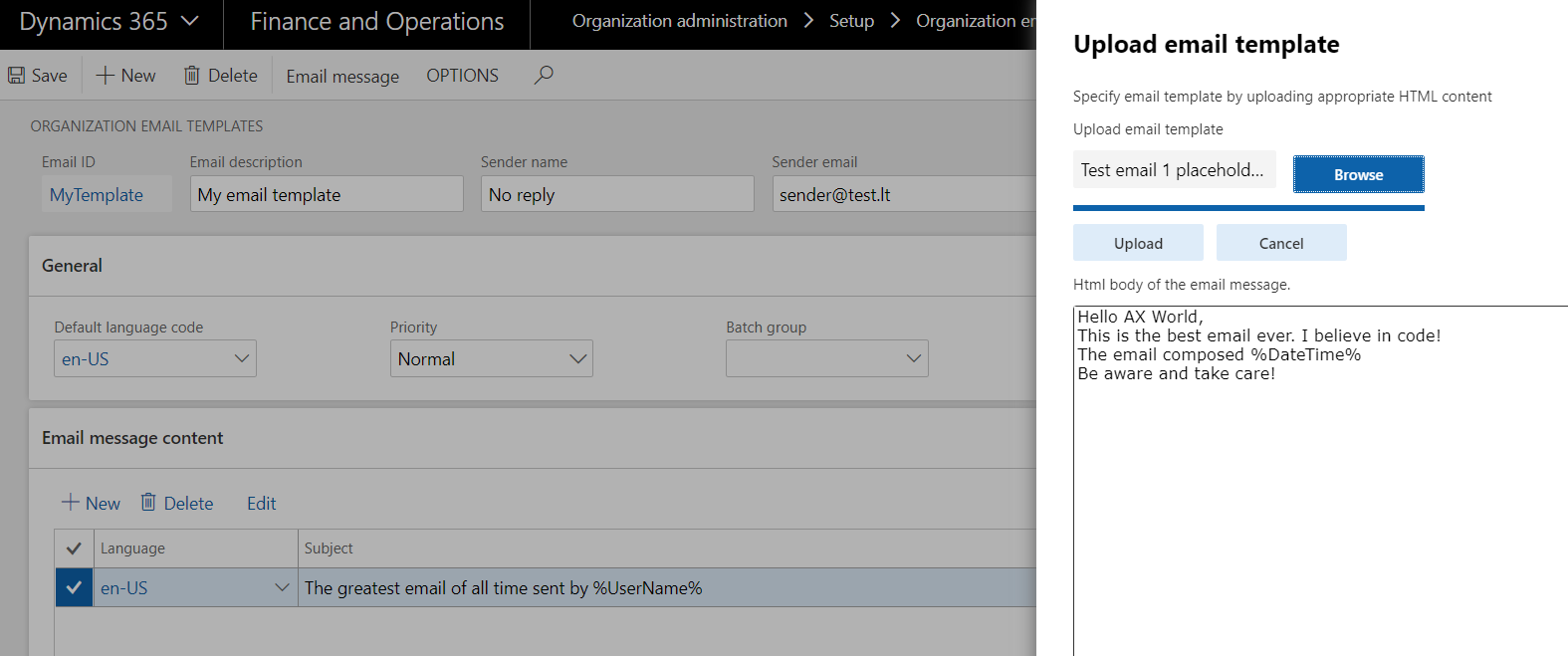
See the code example bellow on how to resolve the placeholders:
SysEmailTable        sysEmailTable        = SysEmailTable::find('MyTemplate');
SysEmailMessageTable sysEmailMessageTable = SysEmailMessageTable::find(sysEmailTable.EmailId, sysEmailTable.DefaultLanguage);

str messageBody = sysEmailMessageTable.Mail;
str subject = sysEmailMessageTable.Subject;

Map placeholderMap = new Map(Types::String, Types::String);

placeholderMap.insert("UserName", "Evaldas Landauskas");
placeholderMap.insert("DateTime", strFmt("%1", DateTimeUtil::getSystemDateTime()));

messageBody = SysEmailMessage::stringExpand(messageBody, placeholderMap);
subject     = SysEmailMessage::stringExpand(subject, placeholderMap);

var builder = new SysMailerMessageBuilder();

builder.addTo("receiver@test.com");
builder.setFrom(sysEmailTable.SenderAddr, sysEmailTable.SenderName);

builder.setSubject(subject);
builder.setBody(messageBody);
var message = builder.getMessage();

SysMailerFactory::getNonInteractiveMailer().sendNonInteractive(message);
Note: Keys in the map are not enclosed with %, the code inside stringExpand encloses the keys.
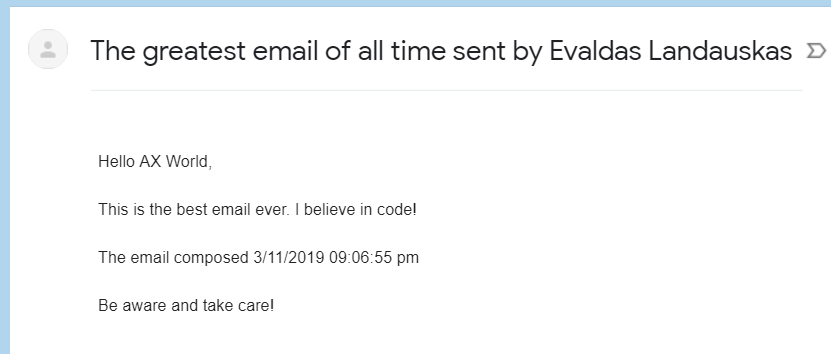
OK. Let's try one more thing. Let's say you would like to have a control on emails, like being able to resend in case of some failure.
In this example we will use email processing table instead of directly sending an email.
SysEmailTable        sysEmailTable        = SysEmailTable::find('MyTemplate');
SysEmailMessageTable sysEmailMessageTable = SysEmailMessageTable::find(sysEmailTable.EmailId, sysEmailTable.DefaultLanguage);

str messageBody = sysEmailMessageTable.Mail;
str subject = sysEmailMessageTable.Subject;

Map placeholderMap = new Map(Types::String, Types::String);

placeholderMap.insert("UserName", "Evaldas Landauskas");
placeholderMap.insert("DateTime", strFmt("%1", DateTimeUtil::getSystemDateTime()));

messageBody = SysEmailMessage::stringExpand(messageBody, placeholderMap);
subject     = SysEmailMessage::stringExpand(subject, placeholderMap);

SysOutgoingEmailTable   outgoingEmailTable;
SysOutgoingEmailData    outgoingEmailData;

outgoingEmailTable.EmailItemId                  = EventInbox::nextEventId();
outgoingEmailTable.TemplateId                   = sysEmailTable.EmailId;
outgoingEmailTable.Sender                       = sysEmailTable.SenderAddr;
outgoingEmailTable.SenderName                   = sysEmailTable.SenderName;
outgoingEmailTable.Recipient                    = 'receiver@test.com';
outgoingEmailTable.Subject                      = subject;
outgoingEmailTable.Message                      = messageBody;
outgoingEmailTable.Priority                     = sysEmailTable.Priority;
outgoingEmailTable.WithRetries                  = true;
outgoingEmailTable.RetryNum                     = 0;
outgoingEmailTable.UserId                       = curuserid();
outgoingEmailTable.Status                       = SysEmailStatus::Unsent;
outgoingEmailTable.LatestStatusChangeDateTime   = DateTimeUtil::getSystemDateTime();
outgoingEmailTable.insert();
And the result is this.
The emails in this table are processed via batch job
System administration>Periodic tasks>Email processing>Email distributor batch.
That's it for now. Next time I am thinking it would be nice to show some examples with attachments e.g. generate a report and send it or send a document attached to document handling.
Be aware and take care!
This was originally posted here.
*This post is locked for comments