web
You’re offline. This is a read only version of the page.
close
Skip to main content

Announcements

News and Announcements icon
Community site session details

Community site session details

Session Id :
Customer experience | Sales, Customer Insights,...
Answered

Account card drop down menu not showing for user -D365 sales

(1) ShareShare
ReportReport
Posted on by 1,430

Dear Experts,


I have below issue for only one user in the D365 sales application.

Account card drop-down menu not showing to that user to change the view of the account card. please refer below image. (It will show if the user has "System customize" permission role only.


Any idea how can we show this drop-down to user without giving system customize permission role ?


I require to assign the "Account" view to the user, but it automatically assigns "Account for multi-session experience" view.

How can I change it without giving system customize permission role to the user ?
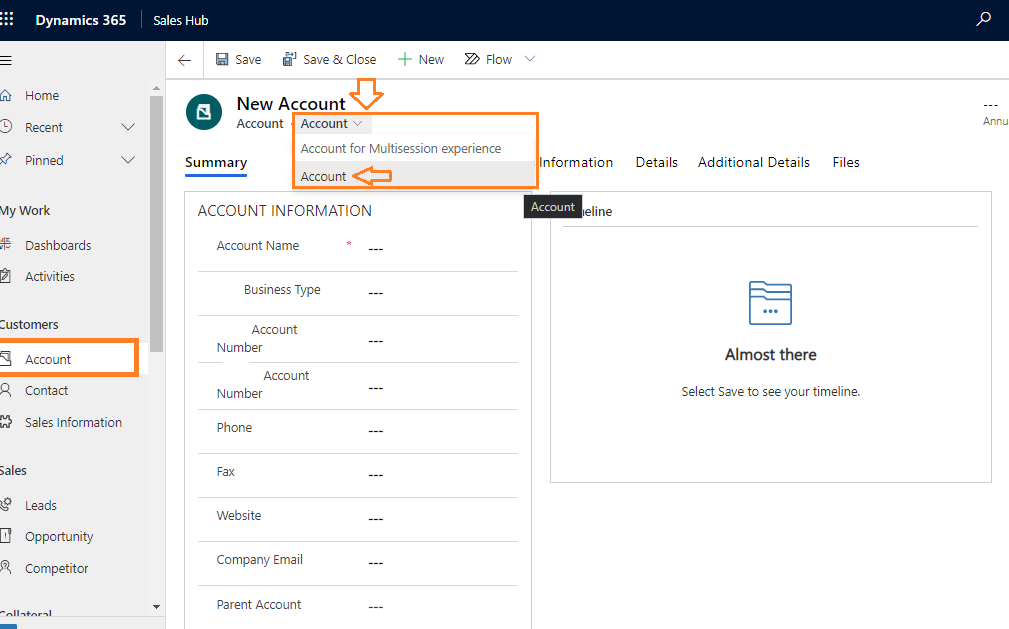
Image 01

Thank you.

I have the same question (0)
  • Verified answer
    LuHao Profile Picture
    40,892 on at

    Hi Ashoka,

    We will enable the security roles of the user for "Account" form.

    First, get the security roles of the users.

    In my demo, Test User has the security role "Salesperson1".

    pastedimage1603273011401v1.png

    Then go to customizations, select the Account form, click Enable Security Roles.

    pastedimage1603273134358v2.png

    "Display to everyone" is checked by default.

    pastedimage1603273218720v3.png

    If "Display only to these selected security roles" is checked, remember to add the security role of that user.

    pastedimage1603273272754v4.png

    Publish all customazitions.

  • Ashoka K Sampath Profile Picture
    1,430 on at

    Many Thanks Hao for perfect solution.

    cheers

Under review

Thank you for your reply! To ensure a great experience for everyone, your content is awaiting approval by our Community Managers. Please check back later.

Helpful resources

Quick Links

Season of Sharing Community Challenge Launch!

Jump in, show your community spirit, and win prizes!

Women in Power Builds Momentum

Expanding mentorship, skilling, and AI innovation

Congratulations to the May Top 10 Community Leaders

These are the community rock stars!

Leaderboard > Customer experience | Sales, Customer Insights, CRM

#1
Hamza H Profile Picture

Hamza H 142 Super User 2026 Season 1

#2
Nagaraju_Matta Profile Picture

Nagaraju_Matta 128

#3
11manish Profile Picture

11manish 119

Last 30 days Overall leaderboard

Product updates

Dynamics 365 release plans



