web
You’re offline. This is a read only version of the page.
close
Skip to main content

Announcements

News and Announcements icon
Community site session details

Community site session details

Session Id :
Microsoft Dynamics AX (Archived)

Data Import Export Framework Error.

(0) ShareShare
ReportReport
Posted on by

Hi Dears,

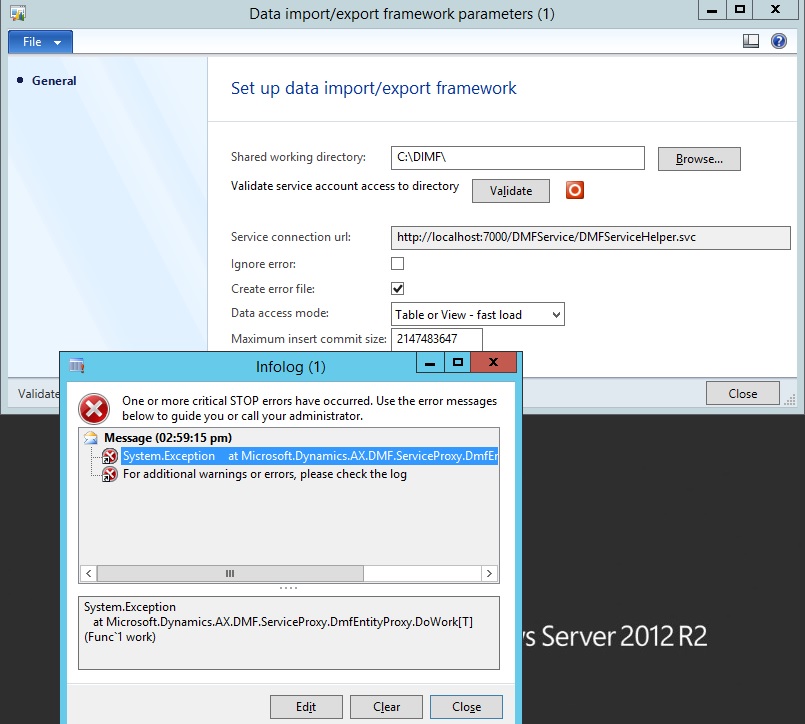
In Data Import Export Frame work Parameter, i have updated the "Shared working Directory".

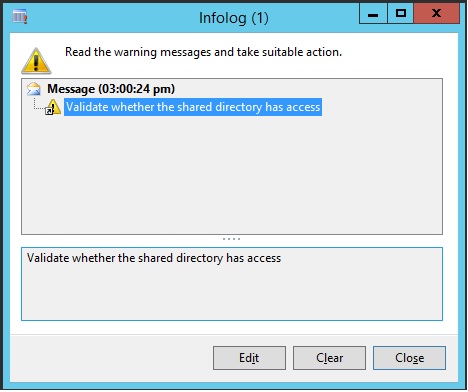
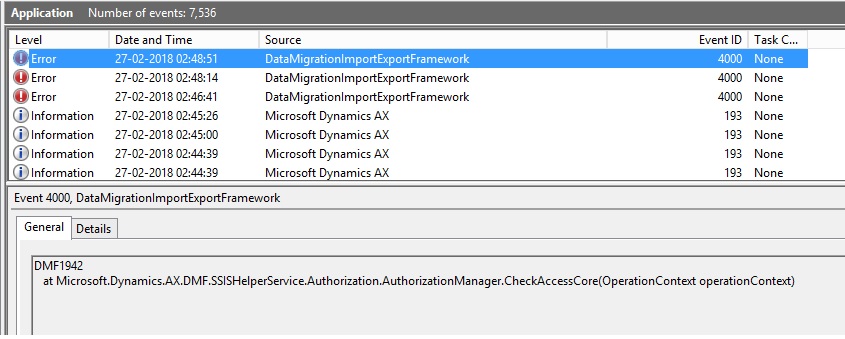
I have try to Validate system is Showing the Error, Below i have mention the error and Screen shot Can you

please Guide, How to Solve this Issue.

1. DIXF Parameter
 3264.1.jpg

1581.2.jpg

2. Event Viewer

7838.3.jpg

*This post is locked for comments

I have the same question (0)
  • Suggested answer
    Martin Dráb Profile Picture
    239,711 Most Valuable Professional on at

    If you're following Install the Data import/export framework for AX 2012 R3 (as you should), you can read there what permissions are needed:

    The Data Import/Export Framework requires a shared directory that the Data Import/Export Framework service account must have read access to. The AOS service account must have read and write access to the directory.

    It seems that you haven't granted these permissions.

  • Community Member Profile Picture
    on at

    Where can i update the Read Access, I have already logged in Administrator.

    Im using the AX 2012 R2...!!

  • Verified answer
    Martin Dráb Profile Picture
    239,711 Most Valuable Professional on at

    Go to Windows Explorer, find the folder that you want to use as the shared folder for DIXF, right-click the name and choose Properties. Then switch to the Security tab and add appropriate permissions for the accounts used by AOS and the DIXF service.

  • Suggested answer
    Community Member Profile Picture
    on at

    Thank you my dears,

    Actually i have problem in My AD Server, Now all problems are solved.

Under review

Thank you for your reply! To ensure a great experience for everyone, your content is awaiting approval by our Community Managers. Please check back later.

Helpful resources

Quick Links

Season of Sharing Community Challenge Launch!

Jump in, show your community spirit, and win prizes!

Women in Power Builds Momentum

Expanding mentorship, skilling, and AI innovation

Congratulations to the May Top 10 Community Leaders

These are the community rock stars!

Leaderboard > 🔒一 Microsoft Dynamics AX (Archived)

#1
CP04-islander Profile Picture

CP04-islander 16

#2
Nagendra Varma K Profile Picture

Nagendra Varma K 4

#2
Harisgillani Profile Picture

Harisgillani 4

Last 30 days Overall leaderboard

Featured topics

Product updates

Dynamics 365 release plans