web
You’re offline. This is a read only version of the page.
close
Skip to main content

Notifications

Announcements

No record found.

Community site session details

Community site session details

Session Id :
Finance | Project Operations, Human Resources, ...
Unanswered

Attachment "New" button not visible for attaching file.

(0) ShareShare
ReportReport
Posted on by 209

Hi Community Experts,

I am seeing a problem in the standard functionality of Dynamics 365FO.

I am trying to attach a document on the form "EssPersonIdentificationNumberFormPart".
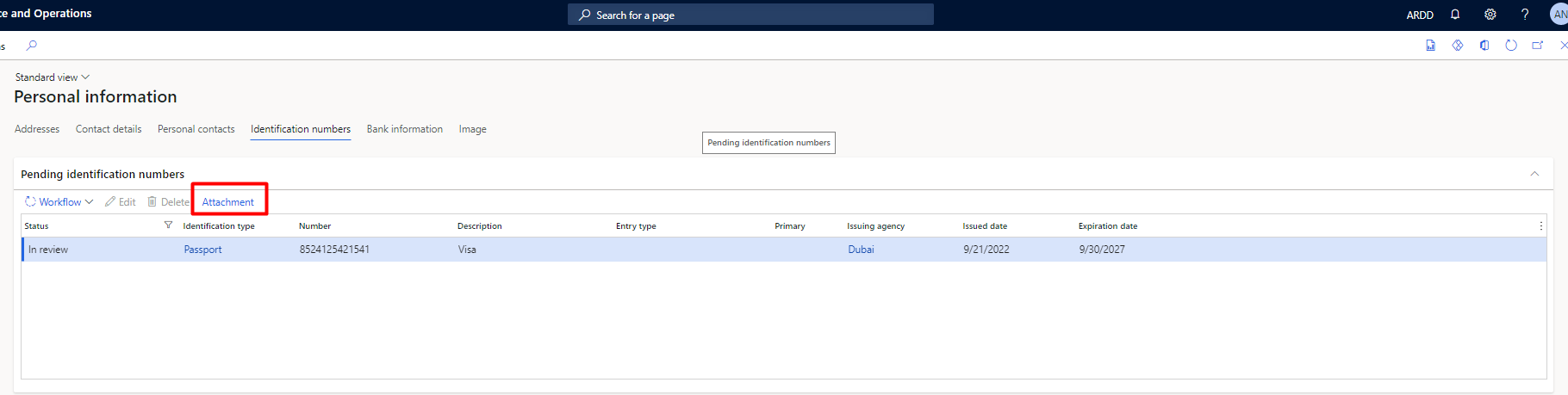
pastedimage1663912176311v1.png

But when I click on attachment button there's no "New" button.
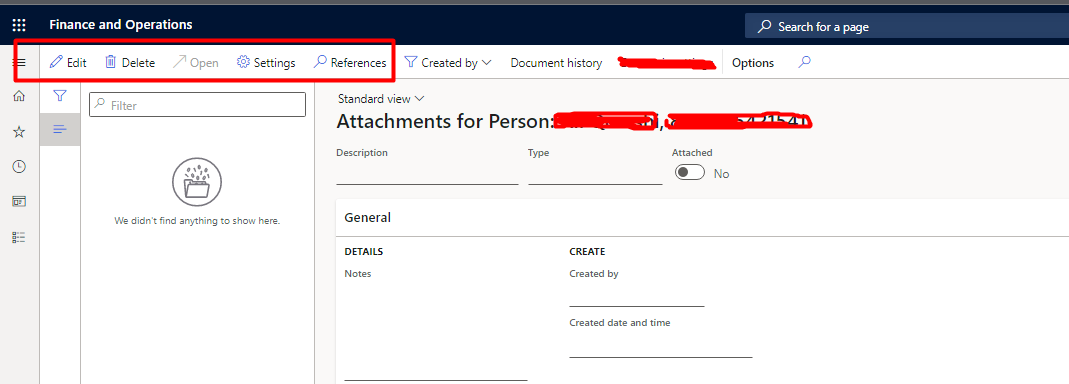
pastedimage1663912246937v2.png

These two tables are my data sources inside from
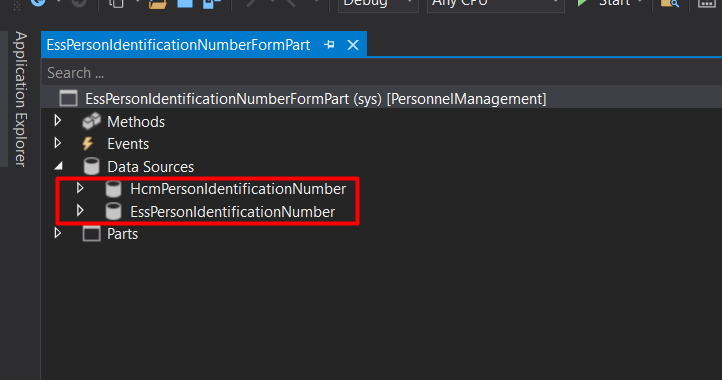
pastedimage1663912345598v3.png

In Organization Administration > Document Management > Active Document Table, I have added both of these tables but still the "New" button is not available.
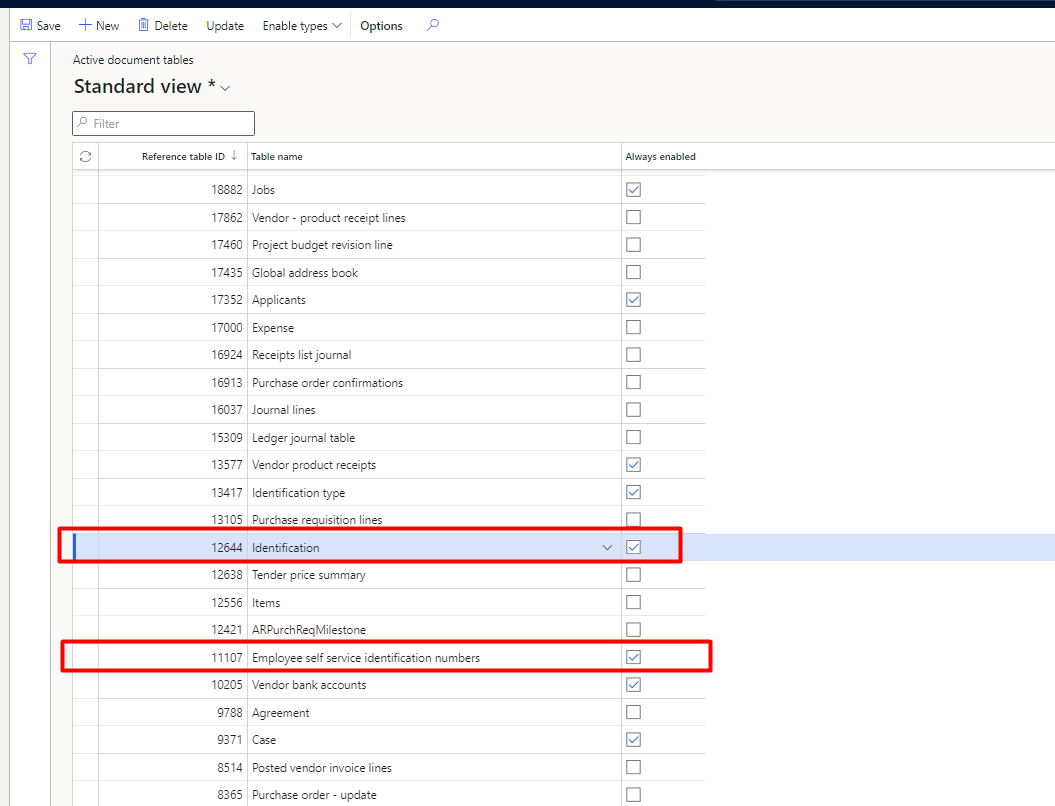
pastedimage1663912532389v4.png

I am not sure what I am missing in this configuration?

Looking forward to helpful responses.

Best Regards.

I have the same question (0)
  • GirishS Profile Picture
    27,827 Moderator on at

    Hi Chota Hukam,

    How you have added the "Attachment" button on the form.? Command button?

    Generally in "EssPersonIdentificationNumberFormPart"  - system defined attachment button will be disabled.

    Thanks,

    Girish S.

  • alinawaz Profile Picture
    209 on at

    No I have not added any button on form.

    Its the system defined button only.

  • GirishS Profile Picture
    27,827 Moderator on at

    Hi Chota Hukam,

    I don't think there is attachment button on the "EssPersonIdentificationNumberFormPart" form.

    Because I cant see the attachment button in ESS workspace.

    pastedimage1663920677302v1.png

    Which D365 F & O version you are using?

    Can you double check is there a any extensions available for that form?

    Also you can make use of "Management Attachment " option on My information tab.

    Thanks,

    Girish S.

  • alinawaz Profile Picture
    209 on at

    Hi Girish,

    Yes you are right, this is a custom button added by another developer.

    Can you please let me know they way around to make it work if its custom attachment button ?

  • GirishS Profile Picture
    27,827 Moderator on at

    How they added the attachment button?

    Is that a command button and command set to DocumentHandler?

    I don't think adding attachment button in this form wont work.

    I tried adding this button using extension - When I click on the "Attachment" nothing is happening. - Because in standard they have disabled the attachment options.

    So instead of that you can make use of that  "ManageAttachment " option on My information tab. Also you can add multiple attachments.

    Thanks,

    Girish S.

  • alinawaz Profile Picture
    209 on at

    pastedimage1663925140850v1.png

    That's how the button's being added in the form at the moment.

  • GirishS Profile Picture
    27,827 Moderator on at

    So here they are adding a menu item button and mapped directly the document management form.

    Instead of that .

    Create one command button.

    On the command property - Set to "DocumentHadling" and check whether its working.

    Thanks,

    Girish S.

  • GirishS Profile Picture
    27,827 Moderator on at

    Also is there any security role assigned to the user you are testing with?

    Thanks,

    Girish S.

  • alinawaz Profile Picture
    209 on at

    I have added the button but its doing nothing.

    pastedimage1663934044568v1.png

  • GirishS Profile Picture
    27,827 Moderator on at

    Also is there any security role assigned to the user you are testing with?

    Thanks,

    Girish S.

Under review

Thank you for your reply! To ensure a great experience for everyone, your content is awaiting approval by our Community Managers. Please check back later.

Helpful resources

Quick Links

Responsible AI policies

As AI tools become more common, we’re introducing a Responsible AI Use…

Neeraj Kumar – Community Spotlight

We are honored to recognize Neeraj Kumar as our Community Spotlight honoree for…

Leaderboard > Finance | Project Operations, Human Resources, AX, GP, SL

#1
Martin Dráb Profile Picture

Martin Dráb 659 Most Valuable Professional

#2
André Arnaud de Calavon Profile Picture

André Arnaud de Cal... 533 Super User 2025 Season 2

#3
Sohaib Cheema Profile Picture

Sohaib Cheema 289 User Group Leader

Last 30 days Overall leaderboard

Product updates

Dynamics 365 release plans



