web
You’re offline. This is a read only version of the page.
close
Skip to main content

Notifications

Announcements

No record found.

Community site session details

Community site session details

Session Id :
Finance | Project Operations, Human Resources, ...
Suggested Answer

Data management , target field

(0) ShareShare
ReportReport
Posted on by 135

Dear all,

Background:

there was a "global withholding tax" feature enabled, i used item withholding tax on released product, now i removed this feature, so now system gave me following error whenever i update any information on released product.
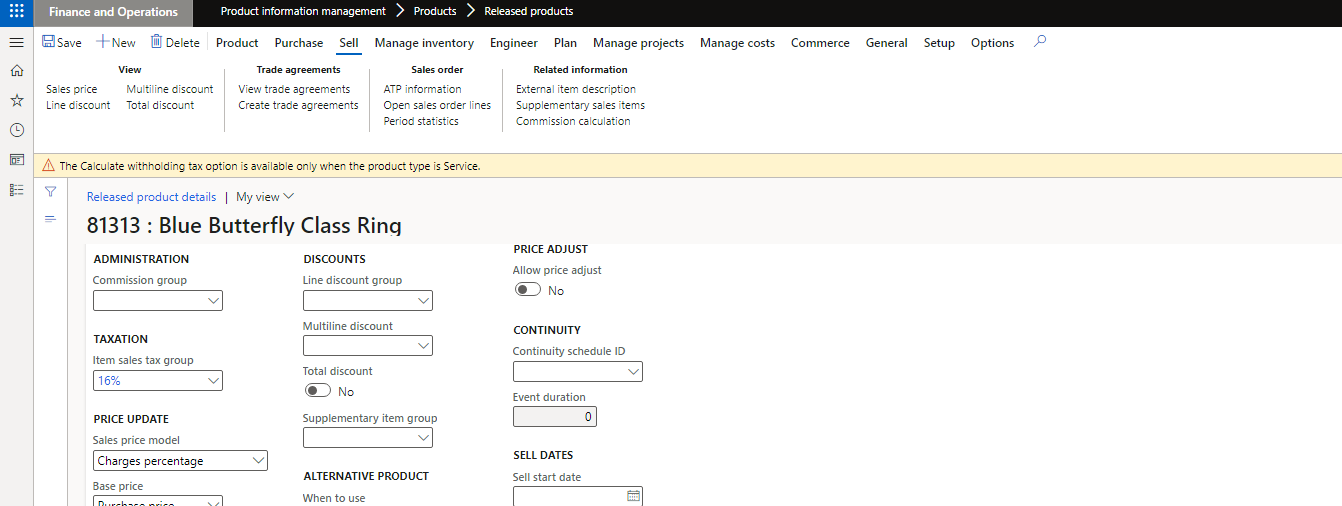
pastedimage1643718825163v2.png

so when i gone into  deep, i realized that the target fields (through data management framework > data entities) available on released products v2 are different from those when global withholding tax was not enabled before, highlighted rows are additional fields.
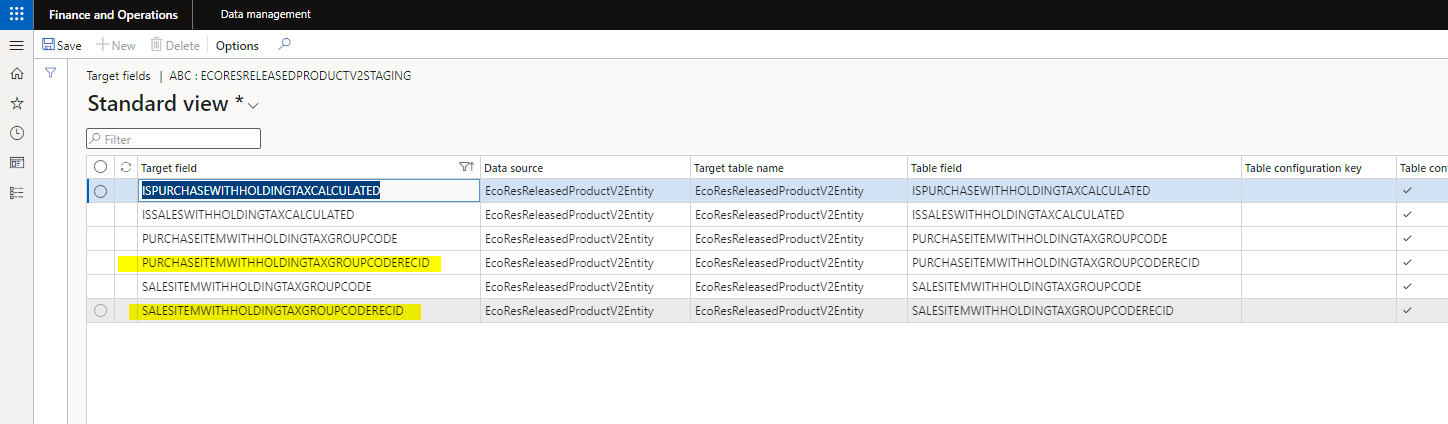
pastedimage1643718803218v1.png

so i need to remove these two fields from target fields, how we can remove it, because delete button is disabled.

I have the same question (0)
  • Suggested answer
    nmaenpaa Profile Picture
    101,162 Moderator on at

    Hi,

    to me it seems that you don't have sufficient security permissions to modify the mapping. Please try with System administrator role.

    I have New, Delete, Save and Generate Mapping buttons available in Data Management Workspace -> Data entities -> Modify Target Mapping form. 

    After changing config keys it might make sense to remove the entity from the Data entities list and refresh entity list from Data Management Framework Parameters.

  • Suggested answer
    Alireza Eshaghzadeh Profile Picture
    14,679 Super User 2025 Season 2 on at

    Hi Afazal,

    When it comes to data entity "Released products V2", you can remove the fields on entity level or once you create a data export job you can delete the fields from mapping table.

    It seems that you have not enough access for this purpose. Please ask a sysadmin user to do this modification so you can test.

    From Entity list:

    pastedimage1643793722149v1.png

    From Export job:

    pastedimage1643793795212v2.png

Under review

Thank you for your reply! To ensure a great experience for everyone, your content is awaiting approval by our Community Managers. Please check back later.

Helpful resources

Quick Links

Responsible AI policies

As AI tools become more common, we’re introducing a Responsible AI Use…

Neeraj Kumar – Community Spotlight

We are honored to recognize Neeraj Kumar as our Community Spotlight honoree for…

Leaderboard > Finance | Project Operations, Human Resources, AX, GP, SL

#1
André Arnaud de Calavon Profile Picture

André Arnaud de Cal... 456 Super User 2025 Season 2

#2
Martin Dráb Profile Picture

Martin Dráb 429 Most Valuable Professional

#3
BillurSamdancioglu Profile Picture

BillurSamdancioglu 239 Most Valuable Professional

Last 30 days Overall leaderboard

Product updates

Dynamics 365 release plans



