web
You’re offline. This is a read only version of the page.
close
Skip to main content

Notifications

Announcements

No record found.

Community site session details

Community site session details

Session Id :
Customer Service forum

Dynamics CRM Customer service hub app does not fire plugins

(0) ShareShare
ReportReport
Posted on by

I have written plugin on savedquery to restrict system views, it works on dynamics crm main app but does not work on customer service hub app.

Plugin does not fire on customer servvice hub app.

Please suggest. 

Categories:
I have the same question (0)
  • LeoAlt Profile Picture
    16,331 Moderator on at

    Hi partner,

    Plugins are not affected by using main app or unified Interface(like Customer Service hub) because plugins are used to do some data interaction in the background, for example, we added a plugin when saving account, whether you are using main app or unified interface, the plug-in will be trigged.

    Could you share more information about your plug-in? What is the main entity and how did you set it? By the way, could you kindly explain what exactly does "savedquery" mean?

    Best Regards,

    Leo

  • Community Member Profile Picture
    on at

    Hi,

    Thanks for the response :)

    Same thing I was thinking that plugins should not be effected by the main app or unified Interface, but my plugin is not being triggering in the customer service hub but working fine in main app.

    The main objective of plugin is to show/hide system views as per user role.

    eg: Users having role X  can see only system views A,B,C  and Users having role Y can see only system views D,E,F.

    So solve it I wrote below plugin:

    var organizationServiceFactory = (IOrganizationServiceFactory)serviceProvider.GetService(typeof(IOrganizationServiceFactory));
    var pluginContext = (IPluginExecutionContext)serviceProvider.GetService(typeof(IPluginExecutionContext));
    var orgService = organizationServiceFactory.CreateOrganizationService(pluginContext.UserId);

    if (pluginContext.PrimaryEntityName.Equals("savedquery") && pluginContext.InputParameters.ContainsKey("Query") && pluginContext.InputParameters["Query"] is QueryExpression)
    {

          var userRole = "dev";

          var views= new List<string>() {"A","B","c" };

          if(userRole == "dev"){

    var hideViewCondition = new ConditionExpression("name", ConditionOperator.NotIn, views.ToList().Distinct().ToArray());
    query.Criteria.AddCondition(hideViewCondition);

         }

    }


    Find Below Step registered with plugin:
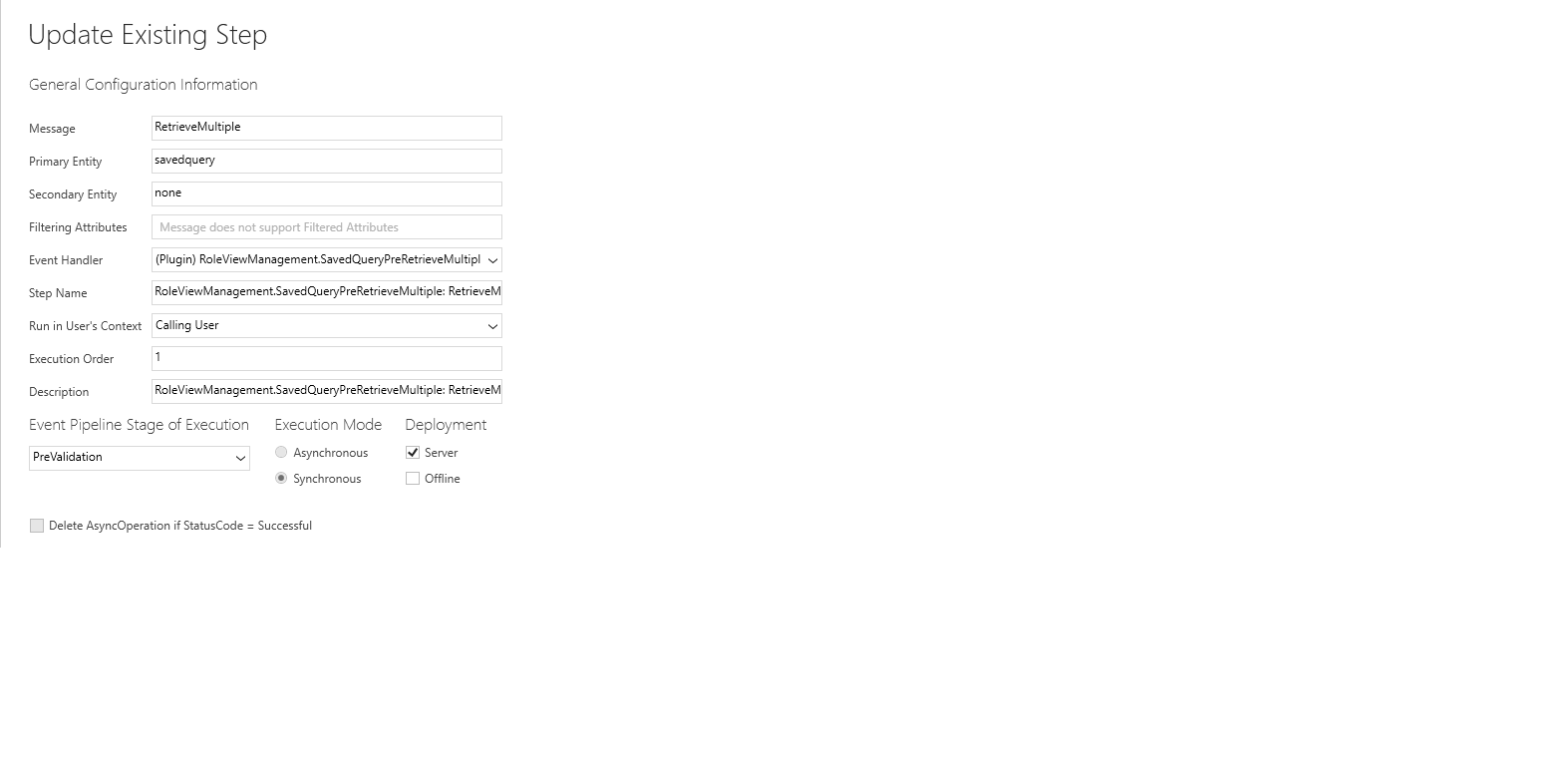
     

    img.png


    Please suggest.


  • Suggested answer
    keyur7379 Profile Picture
    902 on at

    Hi Rohit,

    I am facing same issue. It is not working in unified service hub app. I just created support ticket in Microsoft. I will let you know once I get answer.

    Thanks,

    Keyur shah.

  • billiardguy Profile Picture
    70 on at

    I am running into the same issue.  I have a plugin that I want to use to modify a specific filter in from a view. I am using version 9+ online.  In the custom system (web based), the plugin gets fires on the RetrieveMultiple message for each of my views, but in the Sales Hub the plugin will not fire for the view with the filter I want to change.

    Any updates on this.  Thanks!

Under review

Thank you for your reply! To ensure a great experience for everyone, your content is awaiting approval by our Community Managers. Please check back later.

Helpful resources

Quick Links

November Spotlight Star - Khushbu Rajvi

Congratulations to a top community star!

Forum Structure Changes Coming on 11/8!

In our never-ending quest to help the Dynamics 365 Community members get answers faster …

Dynamics 365 Community Platform update – Oct 28

Welcome to the next edition of the Community Platform Update. This is a status …

Leaderboard > Customer Service

Last 30 days Overall leaderboard

Featured topics

Product updates

Dynamics 365 release plans
