web
You’re offline. This is a read only version of the page.
close
Skip to main content

Announcements

News and Announcements icon
Community site session details

Community site session details

Session Id :
Customer experience | Sales, Customer Insights,...
Suggested Answer

Need to add a scoring model for both Form submission and Lead Source

(0) ShareShare
ReportReport
Posted on by 562

Hi,

We currently have scoring models based on Lead Source when a form is submitted.  eg. "website download".
However, the problem we have is when another form for website downloads is submitted. The points are not increasing.

Is there a way to build a scoring model that both uses Lead source = website download + form submission so the points can increase?

/Chris

I have the same question (0)
  • Suggested answer
    Nya Profile Picture
    29,064 on at

    Hi Chris,

    Do you mean that the name of the form is "website download" and Each time a submission is made to this form, all Leads whose Lead Source is this form are scored, regardless of the contact person who made the submission?


    It cannot be achieved for the Lead Scoring Models are targeting at the Contact or Account.
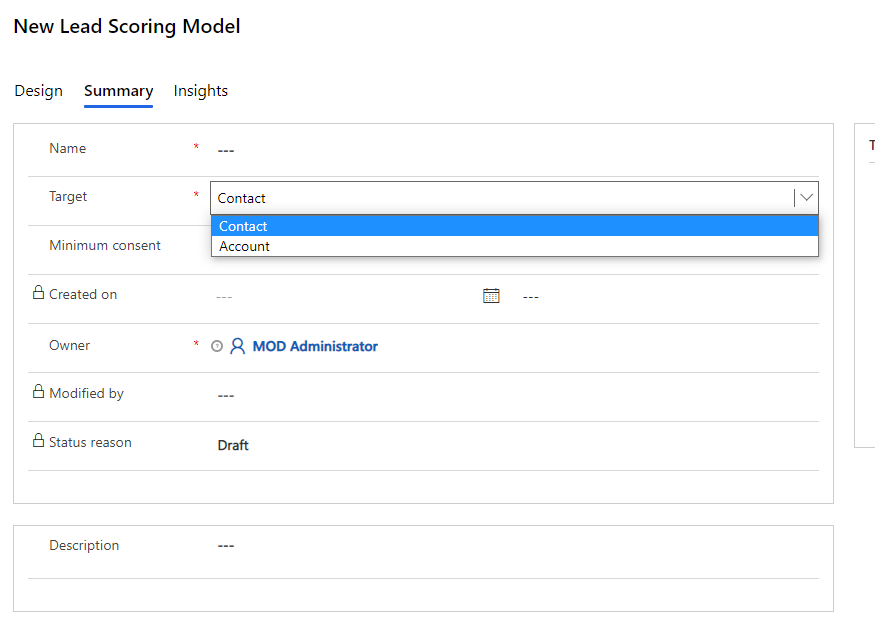
     pastedimage1616492504863v1.png

    It means that models are based on the behaviors of Contacts or Accounts.

    For example, here are the submissions of a form.
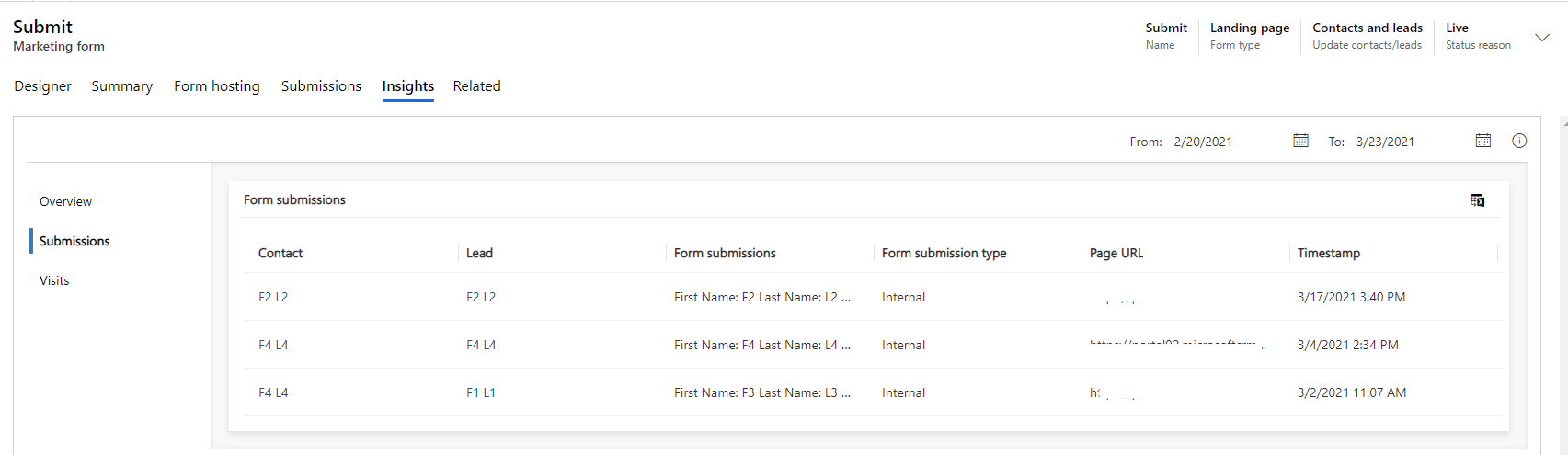
     pastedimage1616492518612v2.png

    The contact F2 has one submission and F4 has two.

    If I set each submission will get 5 points,
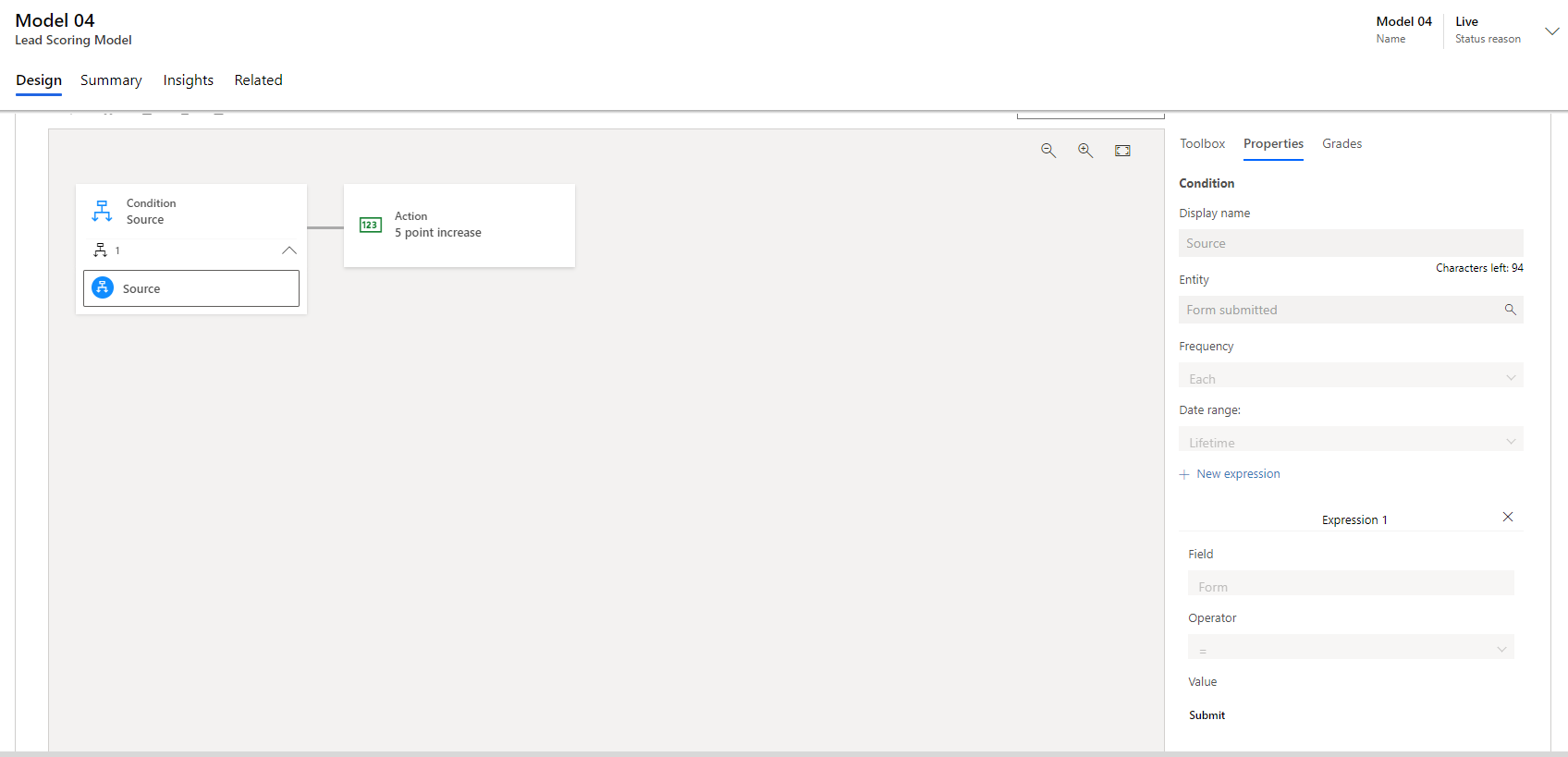
     pastedimage1616492530544v3.png

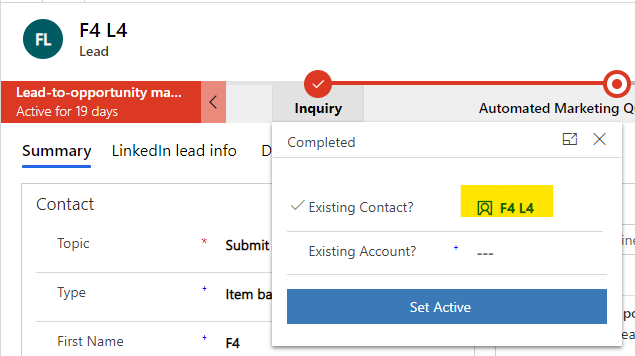
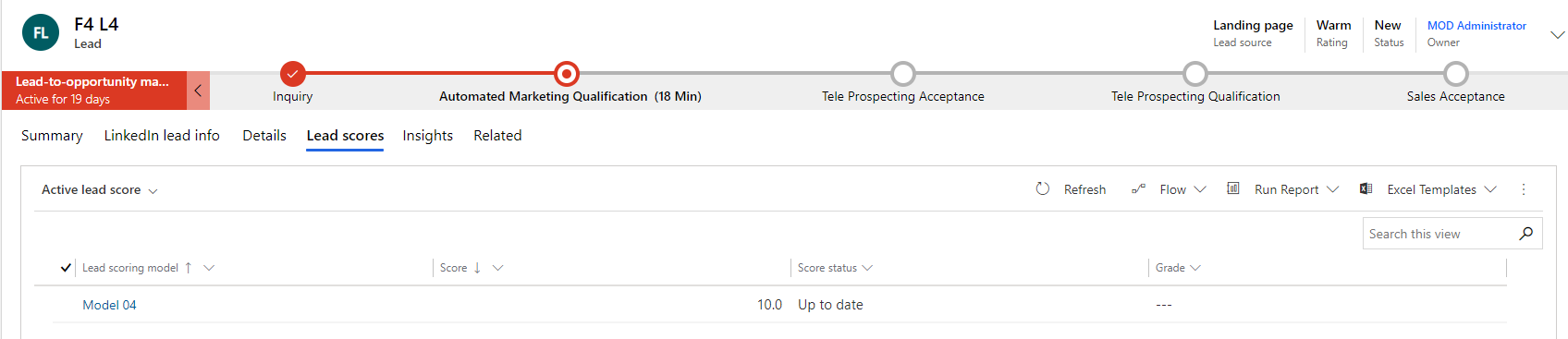
    the leads whose Existing Contact is F2 will get 5 points, while the leads whose Existing Contact is F4 will get 10 points.
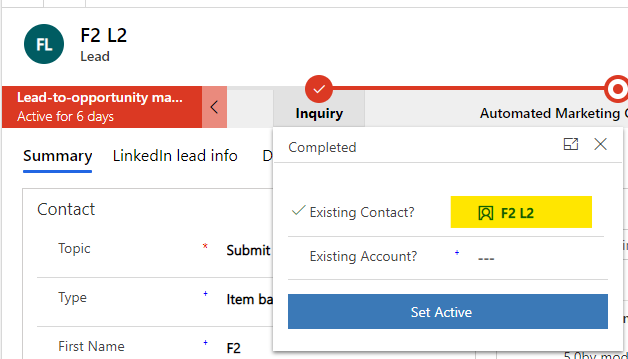
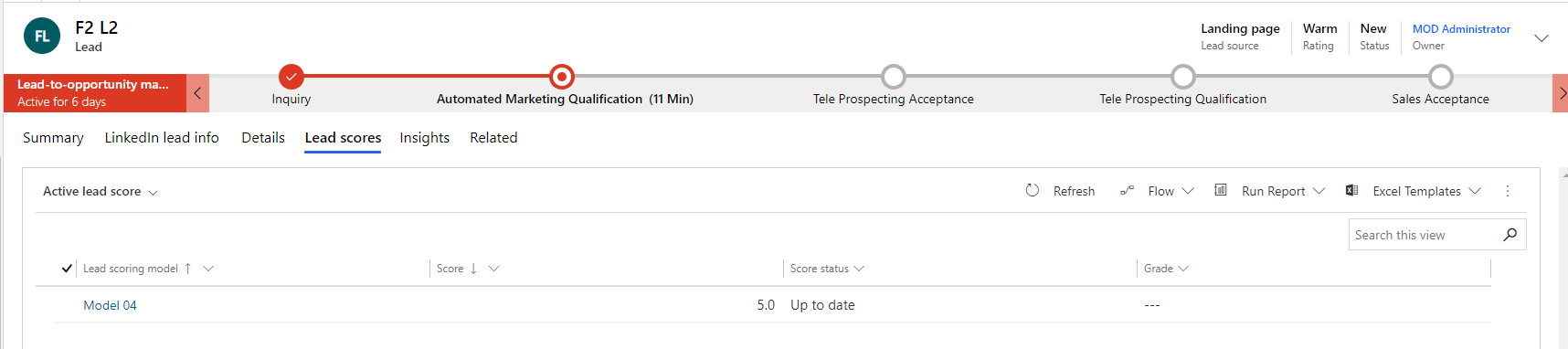
     pastedimage1616492538030v4.pngpastedimage1616492554502v5.png

    pastedimage1616492581177v6.pngpastedimage1616492596929v7.png

    You can find that “Only leads associated with parent contacts or accounts can be scored” in the following documentation.

    Create lead scoring models (Dynamics 365 Marketing) | Microsoft Docs

    So Lead Source cannot be used as a basis for differentiating Leads in a Lead Scoring Model.

    The number of Form submissions cannot be counted in isolation from Contact either.

    If this helped you, I'd appreciate it if you'd mark this as a Verified Answer, which may in turn help others as well.

    Best Regards,

    Nya

  • CHK1970 Profile Picture
    562 on at

    Hi, we use a hidden form field "lead source" and score as below.

    pastedimage1616510173982v1.png

    What i need to combine is Form submission element with Lead Source = website download accessed under the Lead fields.
    We have over 100 forms so we cannot use Form name.

    Everytime a new form is submitted - we just update the existing score and not create a new lead.

    Any ideas?

  • Suggested answer
    Nya Profile Picture
    29,064 on at

    Hi Chris,

    I think what you need is a model as the below images.

    pastedimage1616664775869v3.pngpastedimage1616664779992v4.png

    However, the condition "each" qualifier can only be used in a single condition.

    So it’s impossible to score the leads whose lead source is Website Downloadables Every time a new form is submitted.


    And even if it is set up successfully, the lead will only be scored when the lead's existing contact submits the form.


    If this helped you, I'd appreciate it if you'd mark this as a Verified Answer, which may in turn help others as well.

    Best Regards,

    Nya

  • CHK1970 Profile Picture
    562 on at

    Hi, yes, it will not work. For these i can solve it with "form name contains"

    However, im really struggling with the Teams LE registrations. I have the same issue. If someone registers for multiple webinars the score will not update. It will only show the original score.
    What im trying to do is score firstly on Form submission "Form name Contains" and secondly using Event Event type = Webinar +20, Training +51, Exec breifing +95 etc.
     

    So im trying to apply the same logic. Pic below
    First condition is "Event form submission - form name contains "Webinar" +5 
    Second condition is Event type = Webinar + 20  Giving a total of 25 points.

    However, i do not believe this will work as the next time someone registers for a webinar it will only add +5 points for Form submission and not apply the additional Event type points. 

    pastedimage1617870356136v1.png

Under review

Thank you for your reply! To ensure a great experience for everyone, your content is awaiting approval by our Community Managers. Please check back later.

Helpful resources

Quick Links

Season of Sharing Community Challenge Launch!

Jump in, show your community spirit, and win prizes!

Women in Power Builds Momentum

Expanding mentorship, skilling, and AI innovation

Congratulations to the May Top 10 Community Leaders

These are the community rock stars!

Leaderboard > Customer experience | Sales, Customer Insights, CRM

#1
Hamza H Profile Picture

Hamza H 142 Super User 2026 Season 1

#2
Nagaraju_Matta Profile Picture

Nagaraju_Matta 128

#3
11manish Profile Picture

11manish 121

Last 30 days Overall leaderboard

Product updates

Dynamics 365 release plans