web
You’re offline. This is a read only version of the page.
close
Skip to main content

Announcements

News and Announcements icon
Community site session details

Community site session details

Session Id :
Customer Service forum

Add Custom Entity to Lookup

(0) ShareShare
ReportReport
Posted on by 422

Hi everyone,

We have an issue with something and I found what is causing the problem bu i don't know if the solution is actually possible.

Here's what's happened:

We have a custom entity called "Primary Case Email" which stores an email address of the custom open the case in CRM
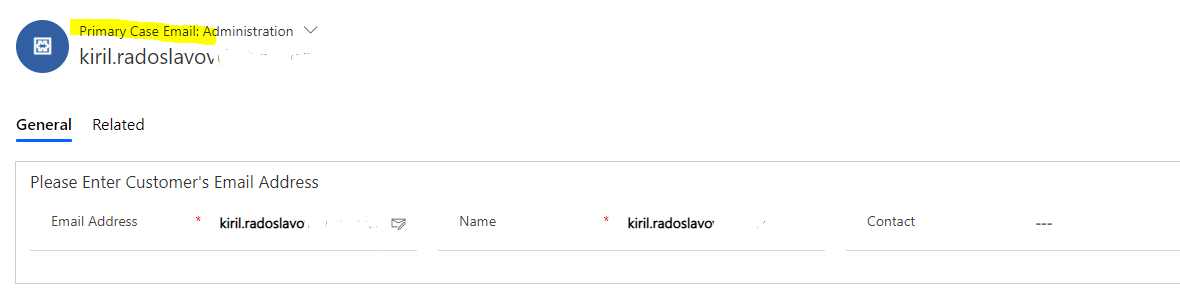
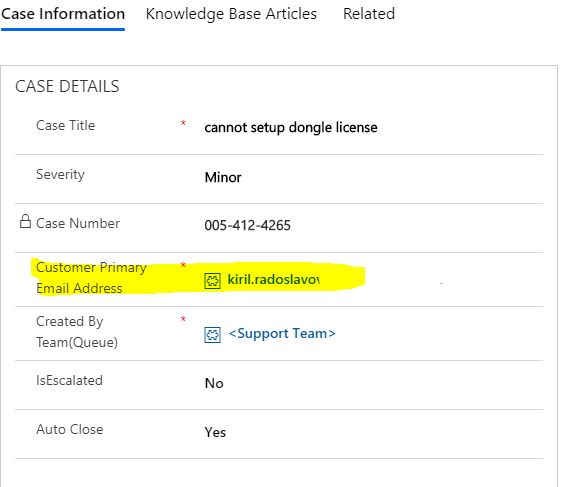
3755.1.PNG

7024.2.PNG

When we click reply or reply all on a case email, we receive an error message, but if we click OK we can proceed with the reply, the only thing is that the email address from this file is getting neither in CC or TO.

We look further and found that actually, CRM cannot refer to it because cannot look into that entity at the first place.

1104.3.PNG

We can see that if we start typing something in these two fields I can change to Accounts, Contacts, Users, and KB's (don't know who puts KB in To or CC but anyway)

The question is: How can I add a custom entity there as well, so that way the error might disappear because CRM will be able to look in Primary Case email entity and find the email address.

FYI: in classic interface, this entity is already available for search and the error doesn't occur when replying.
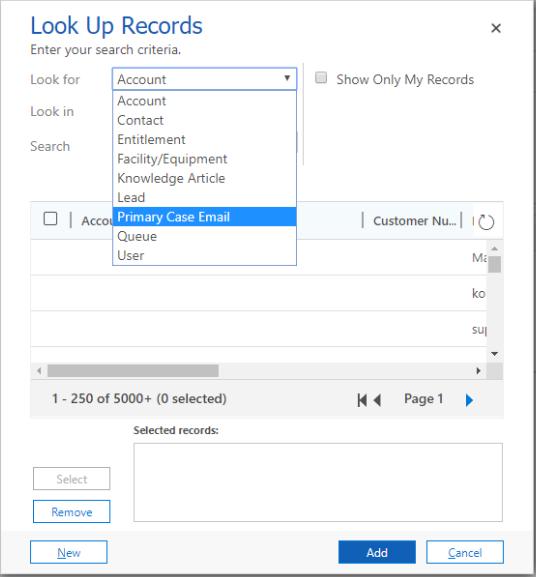
8546.4.PNG

Please let me know if there's anything unclear.

Regards

Kiril

Categories:
I have the same question (0)
  • Verified answer
    T.I.A Profile Picture
    1,760 on at

    Hi Kiril. Unfortunately you can't add a custom entity to the To field since it's a party List field, which is out of the box. Only the entities provided in the list can be used.

    4606.to.PNG

  • Suggested answer
    LuHao Profile Picture
    40,892 on at

    Hi Kiril,

    • In the unified interface, it is impossible.

    As described in T.I.A, the party list type field does not support customization.

    • It can only be implemented in the web client, as in the screenshot you shared.

    Please refer to this blog:

    [View:https://d365demystified.com/2019/01/13/enable-entity-for-party-list-selection-in-appointment/:320:50]

    So for now, you could only implement it in the web client.

  • Radoslavov Profile Picture
    422 on at

    Thank you both for the answers, hopefully, soon they will allow this as it is in the legacy interface.

    Best regards

    Kiril

Under review

Thank you for your reply! To ensure a great experience for everyone, your content is awaiting approval by our Community Managers. Please check back later.

Helpful resources

Quick Links

November Spotlight Star - Khushbu Rajvi

Congratulations to a top community star!

Forum Structure Changes Coming on 11/8!

In our never-ending quest to help the Dynamics 365 Community members get answers faster …

Dynamics 365 Community Platform update – Oct 28

Welcome to the next edition of the Community Platform Update. This is a status …

Leaderboard > Customer Service

Last 30 days Overall leaderboard

Featured topics

Product updates

Dynamics 365 release plans



