web
You’re offline. This is a read only version of the page.
close
Skip to main content

Notifications

Announcements

No record found.

Community site session details

Community site session details

Session Id :
Microsoft Dynamics AX (Archived)

AX 2012 R3 - Unable to Auto-generate Menu Item\Display from the Info Part

(0) ShareShare
ReportReport
Posted on by 730

Hi All!

I am doing the MOC exercise for AX2012 80303_ENUS_DEV1 - Development 1 in Microsoft Dynamics AX 2012: 

Procedure: Adding a FactBox to a List Page
Use the following step procedure to add the FactBox to the customer's list page.
1. Create a new menu item for the info part, by dragging the VetCustPetTableInfoPart to the Menu Items > Display node in the AOT.

I can't drag the VetCustPetTableInfoPart to the Menu Items > Display node.
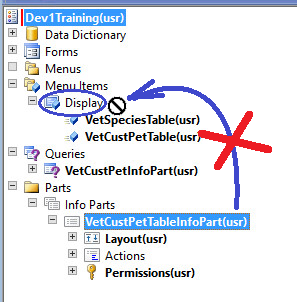
Unable-to-Create-Display-Menu-Item-from-Info-Part.png

Could you, please,

  1. help me to fix the issue
  2. or advise how to manually configure the Menu Item\Display for VetCustPetTableInfoPart
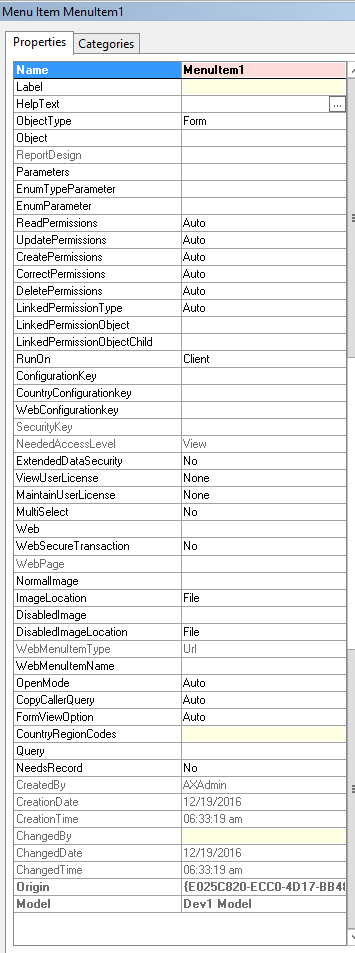
Menu-Item-Parameters.png

Many thanks, in advance!!

*This post is locked for comments

I have the same question (0)
  • Verified answer
    Vilmos Kintera Profile Picture
    46,149 on at

    You cannot drag and create it within a project's field group with a specific type, but you have to drag it to the full AOT (open it by Control+D).

  • Verified answer
    Akhil Goyal Profile Picture
    35 on at

    Hi MarinaAX,

    You should drag the "VetCustPetTableInfoPart" to the Menu Items > Display node in AOT not in Project.

Under review

Thank you for your reply! To ensure a great experience for everyone, your content is awaiting approval by our Community Managers. Please check back later.

Helpful resources

Quick Links

Responsible AI policies

As AI tools become more common, we’re introducing a Responsible AI Use…

Neeraj Kumar – Community Spotlight

We are honored to recognize Neeraj Kumar as our Community Spotlight honoree for…

Leaderboard > 🔒一 Microsoft Dynamics AX (Archived)

#1
Priya_K Profile Picture

Priya_K 4

#1
Martin Dráb Profile Picture

Martin Dráb 4 Most Valuable Professional

#3
Sukrut Parab Profile Picture

Sukrut Parab 2 Moderator

Last 30 days Overall leaderboard

Featured topics

Product updates

Dynamics 365 release plans



