web
You’re offline. This is a read only version of the page.
close
Skip to main content

Notifications

Announcements

No record found.

Community site session details

Community site session details

Session Id :
Finance | Project Operations, Human Resources, ...
Answered

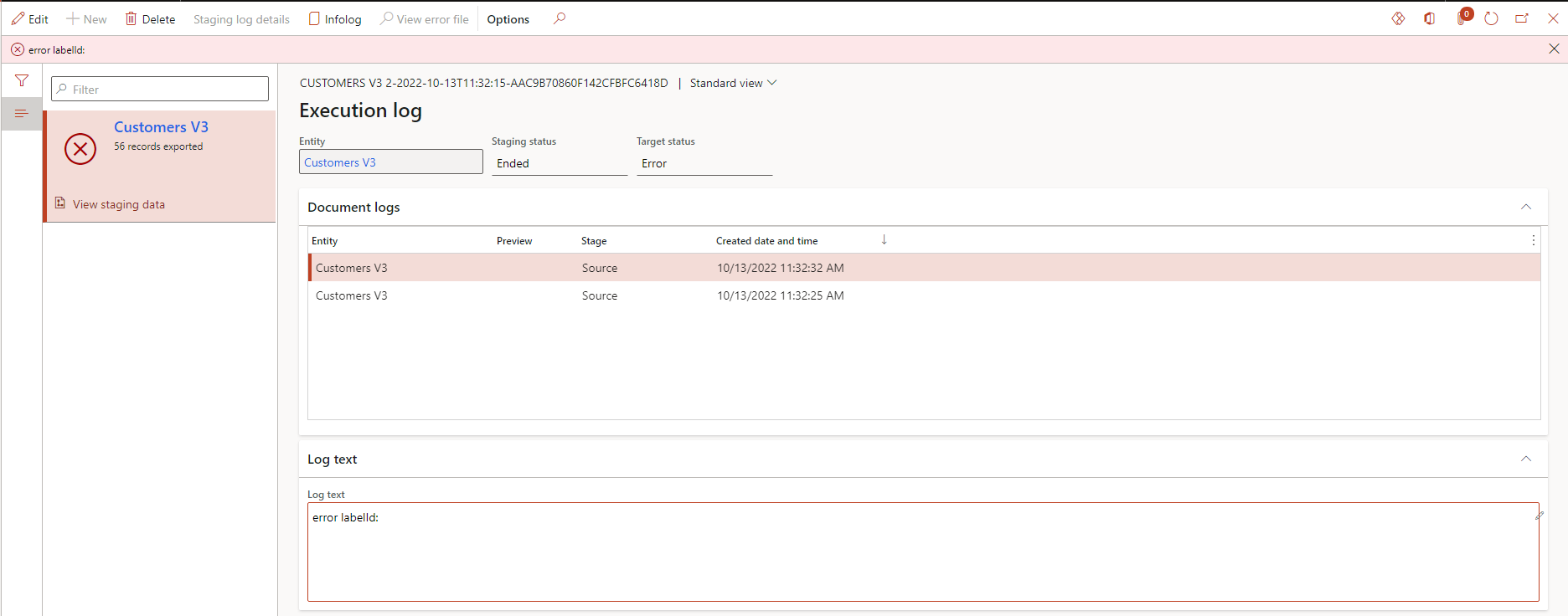
Data entity failing to export to Excel (error labelId:)

(1) ShareShare
ReportReport
Posted on by 18

Hi all,

We are getting an error when using the entity Customers V3 to export data to excel. The records are inserted in the staging table, however this is followed by a rather meaningless error saying "error labelId:". Note that we have customisations on this entity, and also exporting to any other format, such as xml, worked successfully. This is happening on all environments that we have, and we have tried restarting the 'Data management workspace' service from LCS, but this did not help. 

Any clue on what this error could mean? Currently I have no idea what to look for, whether it's a customization or setup or anything else. Any pointers would be appreciated.  
pastedimage1666880521744v1.png

I have the same question (0)
  • André Arnaud de Calavon Profile Picture
    301,194 Super User 2025 Season 2 on at

    Hi kypardi,

    Are you able to reproduce the same issue on a standard environment without your customization? Can you tell more about the customization you have? What exact version of Dynamics 365 F&O are you using?

  • kypardi Profile Picture
    18 on at

    Hi André,

    Thanks for your reply. I have tried exporting on a standard environment, and the export succeeds. So it must be something on our side. Re. customizations, the entity was basically extended with a number of datasources and fields. However, it has been tested successfully since our last customisation, meaning that something must have gone wrong afterwards. So I'm thinking the cause must be something else other than our customizations.  

    Many thanks,

    Kyle

  • Suggested answer
    Alireza Eshaghzadeh Profile Picture
    14,686 Super User 2025 Season 2 on at

    Hi kypardi,

    Have you tried to activate "Skip to staging" to check if data get exported?

    Have you debugged the issue?

  • Bharath45 Profile Picture
    15 on at

    Hi Kypardi,

    I do have a similar issue when I am exporting the data into BYOD. I did an entity refresh from Framework parameters under the Data Management workspace and republished the entity to BYOD and then it worked for me. I also did skip staging on the export.

    Thanks

    Bharath

  • Verified answer
    CU20012211-0 Profile Picture
    2 on at
    I had the same error with a custom version of the customers entity

    I went into the mapping and deleted a number of fields I didn't require, to minimize the number of columns being exported

    After this, worked fine 

    Late to the plate but just in case others have this issue 

Under review

Thank you for your reply! To ensure a great experience for everyone, your content is awaiting approval by our Community Managers. Please check back later.

Helpful resources

Quick Links

Responsible AI policies

As AI tools become more common, we’re introducing a Responsible AI Use…

Neeraj Kumar – Community Spotlight

We are honored to recognize Neeraj Kumar as our Community Spotlight honoree for…

Leaderboard > Finance | Project Operations, Human Resources, AX, GP, SL

#1
André Arnaud de Calavon Profile Picture

André Arnaud de Cal... 490 Super User 2025 Season 2

#2
Martin Dráb Profile Picture

Martin Dráb 429 Most Valuable Professional

#3
BillurSamdancioglu Profile Picture

BillurSamdancioglu 241 Most Valuable Professional

Last 30 days Overall leaderboard

Product updates

Dynamics 365 release plans



