web
You’re offline. This is a read only version of the page.
close
Skip to main content

Notifications

Announcements

No record found.

Community site session details

Community site session details

Session Id :
Dynamics 365 general forum

How to automatically track incoming emails

(0) ShareShare
ReportReport
Posted on by 385

Hi.

I have two problems in tracking emails that I can not solve.

1. For some reason the incoming message is not automatically tracked (see picture) and the user has to click "Track".

autotrack.PNG

2. Even after the user clicks  on "Track" the "Regarding" field  is not been automatically filled and I have to do it manually (see picture) .
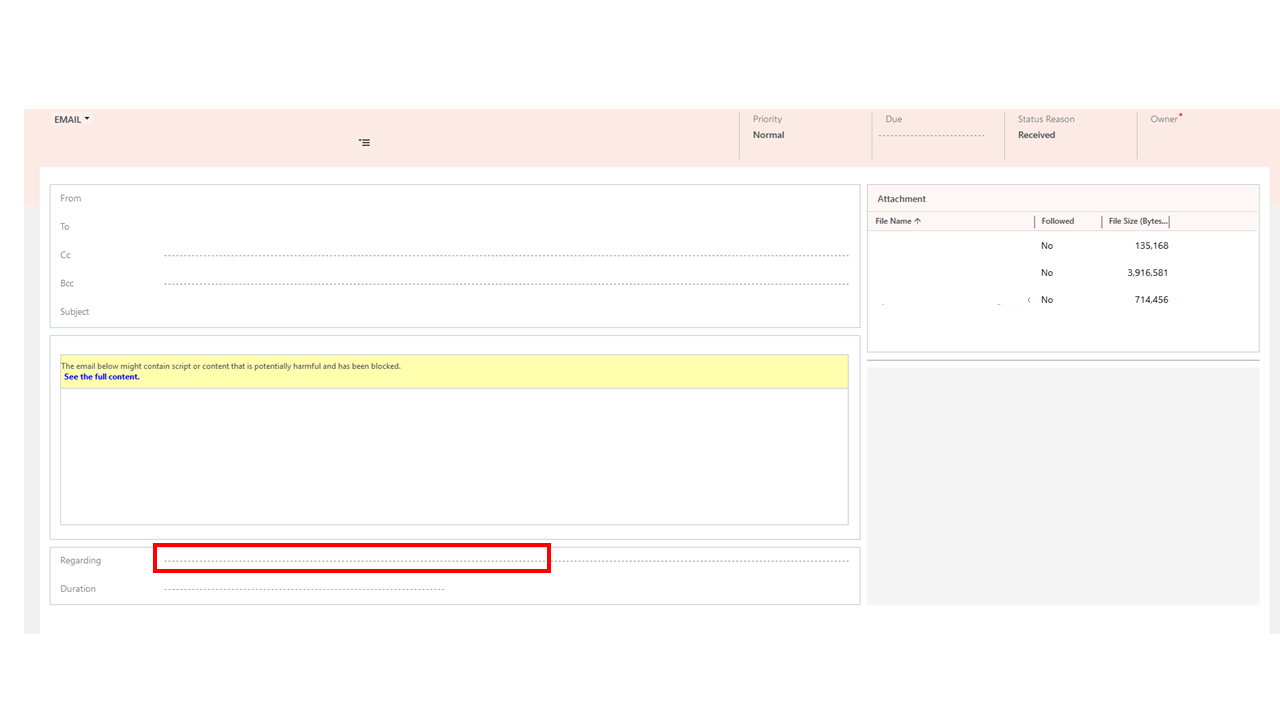
Presentation1.png

Do you have any ideas on what to do?

I have the same question (0)
  • Adrian Begovich Profile Picture
    1,027 Moderator on at

    Hi alexyou,

    Read this article to learn about automatically tracking incoming Outlook email in Dynamics 365 for Outlook.

  • alexyou Profile Picture
    385 on at

    Unfortunately this did not solve the problem.

    I'm still unable to track emails automatically.

Under review

Thank you for your reply! To ensure a great experience for everyone, your content is awaiting approval by our Community Managers. Please check back later.

Helpful resources

Quick Links

November Spotlight Star - Khushbu Rajvi

Congratulations to a top community star!

Forum Structure Changes Coming on 11/8!

In our never-ending quest to help the Dynamics 365 Community members get answers faster …

Dynamics 365 Community Platform update – Oct 28

Welcome to the next edition of the Community Platform Update. This is a status …

Leaderboard > Dynamics 365 general

Last 30 days Overall leaderboard

Featured topics

Product updates

Dynamics 365 release plans



