web
You’re offline. This is a read only version of the page.
close
Skip to main content

Announcements

News and Announcements icon
Community site session details

Community site session details

Session Id :
Customer experience | Sales, Customer Insights,...
Suggested Answer

Adding entities in Model Driven Advanced Find Search (Like Advanced find shows all entities to search)

(0) ShareShare
ReportReport
Posted on by 42

Hi All,

Dynamics CRM 365(Online) upgrade wave-1 has introduce Model Driven Advanced Find, When I am going to use it, I don't see all the entities listed there in search dialog.

Like System Job or custom entities, only few entities are there by default.

I read somewhere that its app specific and we have to modify app to add/remove entities in that dialog but there is no steps or documentation to Add entity in  Model Driven Advanced Find search.
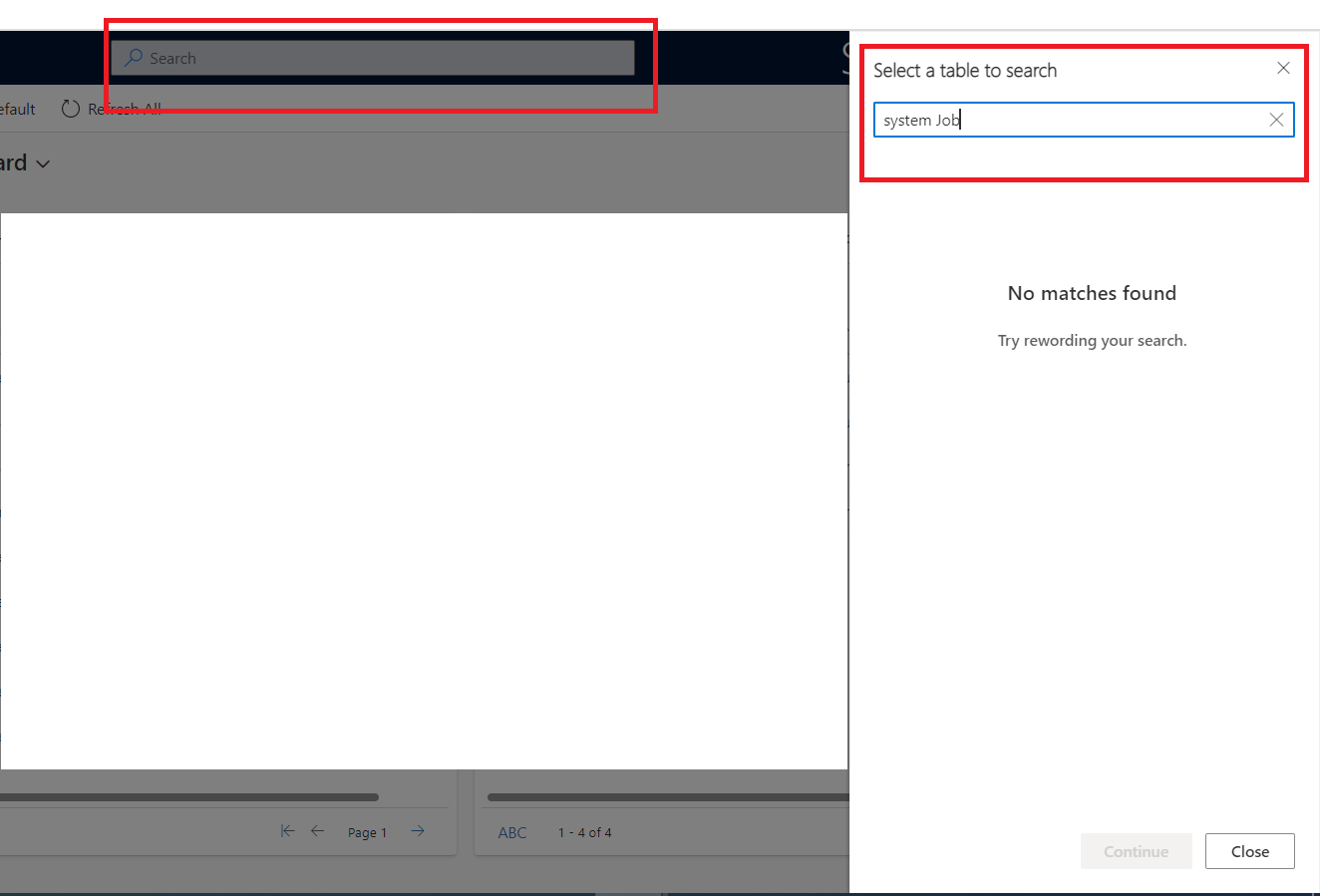
Model-Driven-Advanced-Find-Screen-Shot.png

Please help.

Thank you in advance

I have the same question (0)
  • Suggested answer
    Abdul Wahab Profile Picture
    12,119 Moderator on at

    Hi Sharique,

    I think the link is having all the details.

    If I answer your question then please mark it as verified.

    Let me know if I can provide you with more details.

    Thanks
    Regards,

    Abdul Wahab
    Power Platform/Customer Engagement Developer/Lead/Solution Architecture/Project Manager
    Direct/WhatsApp:+923323281237
    E-mail: abdulwahabubit@outlook.com
    Skype: abdul.wahabubit
    Linkedin: www.linkedin.com/.../

  • Sharique Profile Picture
    42 on at

    Hi Wahab,

    I followed the link and tried to add custom entity in Modern Advanced Find Search but still it is not working.

    We don't have System Job entity available in default solution. as in Power apps we have to open solution and add that entity in "Managed Search Index". so I created test solution to add system jon in that but I could not find this entity in CRM. (May be it is not available for customization)

    I am not able to add any custom entity and System Job entity as well.

    I followed "Select tables for Dataverse search" from your given link.

Under review

Thank you for your reply! To ensure a great experience for everyone, your content is awaiting approval by our Community Managers. Please check back later.

Helpful resources

Quick Links

Season of Sharing Community Challenge Launch!

Jump in, show your community spirit, and win prizes!

Women in Power Builds Momentum

Expanding mentorship, skilling, and AI innovation

Congratulations to the May Top 10 Community Leaders

These are the community rock stars!

Leaderboard > Customer experience | Sales, Customer Insights, CRM

#1
Hamza H Profile Picture

Hamza H 142 Super User 2026 Season 1

#2
Nagaraju_Matta Profile Picture

Nagaraju_Matta 128

#3
11manish Profile Picture

11manish 99

Last 30 days Overall leaderboard

Product updates

Dynamics 365 release plans


