web
You’re offline. This is a read only version of the page.
close
Skip to main content

Announcements

News and Announcements icon
Community site session details

Community site session details

Session Id :
Service | Customer Service, Contact Center, Fie...
Answered

Email Work Order Summary Out of the Box

(0) ShareShare
ReportReport
Posted on by 110

Greetings All,

I see that there is an email functionality to send to a customer as shown below ...

pastedimage1574353393418v1.png

Which opens the email template ...

pastedimage1574353443636v2.png

This is a free form email and does not automatically fill in the work order details (unless done manually). Is there a recommended way of getting the work order details into an email, out of the box without any plugins?

-Ashish

I have the same question (0)
  • Community Member Profile Picture
    on at

    What about Workflow or mobilreport from the app?

  • Fannie30 Profile Picture
    2,990 Moderator on at

    This is just a blank email to send a generic email to the customer and associate to the Work Order.  My recommendation is to create a Template (email or document template) and use either.  My question is - what are you trying to achieve?  Does this need to automatically go out?  Is it based on certain details or actions?

  • ashishshahs Profile Picture
    110 on at

    Scott,

    There are several use cases where email is needed to be sent to customer ...

    1. Confirming the Work Order
    2. Scheduling the Work Order
    3. Changing Work Order
    4. Cancelling Work Order

    I have tried email templates, however, there is no template available for "Work Order". There is one available for "Order". However, when I click the email functionality as below ...

    pastedimage1574800176062v1.png

    The email object is opened. After selecting the recipient, and clicking on "Insert Template", the only options available are ... 

    pastedimage1574800435670v2.png

    "To Recipient" gives options for Template Types ... Contact AND User

    "Regarding" gives options for Template Types ... Global.

    Neither Contact, User or Global provide data for Order or Work Order. Hence trying to see if there are other options suggested by experts in this Forum.

    -Ashish

  • Verified answer
    ba365guy Profile Picture
    2,950 on at

    For Sending email with pre-populated details:

    Work Order:

    1. Navigate Dynamics365--> Settings --> Processes
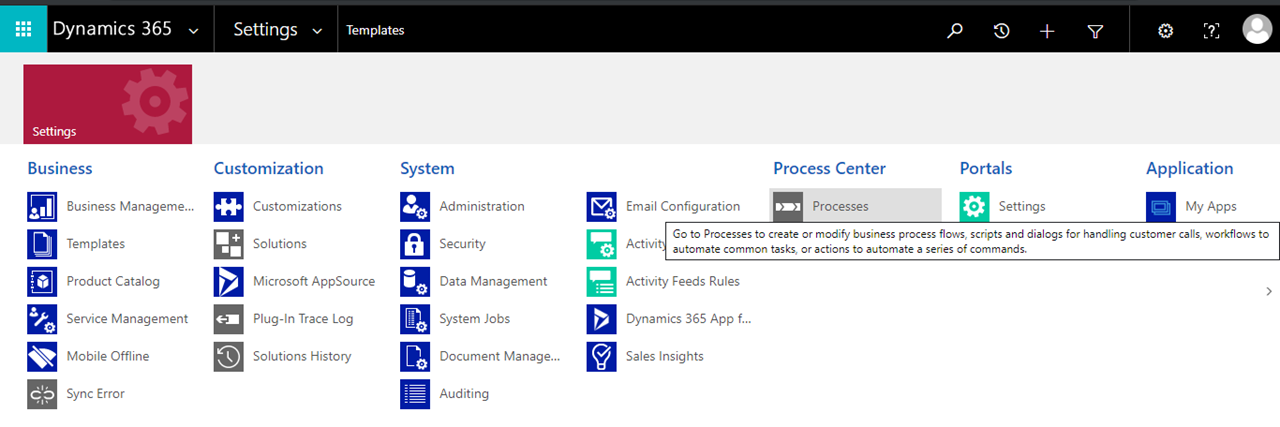
    pastedimage1574944962371v2.png

    2. Create New Process of Type Workflow for the entity Work Order
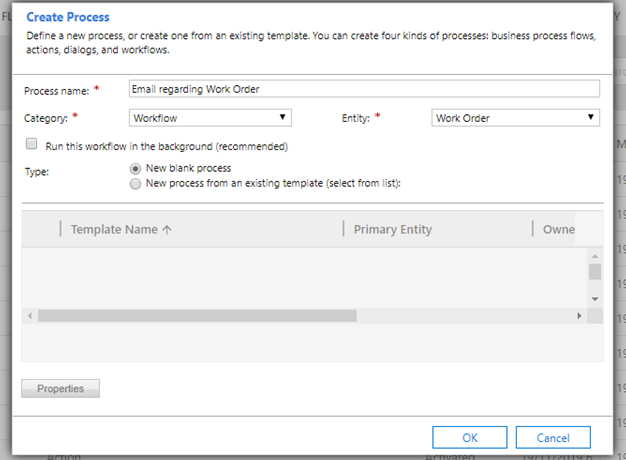
    pastedimage1574945141046v3.png

    3. Choose the triggering point. In the below example, I chose on create of work order
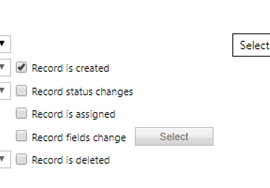
    pastedimage1574945231092v4.png

    4. Add a step for email in the workflow as below
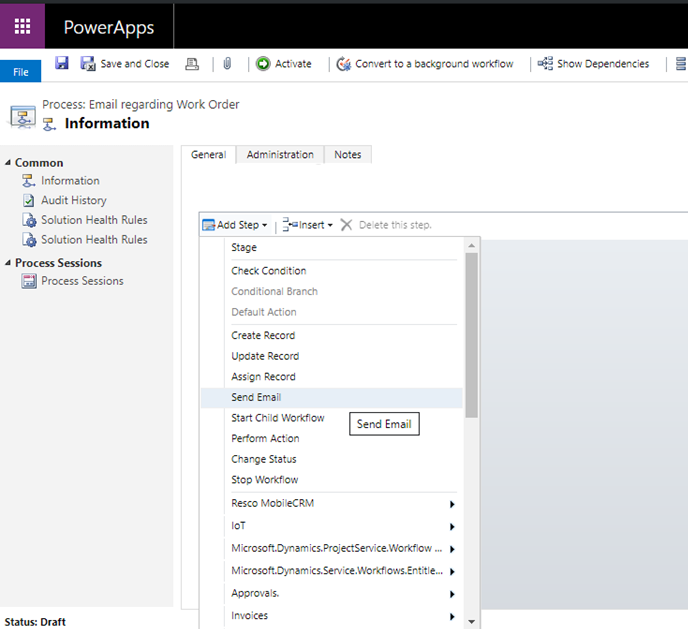
    pastedimage1574945300137v5.png

    5. Click on set properties to design the email

    6. Place your cursor in the email body and use the form assistant section to choose desired parameters (pre-populating)
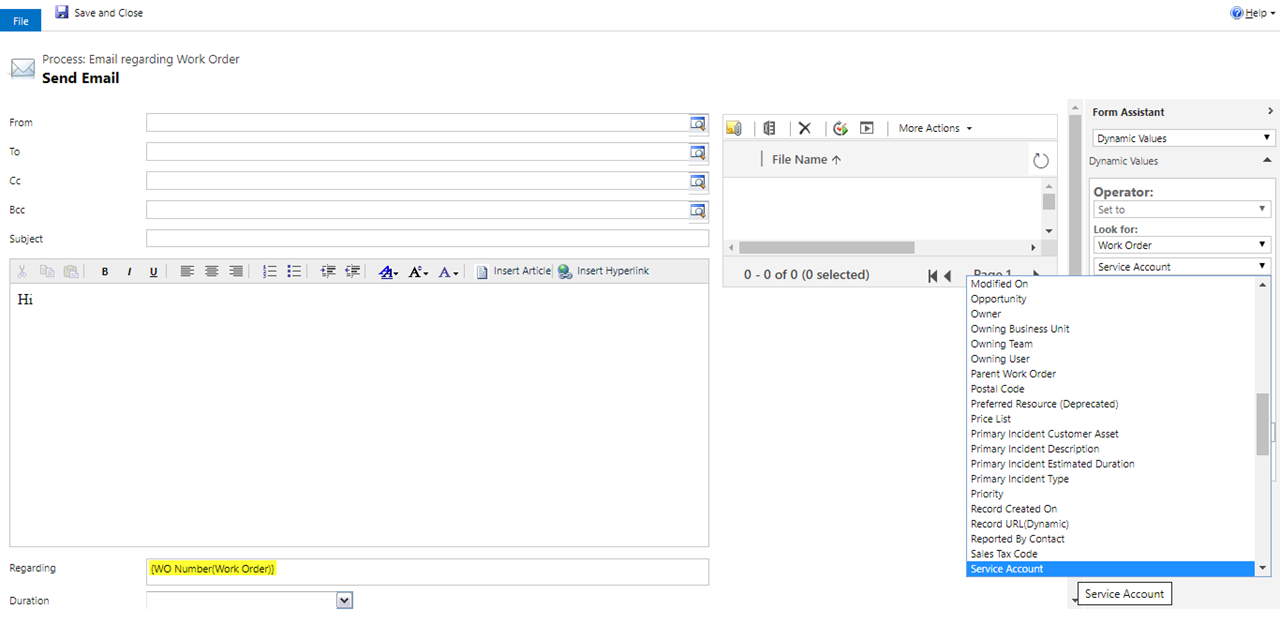
    pastedimage1574945471298v6.png

    7. Choose desired parameter and click on Add. Then Click OK. This parameter will be added to email body as below
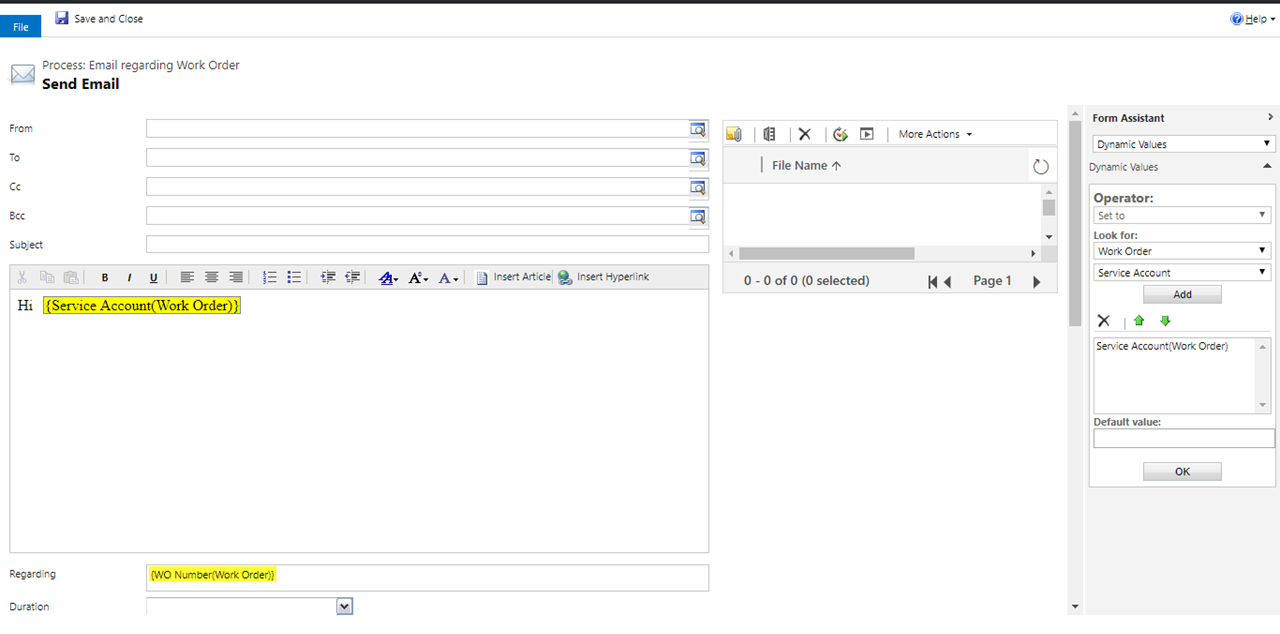
    pastedimage1574945552697v8.png

    8. Similarly you can add other parameters. In the below, i added Service Account, Work Order number, Work Order Owner as a sample
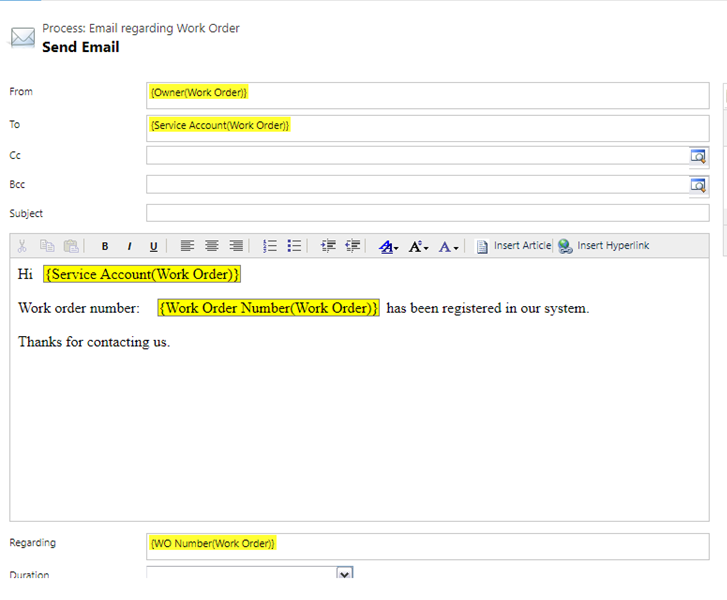
    pastedimage1574945711278v9.png

    9. Save the email. Activate the work flow. 

    10. When work Order is created, an email is automatically sent as follows:
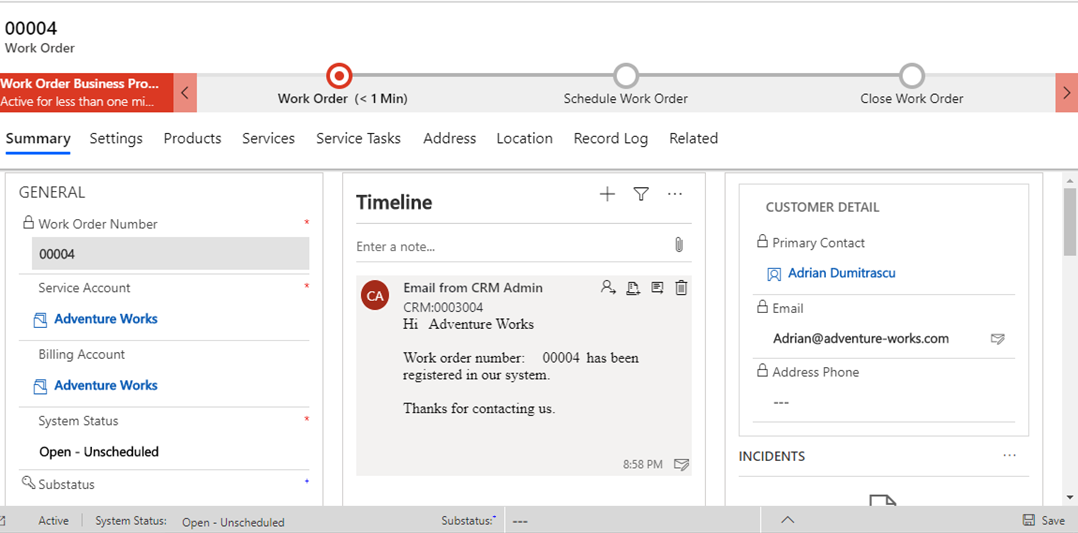
    pastedimage1574945951752v10.png

    Order:

    1. You can repeat the same steps above with work flow created on Order entity. OR

    2. You can create an email template specific to order entity and choose the parameters very similar to what we chose above. 

    Both the options work.

  • ashishshahs Profile Picture
    110 on at

    Thank you. This was helpful.

Under review

Thank you for your reply! To ensure a great experience for everyone, your content is awaiting approval by our Community Managers. Please check back later.

Helpful resources

Quick Links

Season of Sharing Community Challenge Launch!

Jump in, show your community spirit, and win prizes!

Women in Power Builds Momentum

Expanding mentorship, skilling, and AI innovation

Congratulations to the May Top 10 Community Leaders

These are the community rock stars!

Leaderboard > Service | Customer Service, Contact Center, Field Service, Guides

#1
Abhilash Warrier Profile Picture

Abhilash Warrier 51 Super User 2026 Season 1

#1
Muhammad Shahzad Shafique Profile Picture

Muhammad Shahzad Sh... 51 Most Valuable Professional

#3
Nagaraju_Matta Profile Picture

Nagaraju_Matta 50

Last 30 days Overall leaderboard

Featured topics

Product updates

Dynamics 365 release plans



