Hi FrancoisT,
I tested updating the BPF stage by importing Opportunity records with the "sales stage" field.
When I create new Opportunity records by importing, I cannot set the BPF stage, it is always "Qualify", as you encountered.
When I update existing Opportunity records by importing, I can set the BPF stage to difference stages.
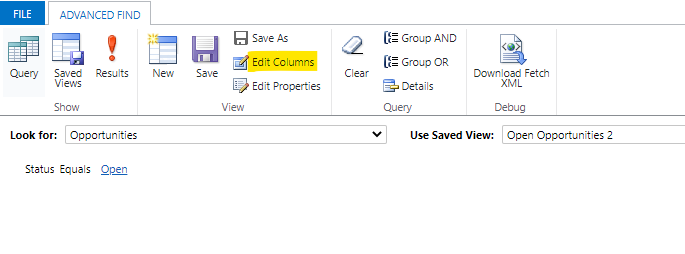
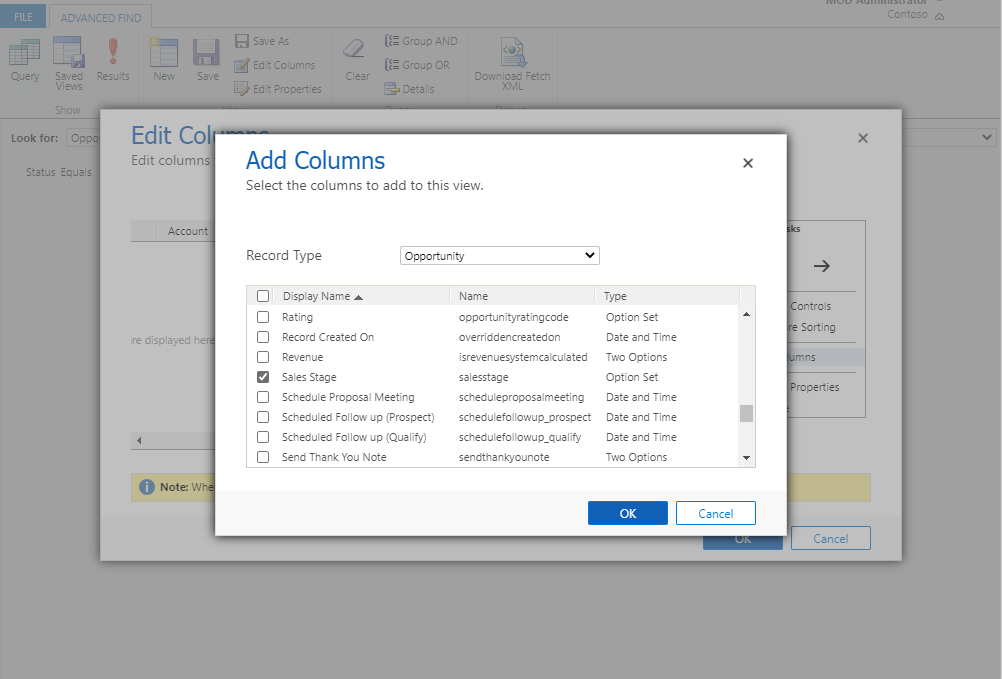
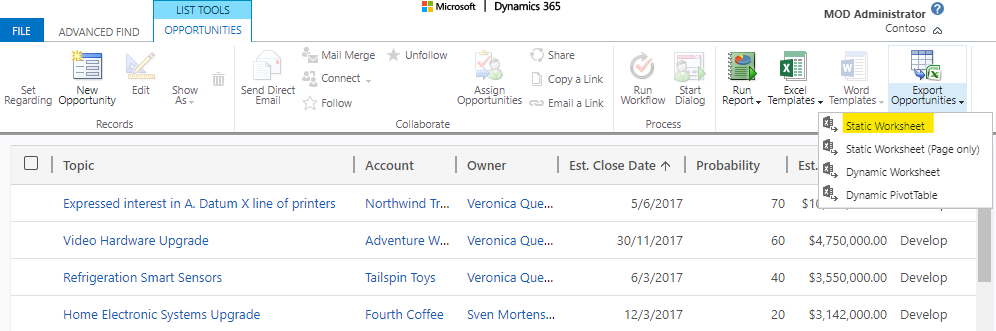
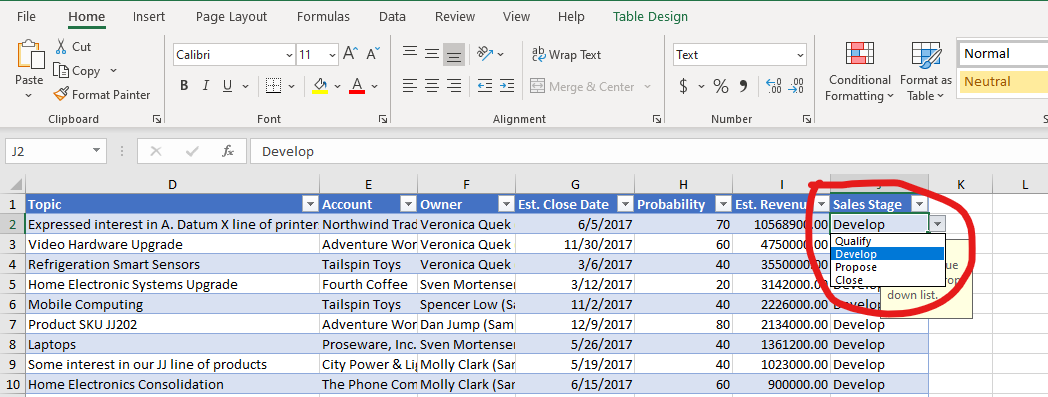
What I did was to search the Opportunity record through advanced find, add the "sales stage" field to the view, and then export it to Excel. After changing the "sales stage" field values, I imported it, and the update took effect.
In summary, it is available to update the BPF stage by importing the "sales stage" field, but it is only for the existing records, not for creating new records.





